
Full notes
Full Atopes update
Read the full published notes in a cleaner layout. The original post stays linked below.
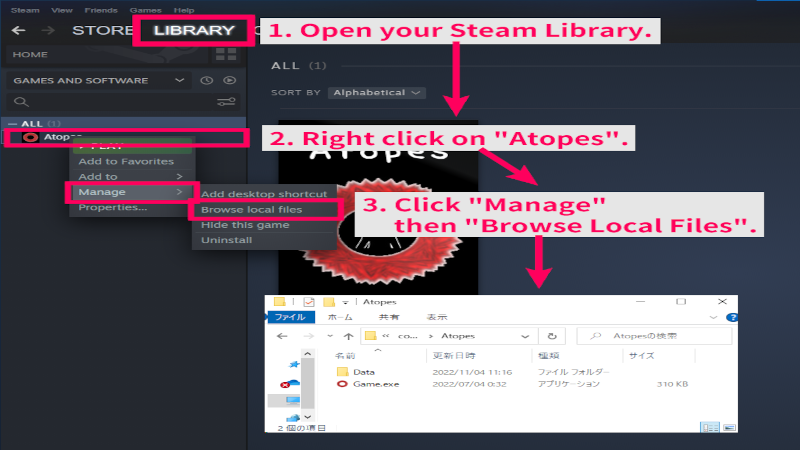
How to view the local files.
Open the Steam app.
- Open your Steam Library.
- Right click on "Atopes".
- Click "Manage" then "Browse Local Files".
Local Files are now opened.
Source
Changelog.gg summarizes and formats this update. How we read updates.