

Announcement
How to view the local files.
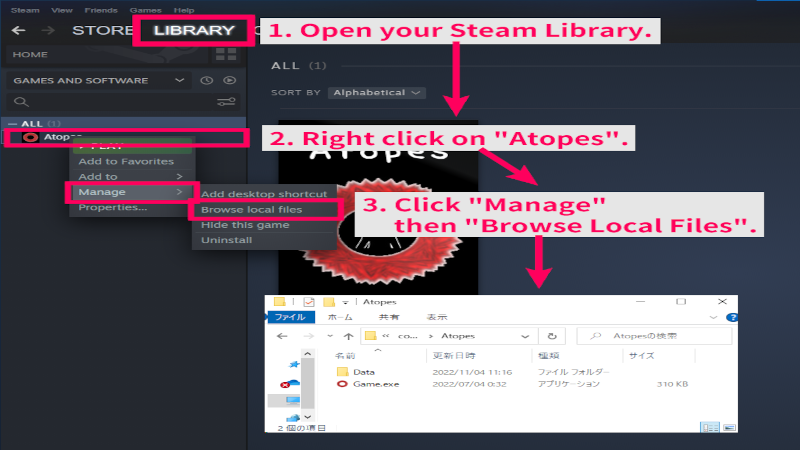
How to view the local files. Open the Steam app. 1. Open your Steam Library. 2. Right click on "Atopes". 3. Click "Manage" then "Browse Local Files". Local Files are now opened.
Also known as Atopes, a, atopes
Your future is vaster than the cosmos.
How to view the local files. Open the Steam app. 1. Open your Steam Library. 2. Right click on "Atopes". 3. Click "Manage" then "Browse Local Files". Local Files are now opened.
Browse past updates and patch notes for this game.