
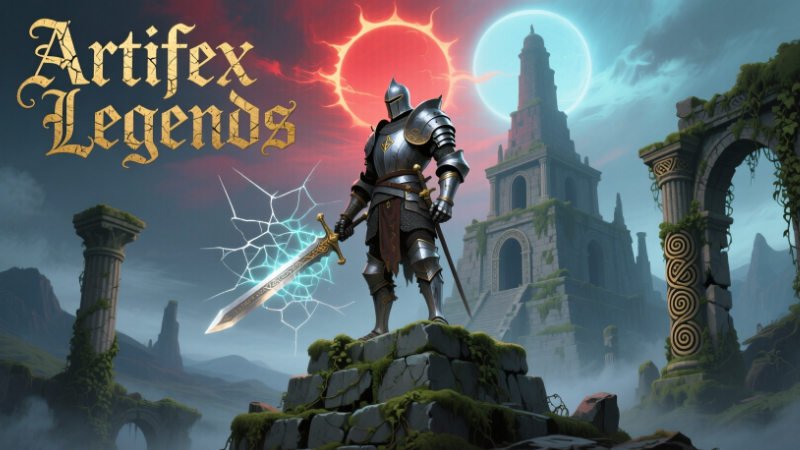
Full notes
Full Artifex Legends update
Read the full published notes in a cleaner layout. The original post stays linked below.
Repeated intro
Greetings adventurers!
What changed
- Gameplay
- Balance
- UI and audio
Artifex Legends changes
Here are the game's instructions for those who are curious or might be getting stuck.
Movement:
Move your character with the WASD keys.
Sprint by holding the Left-Shift key and moving.
Roll forward by pressing the Left-Control key.
Jump by pressing the spacebar.
Death:
If you die, you will be taken to the spirit world where you must find a wandering healer in order to be resurrected. Then you must make your way back to your corpse to loot your items. Press the "F" key when nearby your corpse to loot it.
Gameplay Modes:
During different gameplay modes or when viewing certain talent trees different actionbars will be visible and then you can drag those specific types of abilities from the talent window onto that actionbar or use that actionbar.
Combat:
Cycle between peace, melee, and ranged combat modes with the Tab key.
Perform a basic attack with the R key while in combat mode. Attacking multiple times will start a combo, and after the combo there's a brief cooldown period, then afterwards you can attack again.
Press and hold the "T" key while not attacking or dodging and if you have 5 stamina you'll consume the stamina and enter into blocking mode if you have a shield equipped or parrying mode if you don't have a shield equipped but you have a weapon equipped. + Holding blocking mode or parrying mode drains stamina constantly, depending on your equipped shield or weapon. Blocking or parrying an attack will drain more of your stamina. Different shields and weapons can block different amounts of damage, so not everything offers the best protection but can help in a pinch. You can attack while blocking or parrying but there is a stamina cost.
User Interface:
Move a window by dragging it around with left mouse.
Inventory:
Open the inventory with the I key.
Drag an inventory item around with the mouse's Left-Click by clicking on its pixels.
Use an item in the inventory by Right-Clicking it.
Open/close bag item in inventory with mouse's Right-Click.
Drag an item over a bag item in your inventory to put it into that bag. Alternatively you can just drag it to the other bag's open inventory.
Open a book or spellbook by right-clicking it in the inventory.
To open a piece of equipment's specialization window, right-click on the item, only works for equipment.
Items:
Use last item by pressing the X key.
If you hold the "Left Alt" button down while using a bandage it will use it on yourself regardless of your target.
Character Equipment/Stats:
Open the character sheet with the C key.
Equip or unequip an item by dragging it to a slot or dragging it to the inventory.
Spellbooks:
To learn a spell, drag the spell scroll over the spellbook. Can only be done with spells you don't already know.
Grab a spell shortcut by dragging mouse's Left-Click over spell icon in spellbook.
Skills:
Open the skills window with the K key.
Open a skill's talent window by clicking on the orange skill entry button, some skills don't have a talent window yet.
Talents:
Put a point into a talent by left-clicking the talent button.
Take a point out of a talent by right-clicking the talent button.
Interactions:
Press the "F" key when nearby a treasure chest to try to open it. Locked chests require keys or lockpicks and the correct amount of lockpicking skill.
Press the "F" key when nearby a corpse to loot it.
Press the "F" key when nearby an herb on the ground to gather it.
Press the "F" key when nearby an ore node on the ground to harvest it when you have a pickaxe equipped.
Press the "F" key when nearby a tree to harvest it when you have an axe equipped.
Press the "F" key when nearby an NPC in order to talk to them.
Loot:
Sometimes you can gain Treasure Hunting skill from looting a corpse or chest for the first time, this skill determines what loot can drop from the enemy or chest, higher skill unlocks better drops for some sources.
Source
Changelog.gg summarizes and formats this update. How we read updates.