Hello, A new update was released today, improving the UI and controls, for a more intuitive gameplay.
Full notes
Full Alchemist's Awakening update
Read the full published notes in a cleaner layout. The original post stays linked below.
Repeated intro
Hello, A new update was released today, improving the UI and controls, for a more intuitive gameplay.
What changed
1 fix5 additions1 change1 removal
UI and audio
Maps
Gameplay
Fixes
addedHello, A new update was released today, improving the UI and controls, for a more intuitive gameplay.
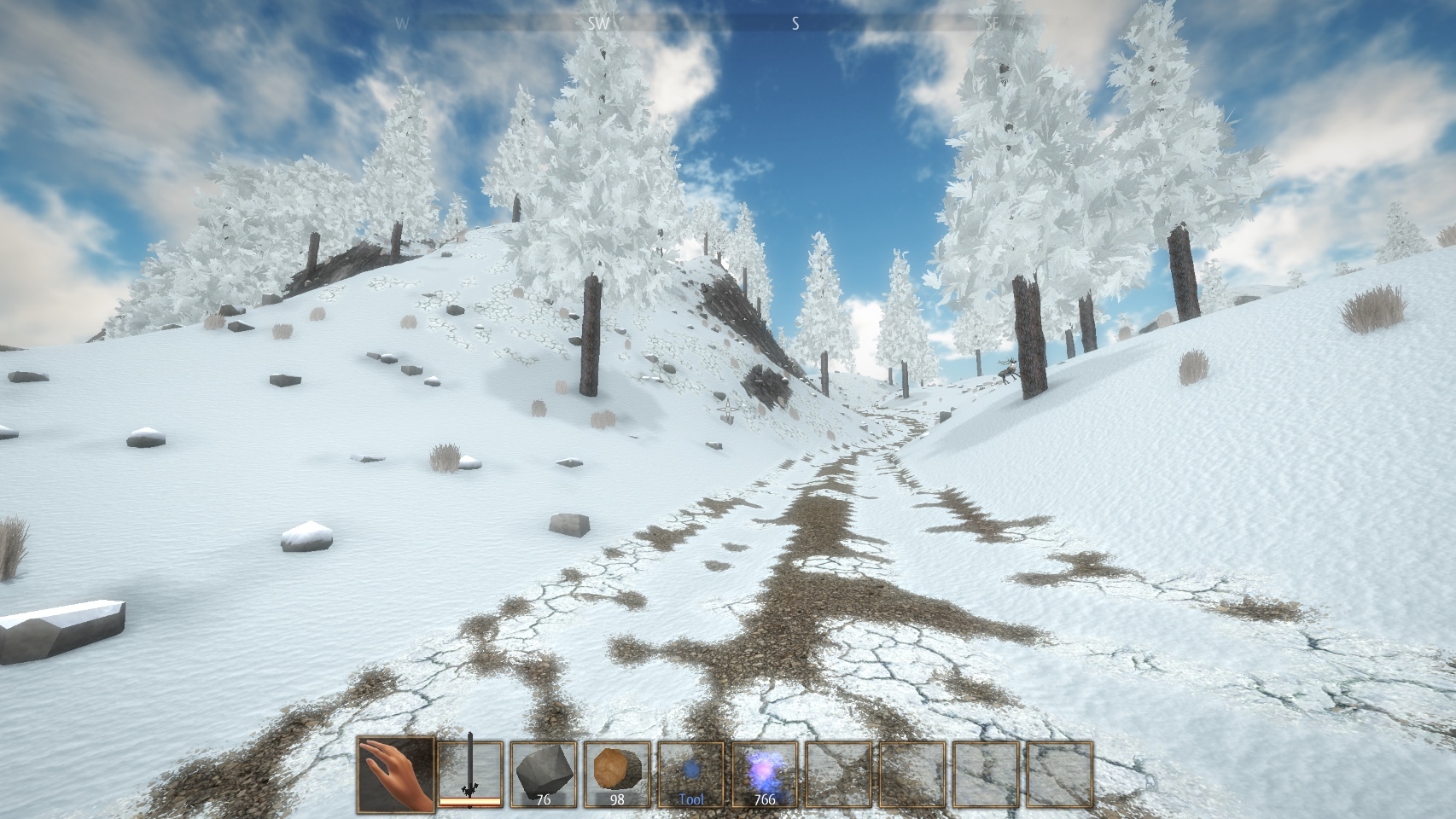
changedCompassOn top of the screen, you'll see some indication on the direction you're looking at, and points of interest which are also in your map.
addedBreak and place blocks and itemsThe new default controls for breaking and placing blocks have been changed: - the first slot of the hotbar is now your empty hand. When it is selected, you can break blocks using Left or Right Click. - when you have a block or item in your hand, press Left Click to place it, and Right Click to remove and collect a block. - you can go back to the previous controls in the Controls menu where there is a "Mouse button to place a block" setting: if you change this, you'll need to press Right Click to place it, and Left Click to remove it just like before this update.
added"Transform into object" toolThe "Make useful" tool is renamed "Transform into object" and now offers a preview of the result. You'll need to hold Left click for one second to transform a shape into an object. During this one second, you'll see a preview and will be able to cancel the action if the preview does not match your expected result.
added"Gife life" powerThe "Gife life" power now has a preview of the blocks affected. You'll need to hold Left click for one second to give life to a shape. During this one second, you'll see which blocks will be part of the creature, and you will be able to cancel the action if you realise you're giving life to your entire house and not just a few blocks ;)
removedInventoryThe hotbar as been improved in the inventory, with icons making it clear that you remove a item from the hotbar, and the possibility to swap item places in the hotbar.
Alchemist's Awakening changes
addedHello, A new update was released today, improving the UI and controls, for a more intuitive gameplay.
changedOn top of the screen, you'll see some indication on the direction you're looking at, and points of interest which are also in your map.
addedThe new default controls for breaking and placing blocks have been changed: - the first slot of the hotbar is now your empty hand. When it is selected, you can break blocks using Left or Right Click. - when you have a block or item in your hand, press Left Click to place it, and Right Click to remove and collect a block. - you can go back to the previous controls in the Controls menu where there is a "Mouse button to place a block" setting: if you change this, you'll need to press Right Click to place it, and Left Click to remove it just like before this update.
addedThe "Make useful" tool is renamed "Transform into object" and now offers a preview of the result. You'll need to hold Left click for one second to transform a shape into an object. During this one second, you'll see a preview and will be able to cancel the action if the preview does not match your expected result.
addedThe "Gife life" power now has a preview of the blocks affected. You'll need to hold Left click for one second to give life to a shape. During this one second, you'll see which blocks will be part of the creature, and you will be able to cancel the action if you realise you're giving life to your entire house and not just a few blocks ;)
Compass
On top of the screen, you'll see some indication on the direction you're looking at, and points of interest which are also in your map.
Break and place blocks and items
The new default controls for breaking and placing blocks have been changed: - the first slot of the hotbar is now your empty hand. When it is selected, you can break blocks using Left or Right Click. - when you have a block or item in your hand, press Left Click to place it, and Right Click to remove and collect a block. - you can go back to the previous controls in the Controls menu where there is a "Mouse button to place a block" setting: if you change this, you'll need to press Right Click to place it, and Left Click to remove it just like before this update.
"Transform into object" tool
The "Make useful" tool is renamed "Transform into object" and now offers a preview of the result. You'll need to hold Left click for one second to transform a shape into an object. During this one second, you'll see a preview and will be able to cancel the action if the preview does not match your expected result.
"Gife life" power
The "Gife life" power now has a preview of the blocks affected. You'll need to hold Left click for one second to give life to a shape. During this one second, you'll see which blocks will be part of the creature, and you will be able to cancel the action if you realise you're giving life to your entire house and not just a few blocks ;)
Inventory
The hotbar as been improved in the inventory, with icons making it clear that you remove a item from the hotbar, and the possibility to swap item places in the hotbar.
Misc.
fixed a bug causing random teleportations, sharks flying in villages and other stange things - several other bug fixes - added more plains to the world generation - you can now press Space twice in quick succession to toggle fly mode in creative mode
More to come!
More content is being added to the game, and couldn't be included in this update yet, but here is a spoiler screenshot.
Thanks again for your support! Please use the Steam discussion forums to report any bugs you might encounter.