
Full notes
Full Wurm Unlimited update
Read the full published notes in a cleaner layout. The original post stays linked below.
What changed
- Server
- Balance
- Gameplay
- UI and audio
- Performance
- Compatibility
Wurm Unlimited changes
Hi Everyone! Retrograde here with a quick overview of some of the major features coming with 1.6 which is due out tomorrow! There are a few bugs that will be addressed in a later update some time next week, but since this update has been delayed long enough, it's time to check it all out! This update is planned for around midday CET on the 6th April, so not long now! Make sure to update any mods and check with server owners about any potential issues!
Archaeology and Restoration
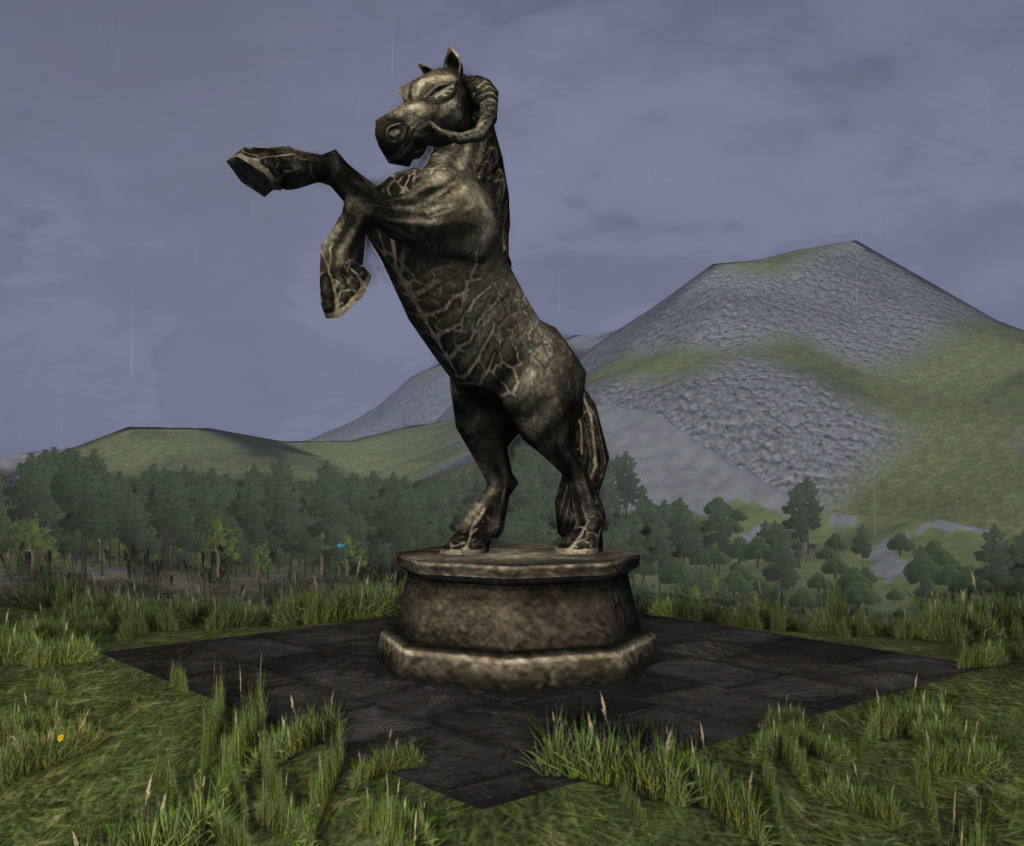
Archaeology and Restoration are two new skills coming in this update! When using a trowel on ground tiles, you'll be able to find fragments of items across the lands of Wurm. As you search you will find remnants of ancient, long forgotten deeds and also learn a little history about the deeds and those who occupied them. Investigating will only yield small fragments, and you'll need to work on them with a chisel and brush to identify what they might be. once you've worked out what the fragment is you'll have to piece together multiples of the same fragment in order to restore the item to its former glory. Items restored via Archaeology and Restoration have the chance of having unique runes, as well as multiple enchants that are normally not possible via enchanting. There are also Archaeology only statues, such as the statues of the four deities of wurm, as well as various creatures:
Valrei Changes
There are a fair few changes going on with the Valrei system on both Epic and normal server systems so we’ll just touch on a few of the main points for now. First up, and one of the larger changes to how Valrei works, if that player gods will no longer roam the board on Valrei. Players that use the key to the heavens will still exist on the Valrei board while they are demigods, but once they fully ascend to godhood they will be removed from the board to live out their days as gods. Existing player gods will also be removed from the board when this update goes out, however they will still provide missions and all other benefits of being a god to players. Missions for player gods will act as other missions, but will not affect the Valrei board in any meaningful way - instead they will just provide bonuses and rewards to the players completing the missions as normal. We’ve also revisited all mission types, difficulties and rewards to hopefully be a bit better than currently. Each mission type will have its own related difficulty levels and rewards scaling with difficulty. More info will be available in game for these missions than currently available, showing what needs doing and what the player (and god) will receive when the mission is completed. Successfully completing a mission for a god will cause the next mission to spawn at a higher difficulty (and higher reward for completion), where failing a mission will cause the next mission to be at a lower difficulty. Related to this is a rework of how end of scenario rewards work, where the rewards have been split up into different tiers based on scenario participation by the player. More participation in missions across the scenario will mean a higher chance to get a reward at the end of the scenario, and also a higher chance to get a better reward than those with less participation. The god that wins a scenario will also have a reworked reward system over what it currently used. We’ve also changed how the entities on Valrei fight each other when they move. Currently the entities on Valrei have two stats for their attack and vitality - these stats are used in fights when one entity tries to leave a tile that contains an enemy. These stats will be completely changed and reset in this update to instead be related to the 7 characteristic skills that are in game - Body Strength, Body Stamina, Body Control, Mind Logic, Mind Speed, Soul Strength and Soul Depth. All of these stats will be used in a more complex fight system where the entities can move around a smaller game board with various actions available to them - such as ranged attacks, casting spells, and melee attacks. Once a fight occurs, a history of it is then saved on the server and will be available to players in game where you will be able to watch a replay of the battle and see exactly how your favourite god lost (or won!)
Coloured armour
Another long long desired feature is the ability to dye and colour armour. Allowing players to show off their own style and customise further, we're really excited that this has come to fruition!
We're keen to see what fashion sense Wurm Unlimited players have (or don't) so make sure to share your results with us too!
Bulk movement
Another thing coming with this update (there's so many things!) is the ability transfer items between bulk containers without constant clicking! Moving from one container to another will trigger a timer, that moves as many as you can carry each second (ignoring 100 item count, just weight limit). This will surely make Shifting contents of bulk storage a breeze (and save those wrist injuries!)
Leaky roofing begone!
This last update introduced a long desired feature, and one of the benefits of the new client, rain occlusion! This means that rain will no longer show indoors! This has been a long frustration for many a wurmian, with leaky roofing leading to poor sleep and all sorts of maladies, but no more.
Drag to container
I'm sure absolutely everyone has had to move items between containers in the past, so I don't need to go into detail how annoying it can be managing big windows as you shuffle it all. Reducing the amount of windows needed open is one focus of ours with the new UI works, and we'll be introducing a new feature within the next update
Normally to drag items into a container, you will need to have the window of the container with the items in it open as well as a window of the recipient container. With this new feature, you'll be able to drag items directly from the window of the container with the items in it onto the model itself, it will then place the items inside the container
Affinities
As we all know, (or for those who don't) affinities grant a 10% skill gain bonus to the skill they're attached to. The existing mechanic with affinities is each player starts with one (hidden until premium), but it can be lost through a death to an enemy kingdom player when above 20 fight skill. With the next update, we’ll be changing how affinities are gained and lost, as well as expanding on a more PvE friendly mechanic as well., Firstly, we’ll be introducing the ability to gain new affinities via the use of skills, with a small chance to gain any affinity of a skill you’re using, including characteristics, parent skills, and sub skills. Secondly, gaining affinities via PvP will be changed to take into account the killer’s existing affinities in that skill, where there will be an increasing chance to not gain the affinity lost by the deceased depending on the number of affinities the killer has in that skill. This will mean neither the deceased or the killer will get that affinity. We’ll also be making some changes to how the overkilling mechanics in PvP work, so alt abuse is less prevalent. Firstly with overall kills on a single character being taken into account rather than just the number of kills on that character from a specific other character, and secondly with tweaking how the existing overkilling timers work.
Forge cleaning
A long running request has been to have a way to utilise forges in order to generate ash, and in the next update we'll be adding the ability to collect ash out of unlit forges It will take a few things into account including firemaking skill, and we'll have the full details available in the patch notes
Shiver me Timbers
A long long time ago, on a server far far away, each boat wood type had their own textures, from cedar to willow to olive (the best). This was all changed with the addition of new models such as ships and bulk storage, but that may soon change...
Dye improvements
With this update, we'll be introducing the ability to dye the sail separately to the rest of the ship, requiring less dye, and allowing for greater showing off, the colours are more vivid, and don't turn the boat the entire shade too, meaning you can show off your wood type AND favourite colour. But also... Yep, the personalisation doesn't end at sails, we've also added better dye systems to many things, allowing you to colour the cushions of your chair, the sheets of your bed, and most importantly, banners!
Metal types
With the work on introducing shaders for wood types, we began to expand our horizons in ways the new shader system could be used, as well as some long term projects we've been wanting to implement for some time, and next update, they'll be here! We'll be introducing shaders for metal types as well, from silver to gold to steel and bronze, metal weapons, shields, tools will all have the shade of the metal used to make them. but there's one slight problem! Most metal items are limited to either just iron or steel, or very limited in terms of metal choice, which renders the shader system a little less effective.. but not anymore. Coming in the next update, we'll be introducing the ability to craft many metal items from any metal, rather than just iron or steel. Be it a bronze hatchet, a brass rake, a copper halberd or lead great helmet, you'll be able to create your custom items and show them off! Some items such as nails and ribbons, as well as altars will still only be craftable using their current recipes however. Each material will have slightly varying properties compared to iron, as shown below:
Adamantine:
Armour
5% DR
5% Movement Speed
Weapons
10% Damage Dealt
General
-60% Damage taken
8x Trader Price on jewellery items
+15% shatter resistance
-60% decay damage taken
+5% bonus to lockpicking
+15% Pendulum Area of Effect bonus
+7.5% bash damage bonus
+10% ql bonus to items created when using a tool of this metal type
Brass
Armour
1% DR bonus
Weapon
-1% damage dealt
+5% bonus to damage dealt to armour
General
-5% damage taken
+2.5% ql gain per improvement action
6x trader price
-5% decay damage taken
+10% bonus to quality upon creation
+2.5% bonus to repairing
+2.5% bonus to pendulum area of effect
+5% bonus to bash damage
Bronze
Armour
+1% DR bonus
Weapons
-1.5% damage dealt
+7.5% bonus damage dealt to armour
General
-10% damage taken
5x trader price on jewellery items
-15% decay damage taken
+5% bonus to quality upon creation
+5% bonus to pendulum area of effect
+2.5% bonus to bash damage
Copper’
Armour
-1% DR
+1% movement speed bonus
-2% glance rate
Weapon
-35% damage
Deals extra poison wound at 30% of damage after 35% reduction
General
5x trader price on jewellery items
+15% damage taken
-5% decay damage taken
+5% bonus to quality gain per improvement action
+2.5% bonus to repairing
-5% penalty to lockpicking
-5% to pendulum area of effect
-10% to bash damage
Glimmersteel
Armour
+5% DR Bonus
+10% movement speed bonus
Weapons
+10% attack speed
General
-40% damage taken
+25% shatter resistance
+10x Trader prices on jewellery items
-40% decay damage taken
+5% bonus to repairing
+5% bonus to lockpicking
+20% bonus to pendulum area of effect
+10% ql bonus to items created when using a tool of this metal type
Gold
Armour
-1% DR
-5% movement speed
+2.5% bonus to glance rate
Weapons
-5% attack speed
-2.5% damage dealt
+5% bonus to armour damage
General
+10x trader prices on jewellery items
+20% damage taken
-60% decay damage taken
+20% resistance to shatter
-5% penalty to repairing
-2.5% penalty to lockpicking
+10% bonus to pendulum area of effect
+15% bonus to bash damage
Can be used to make unicorn Shoes
Lead
Armour
-2.5% DR
-2.5% movement speed
Weapons
-50% damage dealt
Deals extra poison wound at 75%% of damage after 50% reduction
General
.75x trader prices on jewellery items
+30% damage taken
-20% decay damage taken
+10% bonus to quality gain per improvement action
+5% bonus to quality upon creation
-10% repair speed
-5% penalty to lockpicking
-10% penalty to pendulum area of effect
+20% bonus to bash damage
Seryll
Armour
+5% DR
+10% bonus to movement speed
Weapons
+5% attack speed
+5% damage dealt
General
12x trader prices on jewellery items
-50% damage taken
-50% decay damage taken
+100% shatter resistance
+5% bonus to repair speed
+5% bonus to lockpicking
+25% bonus to pendulum area of effect
+7.5% bonus to bash damage
Silver
Armour
-.75% DR
-2% movement speed
+1% glance rate bonus
weapons
+10% damage to hunter mobs listed here.
-2.5% parry rate
General
8x Trader prices on jewellery items
+2.5% damage taken
-30% decay damage taken
+10% resistance to shatter
+2.5% bonus to lockpicking
Can be used to make unicorn shoes
+5% bonus to pendulum area of effect
+10% bonus to bash damage
Steel
Armour
+2.5% DR
Weapons
+2.5% extra damage to armour
General
2.5x trader prices on jewellery items
-20% damage taken
-30% decay damage
+2.5% bonus to repair speed
+5% bonus to lockpicking
+2.5% bonus to pendulum area of effect
+5% bonus to bash damage
Tin
Armour
-1.75% DR
+2% bonus to movement speed
Weapons
+4% bonus to attack speed
-7.5% damage dealt
-5% parry rate
General
+20% damage taken
-7.5% decay damage taken
+2.5% bonus to quality gain per improvement action
+5% bonus to quality upon creation
-2.5% penalty to repair speed
-2.5% penalty to lockpicking
-5% penalty to pendulum area of effect
-10% bash damage
Zinc
Armour
-2% DR
+2.5% bonus to movement speed
Weapons
+5% attack speed
-10% damage dealt
General
.9x trader prices on jewellery items
+25% damage taken
+20% decay damage taken
+7.5% bonus to quality gain per improvement action
-5% repair speed
-2.5% penalty to lockpicking
-5% penalty to pendulum area of effect
-15% bash damage
A little to the left
if you've ever tried placing an item in just the right spot on the ground, you know it's a major hassle of pushing, pulling, gently pushing and pulling, swearing, crying and throwing cobs of corn at it, but that's about to change In the next update, you'll be able manually place items on the ground! Simply select drop > place via the menu, and you may move an image of the item around. Holding ctrl while moving will align to small grids, while holding alt will moving will move in larger grids. Scrolling the mouse wheel will rotate the model. Once you have lined up the perfect place, simply left click, and it appears exactly where you intended! This can also be used on items existing in the world already, simply right click > place. If the item is too heavy to pick up normally, you will automatically move it in push motions, with the distance moved depending on total weight of the item. That's by no means all that's coming in 1.6, and it's simply way too big to include it all in one post, the full notes are currently available via the beta notes, but will be again posted when the update goes live. As always, keep on Wurming! Retrograde & the Wurm team To keep up to date with everything, make sure you visit our official forums https://forum.wurmonline.com Catch up with us on social media: https://www.facebook.com/wurmunlimited https://twitter.com/wurmunlimited And chat with other Wurmians on our official Discord: https://discord.gg/wurm
Source
Changelog.gg summarizes and formats this update. How we read updates.