
HomeGamesUpdatesPricingMethodology
Steam News11 June 202625d ago

Update 2: Selection rotation, keyboard shortcuts, a new tile and more!

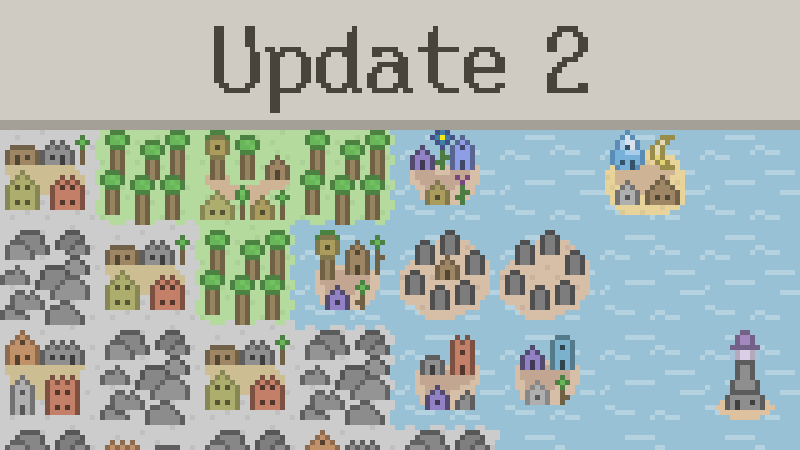
Thanks for playing WorldShaper Idle! This update contains the following: You can now rotate/mirror a selection you're moving/copying You can now select tile types to build with QWER and 123456789 by default.

Full notes

Full WorldShaper Idle update

Read the full published notes in a cleaner layout. The original post stays linked below.

What changed

0 fixes3 additions1 change0 removals
  • Gameplay
  • UI and audio
addedYou can now rotate/mirror a selection you're moving/copying
addedYou can now select tile types to build with QWER and 123456789 by default. This is remappable too!
changedThere's also shortcuts for opening the tile journal (J), selection tools (S) and your worlds (L)
addedThere's a new late game Elven tile

WorldShaper Idle changes

addedYou can now rotate/mirror a selection you're moving/copying
addedYou can now select tile types to build with QWER and 123456789 by default. This is remappable too!
changedThere's also shortcuts for opening the tile journal (J), selection tools (S) and your worlds (L)
addedThere's a new late game Elven tile

Thanks for playing WorldShaper Idle! This update contains the following:

  • You can now rotate/mirror a selection you're moving/copying

  • You can now select tile types to build with QWER and 123456789 by default. This is remappable too!

  • There's also shortcuts for opening the tile journal (J), selection tools (S) and your worlds (L)

  • There's a new late game Elven tile

  • Some Elven tiles have been slightly balanced. This mostly means buffs for some of the late game tiles. There are some very minor nerfs too, but nothing that should meaningfully break existing builds

  • There are some bugfixes, including to the move function with certain Elven tiles

Source

Steam News / 11 June 2026

Open original post

Changelog.gg summarizes and formats this update. How we read updates.