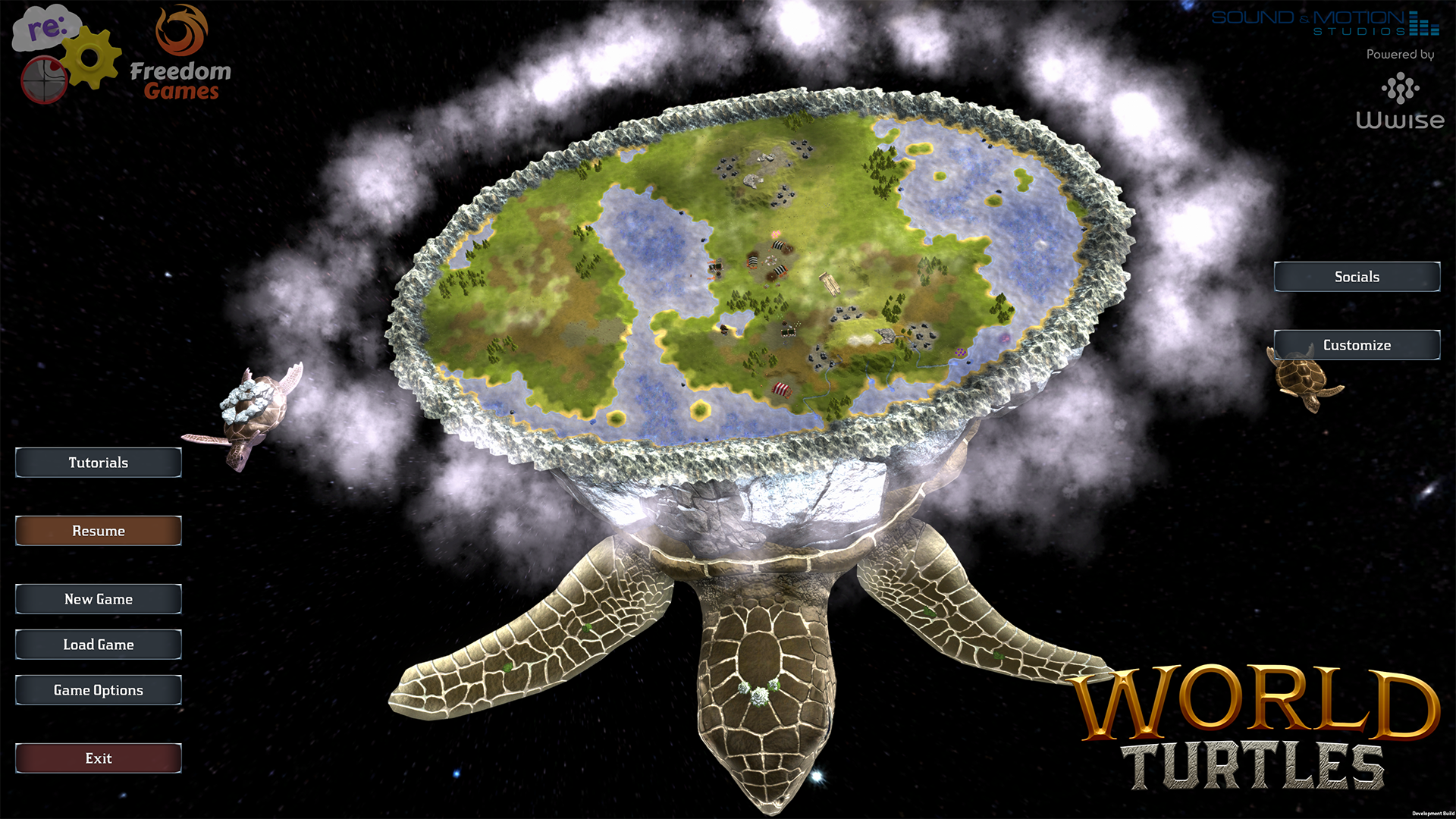
Good day, fellow Meeps! It's been a while since the last update, and I wanted to post some screenshots of the new UI/UX progress, to show off what I've been working on with the UI team.
Full notes
Full World Turtles update
Read the full published notes in a cleaner layout. The original post stays linked below.
What changed
0 fixes2 additions0 changes0 removals
UI and audio
addedIt's been a while since the last update, and I wanted to post some screenshots of the new UI/UX progress, to show off what I've been working on with the UI team. Almost all of the required artwork pieces have been completed, but I'm also spending a lot of time on the new layouts, functionality and behind-the-scenes technicalities, so that the updated UI/UX is much more than just a facelift of the icons. I've also already reworked the "Assistant panel" of the tutorials to allow it to stay on-screen while you perform the actions it requests. It also allows you to cycle back through all the previous messages of the tutorial, and the construction panel only displays icons for the building types applicable to the specific step of the tutorial, introducing the UI information in steps.
addedSome of the UI panels / levels of detail can be toggled by the player, so you can decide how granular you want the information on these panels to be. Not everything in the screenshots below have been finalized, but they give a very good idea of the direction of the new UI/UX. I'll be back soon with more previews!
World Turtles changes
addedIt's been a while since the last update, and I wanted to post some screenshots of the new UI/UX progress, to show off what I've been working on with the UI team. Almost all of the required artwork pieces have been completed, but I'm also spending a lot of time on the new layouts, functionality and behind-the-scenes technicalities, so that the updated UI/UX is much more than just a facelift of the icons. I've also already reworked the "Assistant panel" of the tutorials to allow it to stay on-screen while you perform the actions it requests. It also allows you to cycle back through all the previous messages of the tutorial, and the construction panel only displays icons for the building types applicable to the specific step of the tutorial, introducing the UI information in steps.
addedSome of the UI panels / levels of detail can be toggled by the player, so you can decide how granular you want the information on these panels to be. Not everything in the screenshots below have been finalized, but they give a very good idea of the direction of the new UI/UX. I'll be back soon with more previews!
Good day, fellow Meeps!
It's been a while since the last update, and I wanted to post some screenshots of the new UI/UX progress, to show off what I've been working on with the UI team. Almost all of the required artwork pieces have been completed, but I'm also spending a lot of time on the new layouts, functionality and behind-the-scenes technicalities, so that the updated UI/UX is much more than just a facelift of the icons. I've also already reworked the "Assistant panel" of the tutorials to allow it to stay on-screen while you perform the actions it requests. It also allows you to cycle back through all the previous messages of the tutorial, and the construction panel only displays icons for the building types applicable to the specific step of the tutorial, introducing the UI information in steps.
Some of the UI panels / levels of detail can be toggled by the player, so you can decide how granular you want the information on these panels to be. Not everything in the screenshots below have been finalized, but they give a very good idea of the direction of the new UI/UX. I'll be back soon with more previews!