What changed
0 fixes0 additions1 change0 removals
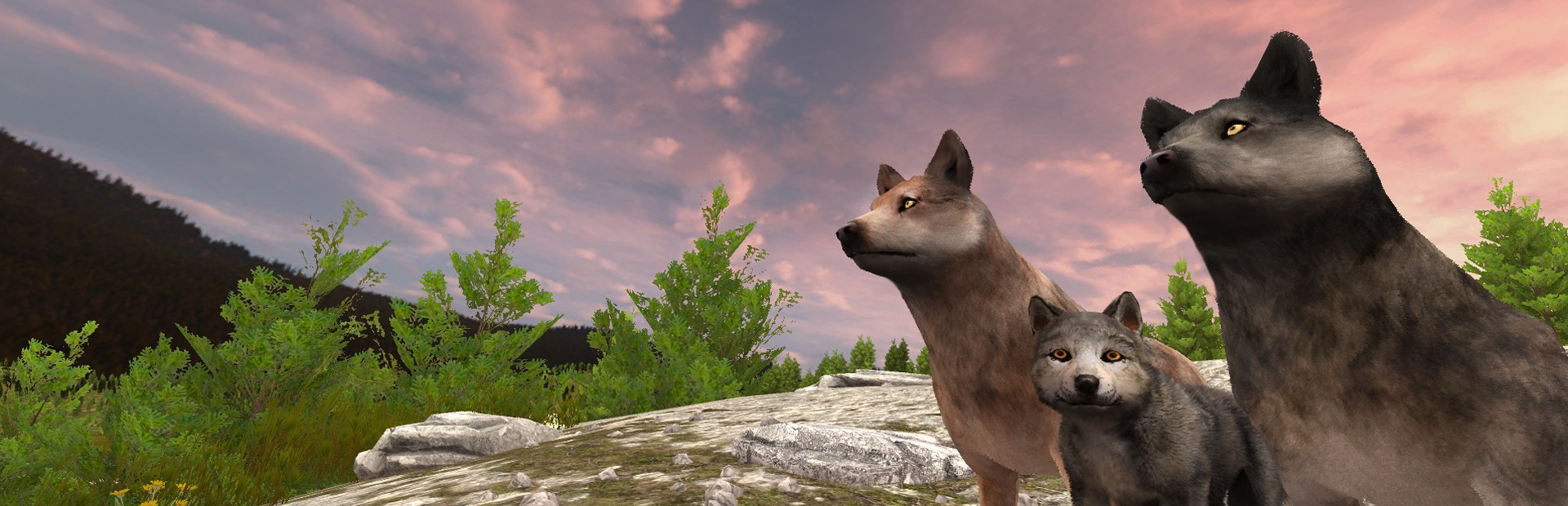
changedhttps://youtu.be/fQcbkopST48 We’re seeing more questions from players about what kind of computer hardware is necessary to run WolfQuest: Anniversary Edition. Given how much bigger and better this game is compared to the old version, that’s a good question — so that’s what we’ll look at in today’s devblog post. First, I’ll note that general game code is quite well optimized and runs on a wide range of CPUs (Central Processing Unit — the “brain” of the computer that runs the game code), so we don’t have any worries about that. It’s the game graphics that pose the bigger burden on a typical computer. Computers use a graphics card (or GPU: Graphics Processing Unit) to draw (or “render”) the visuals on your monitor. Many modern computer games require a dedicated graphics card — a special microprocessor that is fully responsible for that task — rather than the more basic GPU which is built into the computer. Today’s video looks at WolfQuest’s graphics, particularly why grass and trees are so demanding on a computer, and what we’re doing to make the game run on as many computers as possible. How do you know what graphics card your computer has? Follow the instructions here: https://www.wikihow.com/Find-Out-What-Graphics-Card-You-Have And here is the bar chart of common graphics cards shown in the video: https://www.videocardbenchmark.net/common_gpus.html What about mobile? We’ll do our best — stay tuned! _________ We are releasing the first episode, Amethyst Mountain for PC/Mac on Steam and itch.io, as Early Access on July 25. That will be followed by multiplayer and Slough Creek some months later, then followed by the mobile versions. We’ll then resume development of the next episode, Tower Fall. WolfQuest 3 will be a free update to players who own WolfQuest 2.7.
WolfQuest: Classic changes
changedhttps://youtu.be/fQcbkopST48 We’re seeing more questions from players about what kind of computer hardware is necessary to run WolfQuest: Anniversary Edition. Given how much bigger and better this game is compared to the old version, that’s a good question — so that’s what we’ll look at in today’s devblog post. First, I’ll note that general game code is quite well optimized and runs on a wide range of CPUs (Central Processing Unit — the “brain” of the computer that runs the game code), so we don’t have any worries about that. It’s the game graphics that pose the bigger burden on a typical computer. Computers use a graphics card (or GPU: Graphics Processing Unit) to draw (or “render”) the visuals on your monitor. Many modern computer games require a dedicated graphics card — a special microprocessor that is fully responsible for that task — rather than the more basic GPU which is built into the computer. Today’s video looks at WolfQuest’s graphics, particularly why grass and trees are so demanding on a computer, and what we’re doing to make the game run on as many computers as possible. How do you know what graphics card your computer has? Follow the instructions here: https://www.wikihow.com/Find-Out-What-Graphics-Card-You-Have And here is the bar chart of common graphics cards shown in the video: https://www.videocardbenchmark.net/common_gpus.html What about mobile? We’ll do our best — stay tuned! _________ We are releasing the first episode, Amethyst Mountain for PC/Mac on Steam and itch.io, as Early Access on July 25. That will be followed by multiplayer and Slough Creek some months later, then followed by the mobile versions. We’ll then resume development of the next episode, Tower Fall. WolfQuest 3 will be a free update to players who own WolfQuest 2.7.
https://youtu.be/fQcbkopST48 We’re seeing more questions from players about what kind of computer hardware is necessary to run WolfQuest: Anniversary Edition. Given how much bigger and better this game is compared to the old version, that’s a good question — so that’s what we’ll look at in today’s devblog post. First, I’ll note that general game code is quite well optimized and runs on a wide range of CPUs (Central Processing Unit — the “brain” of the computer that runs the game code), so we don’t have any worries about that. It’s the game graphics that pose the bigger burden on a typical computer. Computers use a graphics card (or GPU: Graphics Processing Unit) to draw (or “render”) the visuals on your monitor. Many modern computer games require a dedicated graphics card — a special microprocessor that is fully responsible for that task — rather than the more basic GPU which is built into the computer. Today’s video looks at WolfQuest’s graphics, particularly why grass and trees are so demanding on a computer, and what we’re doing to make the game run on as many computers as possible. How do you know what graphics card your computer has? Follow the instructions here: https://www.wikihow.com/Find-Out-What-Graphics-Card-You-Have And here is the bar chart of common graphics cards shown in the video: https://www.videocardbenchmark.net/common_gpus.html What about mobile? We’ll do our best — stay tuned! _________ We are releasing the first episode, Amethyst Mountain for PC/Mac on Steam and itch.io, as Early Access on July 25. That will be followed by multiplayer and Slough Creek some months later, then followed by the mobile versions. We’ll then resume development of the next episode, Tower Fall. WolfQuest 3 will be a free update to players who own WolfQuest 2.7.