
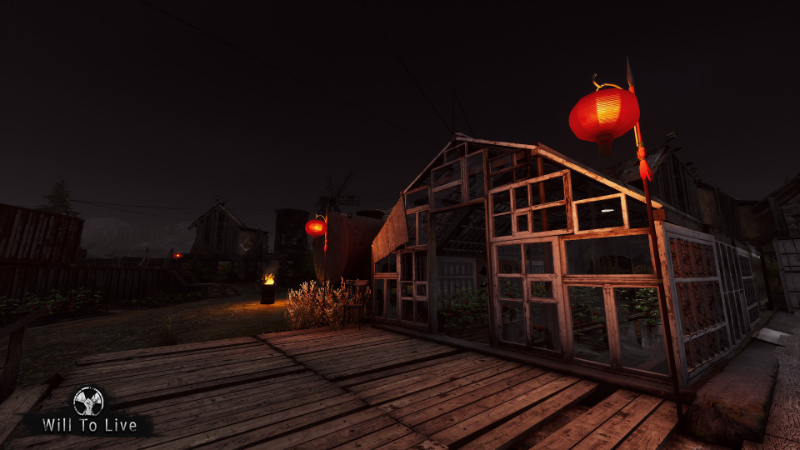
In this update3
Full notes
Full Will To Live Online update
Read the full published notes in a cleaner layout. The original post stays linked below.
What changed
- Gameplay
- Events
- Performance
- Fixes
Will To Live Online changes
Good day, fighters!
Today we released a patch for version 0.6.16 with the following improvements. The most important change in this version addresses the queue issue for participating in Adventures.
Adventure Master Queues
When submitting an application to join an Adventure, you will no longer be removed from the queue if you are not in the required location (or even offline) at the moment of departure - provided that your absence does not exceed 6 hours.
This means that if you see a long queue, you can estimate your expected waiting time in advance and safely head off to another Adventure or visit other locations while going about your business.
When you return, you will retain your place in the queue according to the original date and time of your application.
These changes apply to all Adventures: both event-based ones and those available from the Adventure Master in the Tunnels. PLEASE NOTE SEPARATELY THAT ONLY PLAYERS WHO ARE IN THE SAME LOCATION AS THE ADVENTURE MASTER AT THE MOMENT OF LAUNCH WILL BE SENT INTO THE ADVENTURE (OR WITH THE OLD MAN IN THE CASE OF THE “LUNAR NEW YEAR” EVENT). PLAYERS IN OTHER LOCATIONS WILL NOT BE TELEPORTED, BUT THEIR QUEUE POSITION WILL BE PRESERVED.
Other Changes
Additional optimization has been performed for the Lunar New Year Adventure location “Defend the Village.”
Improved the image transmitted by the drone. Please note that the drone’s resolution is intentionally different from the in-game resolution. This is designed to create a deeper sense of digital image transmission over distance, rather than to reduce or complicate visibility. The current image quality is better than before, but keep in mind that full-screen display naturally feels different in perception.
Fixed an issue where the drone operator could not see their own markers after exiting drone control mode.
Improved drone handling, while preserving its inertia effect.
Restored the drone’s maximum flight speed.
Additional Advice
If you experience performance issues in the Lunar New Year Adventure “Defend the Village,” we recommend setting the “Animation Quality” option in the game settings to “Medium.”
Update your game client.
Source
Changelog.gg summarizes and formats this update. How we read updates.