
Full notes
Full Wildshape - Map Editor (free demo) update
Read the full published notes in a cleaner layout. The original post stays linked below.
What changed
- Maps
- Gameplay
- UI and audio
- Performance
- Workshop
Highlights
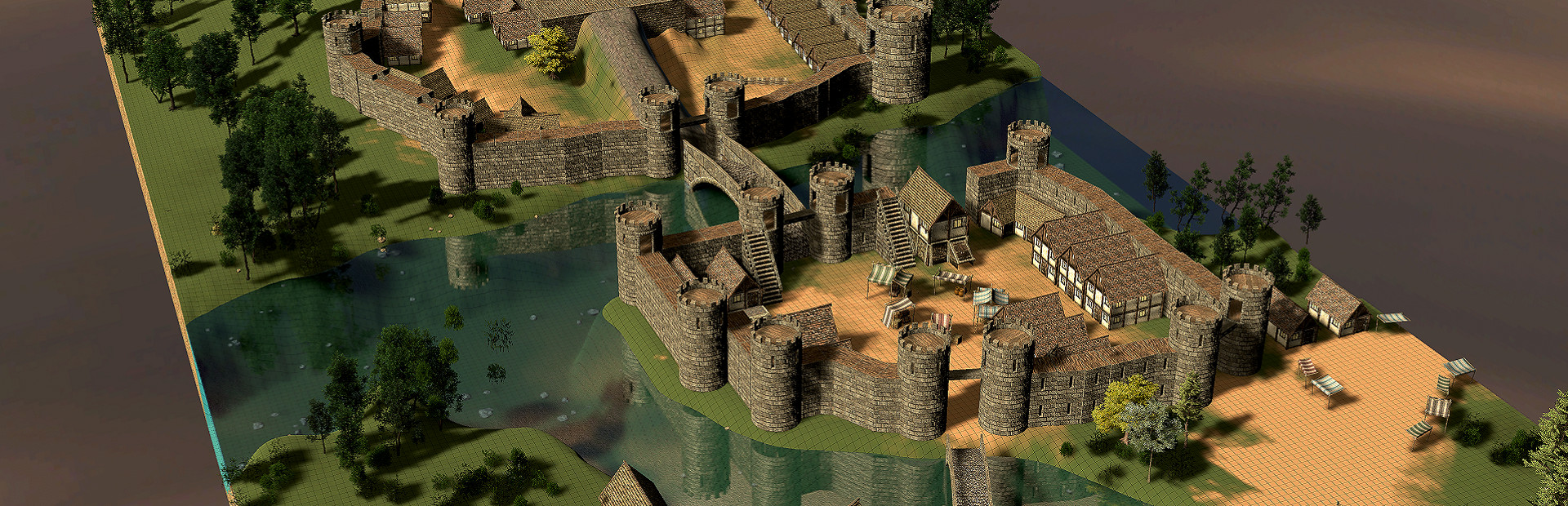
Completely New Terrain System
The terrain system has been completely rebuilt and now includes more than 60 brand-new textures. Besides a generally way better look, be sure to check out the new Tessellation Slider in the texture menu. It dramatically increases terrain detail and can completely transform the look of your maps.
Rivers and Oceans
Wildshape now features a brand-new river and ocean system.
To add a river simply place a Source object to define where a river begins and use an Area object to define the area where water is calculated and everything else is handled by Wildshape.
You can now even make objects float in the water!
The ocean has also received a complete visual overhaul and looks much better than before!
New Visual Effects
New camera effects that can completely transform the look of your maps with just 1 click
Global snow effect in the Weather menu
Terrain blending for objects ( Can be used for stones blending into the dirt at their bottom for example)
Improved general visuals and lighting
Camera effects:
Terrain Blending: Steam post image
Snow: Steam post image
New Tutorials
New in-game tutorials have been added to help both new and returning creators learn the editor faster.
Coming up: I will add small videos to explain each step better visually soon!
Major Performance Improvements
Besides the many performance improvements this patch offers by refactoring the code, the new FPS Mode automatically batches objects that appear more than 25 times on a map.
For larger maps with hundreds of repeated objects, this can provide significant performance improvements. Great for recording videos or simply enjoying smoother performance!
Many more changes
There is many more things that changed from UI changes to small features like map previews in the start menu at the portal when you select a map. It's too much to write them all down.
What took so long?
Since the last patch of Wildshape in 2022 I've been working on this update in much of my free time, rebuilding systems, experimenting with new ideas, and gradually improving Wildshape.
A significant portion of that time was spent dealing with a severe Unity engine issue that eventually corrupted the project. The only viable solution was to bring the project (Unity 2018) through multiple generations of Unity updates, eventually reaching Unity 6.1 .
What sounds like a simple version upgrade turned into one of the biggest challenges in Wildshape's development. The migration introduced thousands of errors (literally), required extensive code rewrites, and forced many systems to be rebuilt from the ground up.
While much of that work happened behind the scenes, it laid the foundation for the new features, performance improvements, and visual upgrades included in this release.
What's coming next?
I still have a few things prepared that I didn't manage to put into this patch yet, I will share more on that with you soon. What I can tell you already is that a big part of my focus for the next weeks will be on improving the UI, adding a new object import system and bug fixing. (Please let me know if you run into any bugs. Your feedback helps a lot.)
Thank you to everyone who has supported Wildshape throughout the years.
I hope you enjoy exploring everything this update has to offer and I am very much looking forward to check out your maps in the Workshop!
Cheers!
Source
Changelog.gg summarizes and formats this update. How we read updates.