
HomeGamesUpdatesPricingMethodology
Steam News9 May 20224y ago

New update - Settings changes, FOV changes

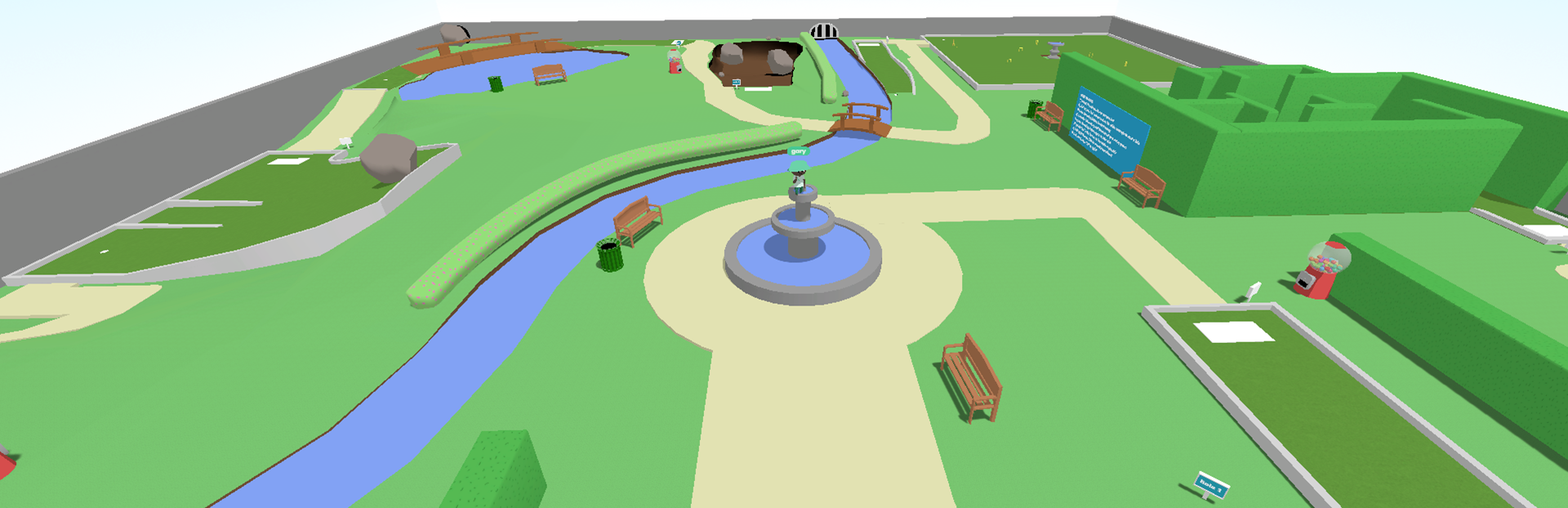
Hi Golfers, A new update is now available for the Whacky Golf demo. This update drastically improves the FOV of the game. You will now be able to see more of your surroundings while you play.

Full notes

Full Whacky Golf update

Read the full published notes in a cleaner layout. The original post stays linked below.

What changed

2 fixes4 additions2 changes1 removal
  • Gameplay
  • Fixes
addedA new update is now available for the Whacky Golf demo.
changedThis update drastically improves the FOV of the game. You will now be able to see more of your surroundings while you play. It also scales more nicely when playing in 2 player mode. Before this, it would look like it was zooming out heaps if a new player joined.
addedI've also added a new setting to change your screen. If your computer has multiple monitors you can now pick which one you want to play on.
addedHere's the full list of what's new
changedIncreased the FOV of the game, and made it scale more consistently in 2 player mode
fixedFixed some places where the mouse couldn't click on menu buttons

Whacky Golf changes

addedA new update is now available for the Whacky Golf demo.
changedThis update drastically improves the FOV of the game. You will now be able to see more of your surroundings while you play. It also scales more nicely when playing in 2 player mode. Before this, it would look like it was zooming out heaps if a new player joined.
addedI've also added a new setting to change your screen. If your computer has multiple monitors you can now pick which one you want to play on.
addedHere's the full list of what's new
changedIncreased the FOV of the game, and made it scale more consistently in 2 player mode

Hi Golfers,

A new update is now available for the Whacky Golf demo.

This update drastically improves the FOV of the game. You will now be able to see more of your surroundings while you play. It also scales more nicely when playing in 2 player mode. Before this, it would look like it was zooming out heaps if a new player joined.

I've also added a new setting to change your screen. If your computer has multiple monitors you can now pick which one you want to play on.

Here's the full list of what's new

  • Increased the FOV of the game, and made it scale more consistently in 2 player mode

  • Allow switching screen in the settings when multiple monitors are connected

  • Fixed some places where the mouse couldn't click on menu buttons

  • Removed a font I didn't like and replaced it with one I do like

  • Re-added the moving menu background

  • Transition into the game should be a little smoother than before

  • Fixed buggy tutorial prompts for keyboard and mouse users

The next update will be coming pretty soon, and will contain a complete tutorial.

Happy golfing, Cameron

Source

Steam News / 9 May 2022

Open original post

Changelog.gg summarizes and formats this update. How we read updates.