
In this update5
Full notes
Full WARSHIFT 2 update
Read the full published notes in a cleaner layout. The original post stays linked below.
What changed
- Gameplay
- Maps
- Balance
- UI and audio
WARSHIFT 2 changes
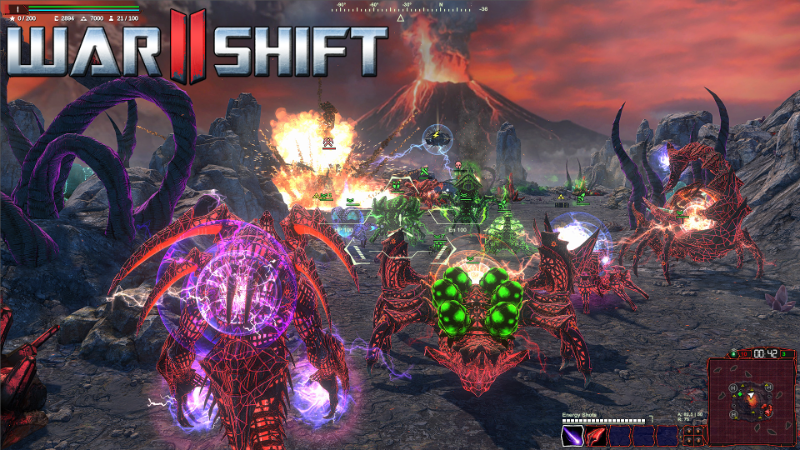
New Experimental Alien Abilities
Most ground units of the Alien faction have received new abilities that allow them to replicate and evolve using their energy cores:
Core Division
This ability allows you to rapidly expand your army even far away from your base. Order a unit to create two cocoons, sacrificing itself in the process. After a short time, two new units of the same type will emerge from the cocoons.
Evolution
This ability allows your units to transform into higher-tier creatures directly on the battlefield, increasing your army’s combat effectiveness. When ordered to evolve, a unit transforms into a cocoon, from which a more advanced creature will eventually emerge.
Keep in mind that cocoons are extremely vulnerable, so you will need to protect them until the new units emerge. You will also need your hero to reach a certain level. This mechanic is designed to preserve the existing game balance while introducing new opportunities for tactical maneuvers.
These new abilities have also been added to the ‘Unit Creation’ tutorial mission, which I recommend replaying to learn how they work.
Balance Improvements and New Difficulty Options
I’ve improved the balance between factions and added new options for customizing the game’s difficulty:
New Difficulty Level - 'Insane'
This setting affects the overall difficulty of the game and is available under Settings - Gameplay.
New Enemy AI Tactics - 'Aggressive'
Available in the Skirmish match settings, this option makes your opponent significantly more fierce.
Combining Insane difficulty with Aggressive enemy AI is recommended for players seeking a truly intense challenge.
Ultrawide Screen Supporting and UI Fixes
If you experienced UI issues while constructing buildings or controlling units at non-standard aspect ratios, such as ultrawide resolutions, this update should resolve them.
When Scale Interface is set to Scale with Screen, the game’s interface will now automatically adapt to the selected resolution based on the screen height, providing more comfortable controls and better visibility. You can also choose a fixed or enlarged interface size.
This update also improves strategic camera movement via the minimap.
Thanks for playing and have fun!
Source
Changelog.gg summarizes and formats this update. How we read updates.