
Full notes
Full Wacky Drivers update
Read the full published notes in a cleaner layout. The original post stays linked below.
What changed
- Gameplay
Wacky Drivers changes
Welcome back to another update for Wacky Drivers.
Today we're talking about something fundamental: how you actually control your car. Since the early days of the project, I've used a "Point-and-Go" system (my favorite). It's intuitive, it works great on mobile, and it makes the game feel snappy. But as we've moved towards a full Steam release and added Split screen support, I realized that not everyone wants to drive the same way.
That's why I've implemented a second controller schema! You can now choose between the "Direct Direction" mode and the "Classic Racing" mode in the settings.
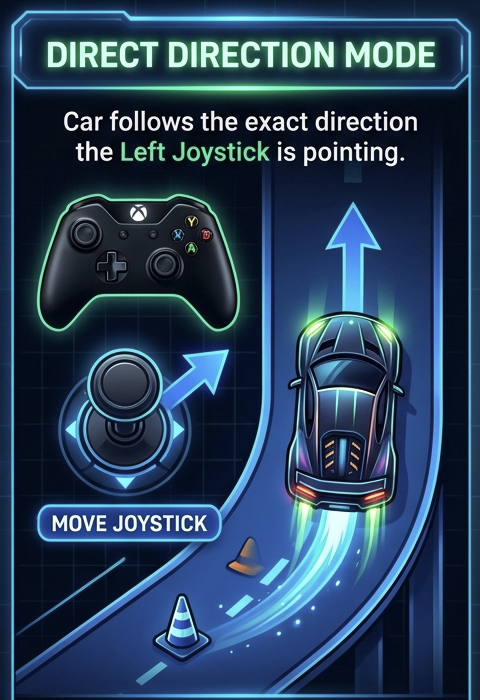
Direct Direction (The "Point-and-Go" Classic)
This has been our default since day one. In this mode, your car simply points and drives in the direction you're holding the joystick (or WASD keys).
How it feels: Very arcade and intuitive. If you want to go up-right, you push the stick up-right. The car handles the rotation and acceleration automatically to get you there.
Best for: Players who want to focus on the chaos of the track, dodging obstacles, and using power-ups without worrying about complex steering mechanics.
Classic Racing (Left-Right Steering)
For those who grew up with classic top-down racers or prefer a more "sim-lite" feel, I added the Split Input schema.
How it feels: This separates steering from acceleration. You use Left/Right (or A/D) to steer the car relative to its current heading, and dedicated buttons for Throttle and Brake.
It gives you much more granular control over your racing line. You can "tap" the steering to make micro-adjustments or hold it for wide, sweeping turns while managing your speed independently.
Why the Change?
Based on some feedback I received, I felt it was a good moment to add this into the mix.
Totally open to hear your thoughts and ways to improve the game.
Remember, we have a discord community if you want to join, give feedback and shape the development!
Source
Changelog.gg summarizes and formats this update. How we read updates.