
Full notes
Full VTube Studio update
Read the full published notes in a cleaner layout. The original post stays linked below.
What changed
- Gameplay
- Performance
- Compatibility
VTube Studio changes
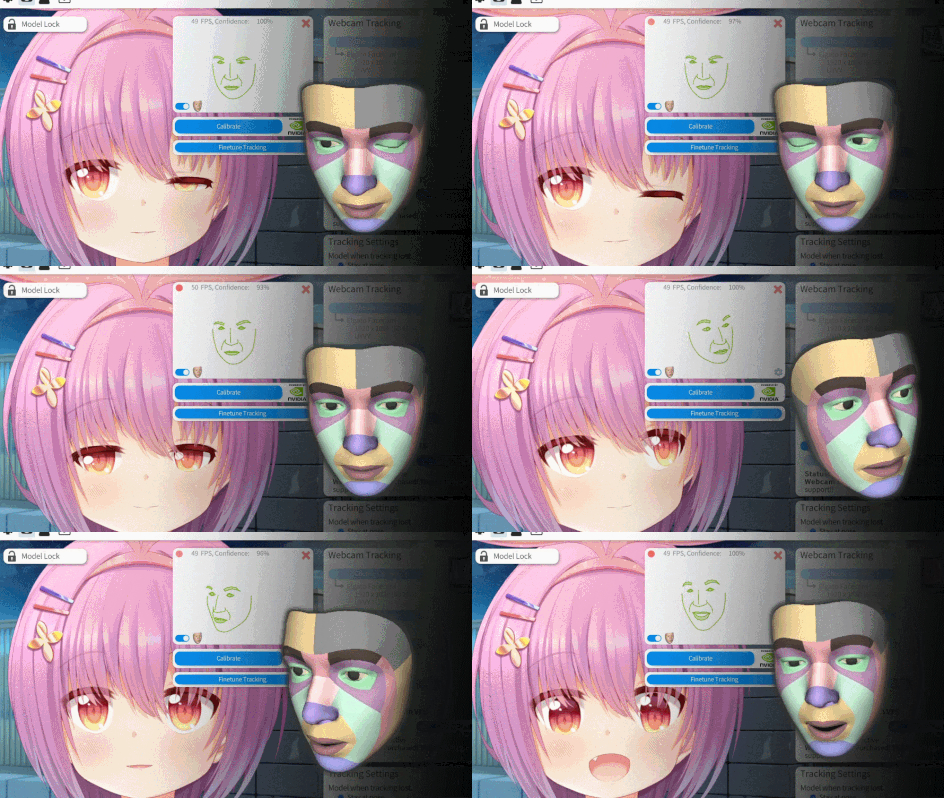
This update adds the new version of the NVIDIA RTX Tracker. This version implements the following changes:
Better tracking for eye-related parameters (eye movement and winking in particular).
Better performance, responsiveness and expressiveness in general.
Restores compatibility with new NVIDIA RTX 50-series GPUs.
Finetuning for blendshape calibration. For more info: https://github.com/DenchiSoft/VTubeStudio/wiki/NVIDIA-Webcam-Tracker#finetuning-and-calibration
Can also be used with VBridger with all included blendshapes.
Also, you can now configure zoom/rotation speed when scrolling and choose between two zoom/rotate settings:
Zoom/Rotate around Live2D model center.
Zoom/Rotate around mouse cursor (NEW).
Zooming towards the mouse cursor should feel more natural, so in a future update that may be set as the default for new users.
The zoom/rotation settings can be found here:
The following small changes/bugfixes were also implemented:
Warning popup before deleting parameter mappings and hotkeys to prevent deletion by accident.
VNet: Warning popup when upload fails because file path is too long for at least one file.
For a full list, see: Trello: https://trello.com/c/pHPHtAXU
And if you have questions, as always, please ask in the Discord: https://discord.gg/VTubeStudio
Source
Changelog.gg summarizes and formats this update. How we read updates.