
Full notes
Full The Night Is Long update
Read the full published notes in a cleaner layout. The original post stays linked below.
Repeated intro
Hello everyone!
What changed
- Gameplay
- UI and audio
- Fixes
- Maps
The Night Is Long changes
Since the last update, I noticed that a significant number of players have encountered a major issue, especially with the chest puzzle in the Tower. I apologize for the inconvenience this may have caused.
I was finally able to replicate the issue on my end and am working on a new update to release as soon as possible. Right now, I plan to release it on Friday. The update will also include some other minor but welcome improvements that players have pointed out.
First, let me explain the problem with the chest. The issue appears when visiting the Collection Screen and going into the Notes. After clicking a note (which is currently broken, my apologies, I will fix this in the next update as well), pressing Escape or N to close the screen visually makes it disappear, but the actual colliders remain. This prevents interaction with the padlock. That’s why some players, including myself, did not encounter the issue.
There is a workaround for now: if you encounter this, go into the Collection Screen and read a random note. Instead of pressing N or Escape, first press the Back button and then close the screen.
Here’s what’s new in the upcoming update:
Fixed the issue with the Collection Screen. Notes now appear correctly and can be read. (Thanks to the player who pointed this out.)
The Collection Screen now closes properly and no longer blocks interaction with the Padlock Puzzle’s 1st or 3rd digit.
Minor interaction delays on various interactable items have been fixed.
Stones picked up now face the player properly, so you can view the drawing correctly.
Fixed the death stone in the music room, which previously displayed the wrong picture compared to the inventory.
Aligned the full-screen toggle button with the rest of the options in the menu.
Fixed the table collider in the dining room.
Adjusted the phone jump scare slightly. I hope you like the change.
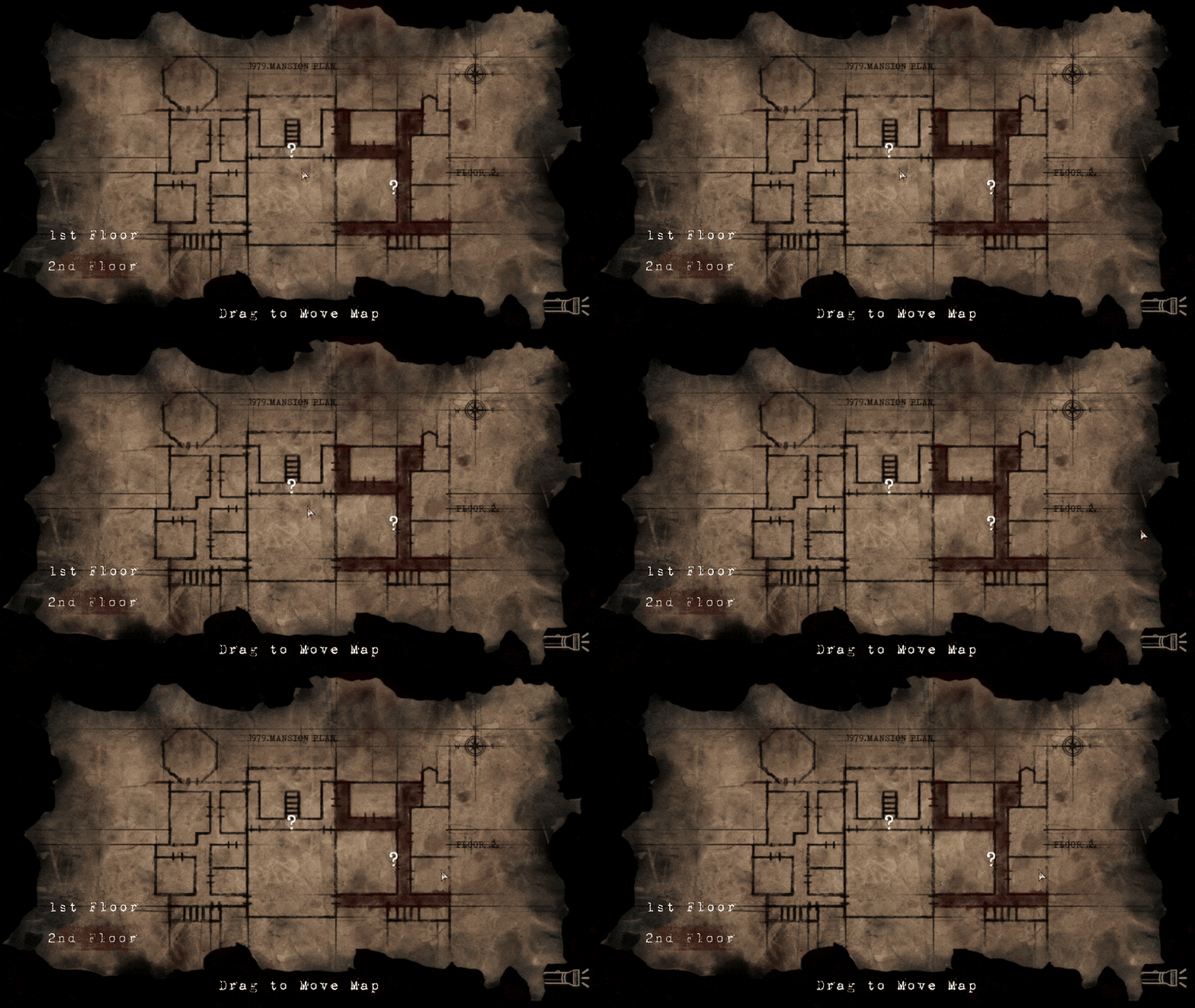
Improved the map:
The map now shows a “?” to indicate something interesting if you get lost.
The “?” only appears after you pass or close a valuable area or item.
The map now highlights the current area with a new animation. (See below)
Removed the old “Drag to move map” text, which was obsolete.
These are some of the major changes coming in the new update. I hope you like it and I look forward to hearing what you think!
Source
Changelog.gg summarizes and formats this update. How we read updates.