
HomeGamesUpdatesPricingMethodology
Steam News21 July 20241y ago

The Longest Walk - V2.0 Update

Hey, Steam community! The Longest Walk V2.0 is now available to download and play!

In this update9

Full notes

Full The Longest Walk update

Read the full published notes in a cleaner layout. The original post stays linked below.

Repeated intro

Hey, Steam community!

What changed

0 fixes6 additions3 changes0 removals
  • UI and audio
  • Performance
  • Gameplay
addedThe Longest Walk V2.0 is now available to download and play! This version includes a variety of quality-of-life updates to improve the overall experience and performance for PC players and Steam Deck. Most notably, this update includes a new dynamic subtitle system, an optimised graphics setting, a main menu, and a pause menu.
changedSteam DeckThe Longest Walk is now playable on Steam Deck! Please use the following settings for best performance and subtitle readability: - Subtitles: Standard - Graphics: Optimised
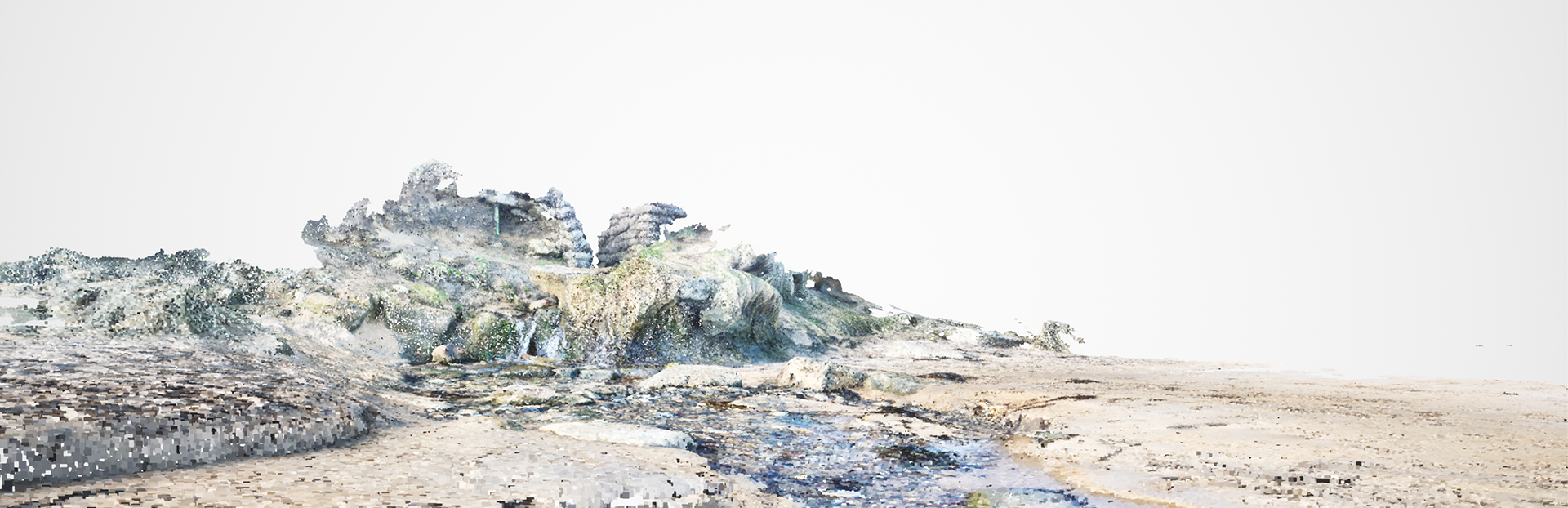
addedMain MenuA Main Menu has now been added to the game. This allows you to: - Toggle between two visual styles; Recommended (Point Cloud)/ Optimised (3D Models) - Toggle between Dynamic/Standard subtitles (Standard subtitles are now in a sans-serif font)
changedIntroductionUpdates have been made to the introduction sequence when the game begins. - Updated content warning (Age Rating + Text) - Updated publisher logos (Somewhat Unsettling & Abertay Game Lab) - Logos and titles now scale correctly based on resolution
addedPause MenuYou are now able to pause the game at any point (excluding during scene transitions) to reflect or take a breather. This addition will improve the experience for Let's Players. - Toggle between Dynamic/Standard subtitles - A "Quit to Menu" option has been added to the Pause Menu
addedIn-Game Control PromptAdded an in-game controller prompt that dynamically swaps between Keyboard & Mouse / Gamepad (Xbox) controls.

The Longest Walk changes

addedThe Longest Walk V2.0 is now available to download and play! This version includes a variety of quality-of-life updates to improve the overall experience and performance for PC players and Steam Deck. Most notably, this update includes a new dynamic subtitle system, an optimised graphics setting, a main menu, and a pause menu.
changedThe Longest Walk is now playable on Steam Deck! Please use the following settings for best performance and subtitle readability: - Subtitles: Standard - Graphics: Optimised
addedA Main Menu has now been added to the game. This allows you to: - Toggle between two visual styles; Recommended (Point Cloud)/ Optimised (3D Models) - Toggle between Dynamic/Standard subtitles (Standard subtitles are now in a sans-serif font)
changedUpdates have been made to the introduction sequence when the game begins. - Updated content warning (Age Rating + Text) - Updated publisher logos (Somewhat Unsettling & Abertay Game Lab) - Logos and titles now scale correctly based on resolution
addedYou are now able to pause the game at any point (excluding during scene transitions) to reflect or take a breather. This addition will improve the experience for Let's Players. - Toggle between Dynamic/Standard subtitles - A "Quit to Menu" option has been added to the Pause Menu

The Longest Walk V2.0 is now available to download and play! This version includes a variety of quality-of-life updates to improve the overall experience and performance for PC players and Steam Deck. Most notably, this update includes a new dynamic subtitle system, an optimised graphics setting, a main menu, and a pause menu.

I just wanted to say that I am extremely grateful for all your Let's Plays, kind reviews, and community posts about The Longest Walk. I hope that this update improves the experience for returning and future players.

Steam Deck

  • The Longest Walk is now playable on Steam Deck! Please use the following settings for best performance and subtitle readability:

    • Subtitles: Standard
    • Graphics: Optimised

Main Menu

  • A Main Menu has now been added to the game. This allows you to: - Toggle between two visual styles; Recommended (Point Cloud)/ Optimised (3D Models) - Toggle between Dynamic/Standard subtitles (Standard subtitles are now in a sans-serif font)

Subtitles

  • There are now two subtitles systems. Dynamic subtitles appear within the world and lead you through the environment.

  • Standard subtitles are displayed at the bottom of the screen in a sans-serif font.

Introduction

  • Updates have been made to the introduction sequence when the game begins. - Updated content warning (Age Rating + Text) - Updated publisher logos (Somewhat Unsettling & Abertay Game Lab) - Logos and titles now scale correctly based on resolution

Pause Menu

  • You are now able to pause the game at any point (excluding during scene transitions) to reflect or take a breather. This addition will improve the experience for Let's Players. - Toggle between Dynamic/Standard subtitles - A "Quit to Menu" option has been added to the Pause Menu

In-Game Control Prompt

  • Added an in-game controller prompt that dynamically swaps between Keyboard & Mouse / Gamepad (Xbox) controls.

Framerate is now capped at 60fps

  • The framerate is now capped at 60fps which should reduce performance issues.

V-Sync enabled by default

  • V-sync is now enabled, which should mitigate any screen tearing issues.

Removed Steam VR Plugin

  • Steam VR was not intended to be enabled. This has now been removed and should not open on game launch.

Source

Steam News / 21 July 2024

Open original post

Changelog.gg summarizes and formats this update. How we read updates.