
In this update1
Full notes
Full The Dwarves of Glistenveld update
Read the full published notes in a cleaner layout. The original post stays linked below.
What changed
- Maps
- Balance
- UI and audio
- Gameplay
- Fixes
The Dwarves of Glistenveld changes
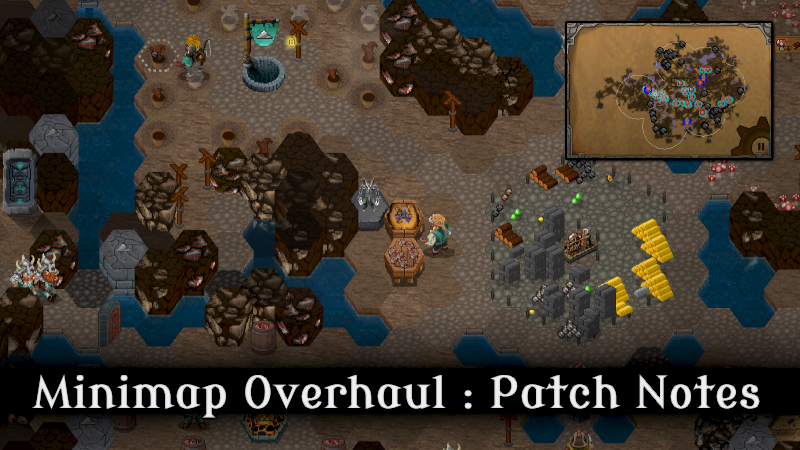
Fellow Dwarves! We've worked out how to utilise a Map Table! Dwarves can now catalogue their sightings on the minimap for you!
Patch Notes
The big stuff:
Map Table - A new tech that unlocks the Map Table. Once placed, this building reveals friendly and enemy units moving around in the minimap. More importantly however, it also enables you to mark (within the radius of the table) any visible occurrences of a chosen resource or object! Build multiple around the map to make the most of this feature!
Minimap - In some maps this wasn't centred or maximised, and clicking wouldn't always centre the camera correctly. This should now be working in all cases.
Fleeing from battle - Units fleeing from battle would sometimes get stuck due to another friendly unit also being in battle. If they are desperate and need to rest or are low health, they will now be able to scoot past that unit anyway!
Green mushrooms - Any class can now destroy green mushrooms. The gather button however will be disabled unless you have the Farming II tech.
Objectives List - Fixed a number of rendering issues regarding this UI, including the description not updating. Also, objectives that are not within a group/category will now appear above groups/categories to avoid confusion.
The small stuff:
Game-speed controls - Right-clicking the cog in the bottom-right corner will now 'toggle' the speed, instead of always setting to fast-forward.
Caverns mode - Waterfalls now spawn at the source of (almost) every long river with flowing water. Also fixed a bug where Redhammer's meet encounter might not always finish.
Feedback form - Fixed the jank in the feedback form input field. This should now function more like a proper multi-line text field.
'Send Home' - The send home option when an ally dwarf is in your base is now also a button when that dwarf is selected. You no longer need to right click them.
Skirmish Mode - Fixed a bug involving getting stuck on the select spawn-location screen, sorry about that! This screen should also no longer have any visual artifacts.
Guide - Added more sections to the guide, including bones and old stone structures. Some tips were also added to saplings to improve yield when farming.
Carroots - AI teams and farming plots will no longer automatically harvest the roots of carroots, but you can still use the gather instruction to do it yourself.
Performance - Improved some performance where some UIs were rebuilding when they didn't need to.
Big-picture UI - Simplified the indicator of how many dwarves you can spawn. It now just tells you the dwarf count you have and the dwarf count you can reach. More details are given when hovering over, as usual.
Dynamic Tutorials - Fixed various bugs & added a camera tutorial. We're working on making these the official tutorials and are hoping to remove the 'Tutorial Adventure'. This will mean you will see new tutorials pop up every now and then, but you can still remove them by pressing the X button beside them.
That's all for now, stay safe out there!
Source
Changelog.gg summarizes and formats this update. How we read updates.