
HomeGamesUpdatesPricingMethodology
Steam News6 April 20263mo ago

T4C Launcher - A Complete Redesign

Overview The T4C Launcher has been completely redesigned from the ground up. Whether you're a returning veteran of Schicksalswind or a new adventurer stepping into the world of Die 4te Offenbarung for the first time, th

In this update6

Full notes

Full The 4th Coming update

Read the full published notes in a cleaner layout. The original post stays linked below.

What changed

0 fixes3 additions5 changes0 removals
  • UI and audio
  • Server
  • Gameplay
addedOverviewThe T4C Launcher has been completely redesigned from the ground up. Whether you're a returning veteran of Schicksalswind or a new adventurer stepping into the world of Die 4te Offenbarung for the first time, the new launcher provides a modern, streamlined experience to get you into the game faster than ever. With a dark-themed interface, built-in game settings, and all essential links at your fingertips, managing your T4C experience has never been easier.
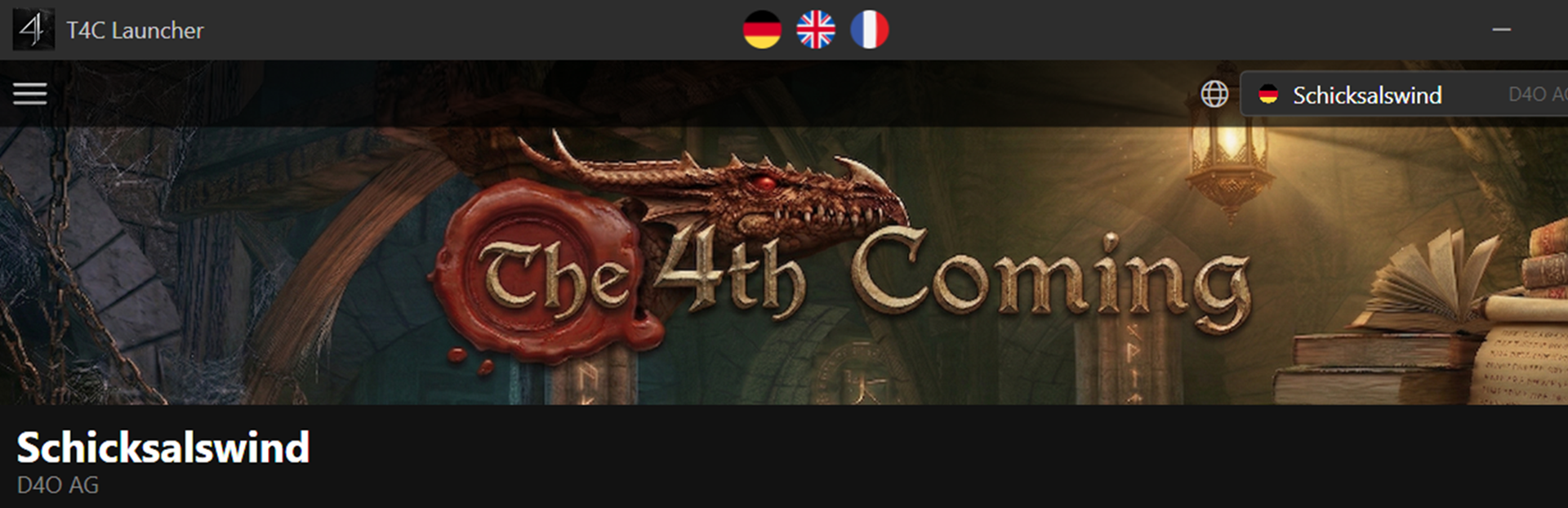
addedModern InterfaceA new borderless design with a localized banner, live player count, and quick-access menus — all in a clean, dark-themed layout. Steam post image
changedServer Info PanelClick the info button next to the server name to view detailed server settings at a glance — PVE/PVP death penalties, PVP level range, XP ratio, max rebirth, and more. Steam post image
changedHamburger MenuQuick access to all essential links — Website, Wiki, Support, Discord, Forum, Server Rules, The Team, and more. The options menu next to the Play button gives you direct access to Settings and Game Data. Steam post image Steam post image
changedBuilt-in SettingsGeneral — Language, display mode, resolution, audio, and launcher preferences
changedBuilt-in SettingsColors — Customize communication channel colors with drag-and-drop reorder and a color picker Steam post image

The 4th Coming changes

addedThe T4C Launcher has been completely redesigned from the ground up. Whether you're a returning veteran of Schicksalswind or a new adventurer stepping into the world of Die 4te Offenbarung for the first time, the new launcher provides a modern, streamlined experience to get you into the game faster than ever. With a dark-themed interface, built-in game settings, and all essential links at your fingertips, managing your T4C experience has never been easier.
addedA new borderless design with a localized banner, live player count, and quick-access menus — all in a clean, dark-themed layout. Steam post image
changedClick the info button next to the server name to view detailed server settings at a glance — PVE/PVP death penalties, PVP level range, XP ratio, max rebirth, and more. Steam post image
changedQuick access to all essential links — Website, Wiki, Support, Discord, Forum, Server Rules, The Team, and more. The options menu next to the Play button gives you direct access to Settings and Game Data. Steam post image Steam post image
changedGeneral — Language, display mode, resolution, audio, and launcher preferences

Overview

The T4C Launcher has been completely redesigned from the ground up. Whether you're a returning veteran of Schicksalswind or a new adventurer stepping into the world of Die 4te Offenbarung for the first time, the new launcher provides a modern, streamlined experience to get you into the game faster than ever. With a dark-themed interface, built-in game settings, and all essential links at your fingertips, managing your T4C experience has never been easier.

Features

Modern Interface

A new borderless design with a localized banner, live player count, and quick-access menus — all in a clean, dark-themed layout. Steam post image

Server Info Panel

Click the info button next to the server name to view detailed server settings at a glance — PVE/PVP death penalties, PVP level range, XP ratio, max rebirth, and more. Steam post image

Hamburger Menu

Quick access to all essential links — Website, Wiki, Support, Discord, Forum, Server Rules, The Team, and more. The options menu next to the Play button gives you direct access to Settings and Game Data. Steam post image Steam post image

Built-in Settings

No more hunting for T4C Config.exe. The launcher now includes a full settings editor with three tabs:

  • General — Language, display mode, resolution, audio, and launcher preferences

  • Macros — Configure all 20 macro key bindings with conflict detection

  • Colors — Customize communication channel colors with drag-and-drop reorder and a color picker Steam post image

Localization

Switch between German, English, and French with a single click on the flag icons in the title bar. The language setting applies to the launcher and the game interface. Server-side content such as NPC dialogs, items, and quests remains in German, as Schicksalswind is a German-language server.

Steam Integration

Achievements, stats tracking, and rich presence are all here — your friends can see when you're playing on Schicksalswind.

How to Get Started

  1. Launch the T4C Launcher from Steam

  2. Create your D4O AG account via the link at the bottom or through the menu

  3. Hit PLAY and enter the world of Schicksalswind!

Acknowledgments

A big thank you to D4O AG for keeping the world of Schicksalswind alive, and to the T4C community for your continued support, feedback, and enthusiasm. This redesign was built with you in mind. We're always working on new features and improvements. Got ideas, feedback, or found a bug? Join us on Discord and let us know! Enjoy your adventures in Die 4te Offenbarung (The 4th Coming) !

Source

Steam News / 6 April 2026

Open original post

Changelog.gg summarizes and formats this update. How we read updates.