
In this update7
Full notes
Full Thank You For Your Application update
Read the full published notes in a cleaner layout. The original post stays linked below.
What changed
- UI and audio
- Gameplay
- Fixes
- Store
- Server
Thank You For Your Application changes
[Added]
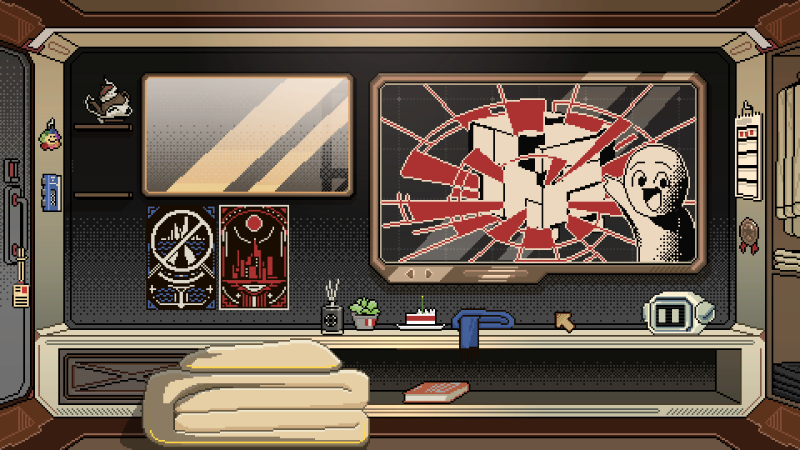
Added a Weather Sound Effects setting. You can now control weather sound effects in the apartment from Settings.
[Adjustments]
Adjusted the Korean forum content on Days 2 and 12.
Added autosave points for Days 27–29.
Adjusted the starting work dates and ages of characters on Days 27–30 to prevent cases where a character would appear to have started working at the age of 10.
Adjusted the requirement text “Demonstrates strong teamwork skills” by adding “(Q&A Mode)”.
[Fixes]
Fixed an issue where Korean replies in department emails were displayed as square boxes.
Fixed an incorrect speaker issue in A01’s tutorial dialogue on Day 5.
Fixed an issue where sound effects could cause the game to stutter.
Fixed an issue where the English text in the Day 8 Internal Communication was not fully displayed.
Fixed several Chinese typos.
Fixed an issue where some French and German text was displayed in English.
Fixed an inconsistency between the Japanese Internal Communication text and Interview Requirements.
[Notes]
Breakdown effects: If you see red and blue flashing effects on screen, this is not a bug. This effect is caused by the protagonist’s Breakdown value being too high. Please purchase items that reduce Breakdown value from the apartment shop to remove the effect.
Regarding interview requirements where ID type does not match: On certain days, the company only recruits interviewees who hold a Permanent Residence Permit. If an interviewee only holds a “Residence Permit”, you can generate a thank letter by selecting the “Residence Permit” text on their document and the corresponding recruitment requirement.
If Mac users see "UI_XXX" displayed on the game's main screen, please click the globe icon in the lower left corner to switch languages and restore normal text.
Regarding achievements not unlocking
If certain achievements do not unlock, this may be caused by network issues or the game version not being up to date.
Confirm that your game is updated to the latest version: Please check whether the version number in the bottom-right corner of the main menu matches the version number in the latest announcement. If it does not, right-click the game in your Steam Library → Properties → Installed Files → click “Verify integrity of game files”, then wait for the repair to complete and restart the game.
Confirm Steam is online: Click the top-left corner of Steam and make sure it is not in “Offline Mode”. You need to be logged in and connected to the internet.
Launch the game from your Steam Library: Please do not launch the game directly from a desktop shortcut or the taskbar. You must click the “Play” button from your Steam Library, otherwise the Steam interface may be bypassed and achievements may not be recorded.
Run Steam as administrator: Fully exit Steam by right-clicking the tray icon in the bottom-right corner and choosing Exit. Then right-click the Steam icon and select “Run as administrator” before launching the game again.
Optimisation Notes
Thank you very much for all your feedback and suggestions regarding New Game Plus experience, save interactions, tutorial explanations, and other areas.
New features require more time for testing and adjustment, and we are currently prioritising fixes for bugs that affect the gameplay experience. Once the game version has stabilised, we will work through the suggestions we have recorded and optimise the game to improve the overall experience.
The following optimisations are currently planned:
Customisable hotkeys and more functional shortcuts
Scanner tutorial improvements
CG Gallery interface improvements
New Game Plus experience improvements and assistive tools
If you have any thoughts or suggestions, please feel free to share them with us through the community or the feedback form in the bottom-right corner of the game. Thank you!
Localization Plan
Thank you all so much for your incredible support since launch! We've received many requests for additional language support, and it truly means a lot to us.
We want as many players as possible to enjoy the game. That said, we need to carefully consider the costs and testing involved in adding new languages to ensure a smooth experience for everyone.
After discussions with our publisher, we're happy to announce that we'll be adding official localization for the following languages:
Spanish
Portuguese
Russian
We'll keep you posted on the progress as we implement and test these new language versions. Stay tuned for further updates!
Source
Changelog.gg summarizes and formats this update. How we read updates.