Here is a last patch before the release next week, coming from feedback of recent beta tests. Added keyboard support for undo and redo.
Full notes
Full Tents and Trees update
Read the full published notes in a cleaner layout. The original post stays linked below.
What changed
0 fixes3 additions1 change0 removals
Compatibility
Gameplay
UI and audio
changedHere is a last patch before the release next week, coming from feedback of recent beta tests.
addedAdded keyboard support for undo and redo. You can undo a move with "Ctrl+Z" and redo with either "Ctrl+Shift+Z" or "Ctrl+Y"
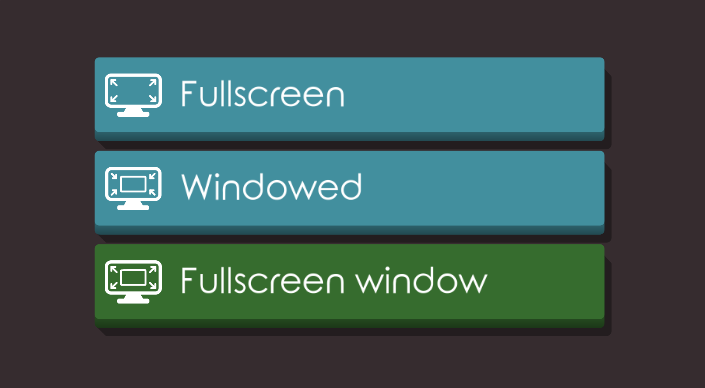
addedAdded support of "fullscreen window" (also known as "borderless fullscreen"). This mode is better than standard fullscreen if you are using multiple monitors, or multi-tasking a lot. Available from the settings menu.
addedSwitching from windowed to fullscreen can now be done using F11 (as well as Alt+Enter).
Tents and Trees changes
changedHere is a last patch before the release next week, coming from feedback of recent beta tests.
addedAdded keyboard support for undo and redo. You can undo a move with "Ctrl+Z" and redo with either "Ctrl+Shift+Z" or "Ctrl+Y"
addedAdded support of "fullscreen window" (also known as "borderless fullscreen"). This mode is better than standard fullscreen if you are using multiple monitors, or multi-tasking a lot. Available from the settings menu.
addedSwitching from windowed to fullscreen can now be done using F11 (as well as Alt+Enter).
Here is a last patch before the release next week, coming from feedback of recent beta tests.
Added keyboard support for undo and redo. You can undo a move with "Ctrl+Z" and redo with either "Ctrl+Shift+Z" or "Ctrl+Y"
Added support of "fullscreen window" (also known as "borderless fullscreen"). This mode is better than standard fullscreen if you are using multiple monitors, or multi-tasking a lot. Available from the settings menu.
Switching from windowed to fullscreen can now be done using F11 (as well as Alt+Enter).
These changes are available on both the full game and the demo.