
In this update1
Full notes
Full Tales of Terrarum update
Read the full published notes in a cleaner layout. The original post stays linked below.
What changed
0 fixes1 addition0 changes0 removals
- UI and audio
addedHow to Launch in Windowed ModeUnder Launch Options , copy and paste the following: -screen-fullscreen 0 -screen-width [Width] -screen-height [Height]
Tales of Terrarum changes
addedUnder Launch Options , copy and paste the following: -screen-fullscreen 0 -screen-width [Width] -screen-height [Height]
How to Launch in Windowed Mode
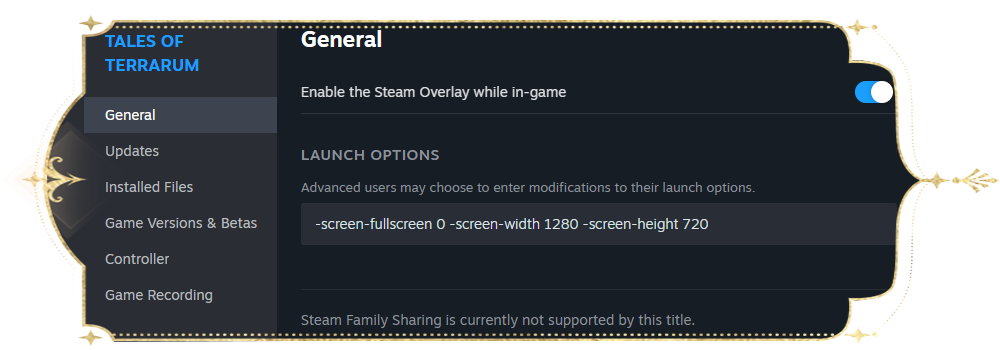
If you need to run the game in windowed mode, please follow these steps:
Right-click Traveler's Diary in your Steam Library.
Select Properties > General.
Under Launch Options, copy and paste the following: -screen-fullscreen 0 -screen-width [Width] -screen-height [Height]
1080p: -screen-fullscreen 0 -screen-width 1920 -screen-height 1080
900p: -screen-fullscreen 0 -screen-width 1600 -screen-height 900
720p: -screen-fullscreen 0 -screen-width 1280 -screen-height 720
Source
Changelog.gg summarizes and formats this update. How we read updates.