
HomeGamesUpdatesPricingMethodology
Steam News4 November 20205y ago

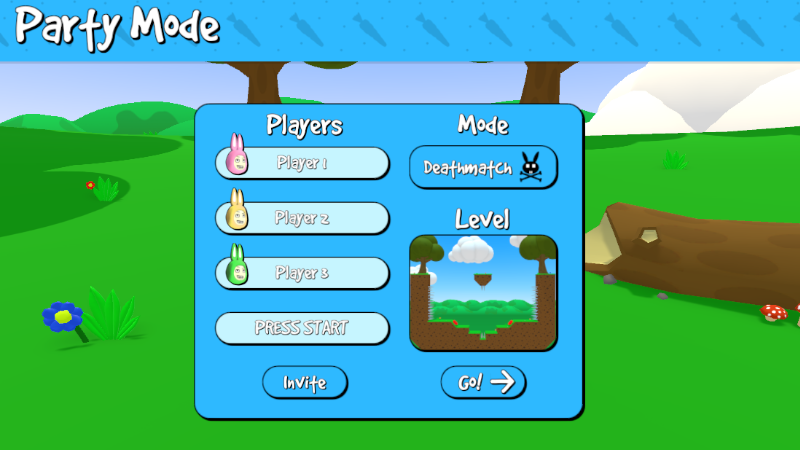
V0.9 BETA Update is now available! ONLINE Party Mode!

Hello everyone! As mentioned a few weeks ago, the V0.9 BETA Update is now available for download! Please note! This update may be very buggy and unstable.

Full notes

Full Super Bunny Man update

Read the full published notes in a cleaner layout. The original post stays linked below.

Repeated intro

Hello everyone!

What changed

0 fixes1 addition5 changes0 removals
  • Compatibility
addedAs mentioned a few weeks ago, the V0.9 BETA Update is now available for download!
changedThe beta is opt-in only for now. If you would like to join in, please follow these steps:
changedSelect the BETAS tab, then click the drop-down list that says "None - Opt out of all beta programs"
changedSelect "beta - Super Bunny Man - Beta Test Version" from the drop-down list. Click the Close button when done.
changedSteam will then automatically install the beta version of Super Bunny Man.
changedIf you want to opt-out of the beta, just follow the steps above, but select the "None - Opt out of all beta programs" option from the drop-down list on the Properties>BETAS tab.

Super Bunny Man changes

addedAs mentioned a few weeks ago, the V0.9 BETA Update is now available for download!
changedThe beta is opt-in only for now. If you would like to join in, please follow these steps:
changedSelect the BETAS tab, then click the drop-down list that says "None - Opt out of all beta programs"
changedSelect "beta - Super Bunny Man - Beta Test Version" from the drop-down list. Click the Close button when done.
changedSteam will then automatically install the beta version of Super Bunny Man.

As mentioned a few weeks ago, the V0.9 BETA Update is now available for download!

Please note! This update may be very buggy and unstable. We will be releasing patches to fix any bugs over the next few weeks.

The beta is opt-in only for now. If you would like to join in, please follow these steps:

  1. Find Super Bunny Man in your Steam library, right-click, then select Properties...

  2. Select the BETAS tab, then click the drop-down list that says"None - Opt out of all beta programs"

  3. Select"beta - Super Bunny Man - Beta Test Version"from the drop-down list. Click the Close button when done.

  4. Steam will then automatically install the beta version of Super Bunny Man.

  5. Press play!

If you want to opt-out of the beta, just follow the steps above, but select the"None - Opt out of all beta programs"option from the drop-down list on the Properties>BETAS tab.

If you have any issues or find any bugs, we would really appreciate it if you could let us know via the Super Bunny Man - Steam Discussions page.

We hope you enjoy online party mode!

Source

Steam News / 4 November 2020

Open original post

Changelog.gg summarizes and formats this update. How we read updates.