Update history
Latest Succubus Harem updates
Search patches, hotfixes, and dev posts. Load more to keep browsing the timeline.
Browse updates
Published changes
Search updates. Filter by source or date. Open any row for the full patch notes, or load more to continue the timeline.
- Succubus Harem
New Version Release v1.32
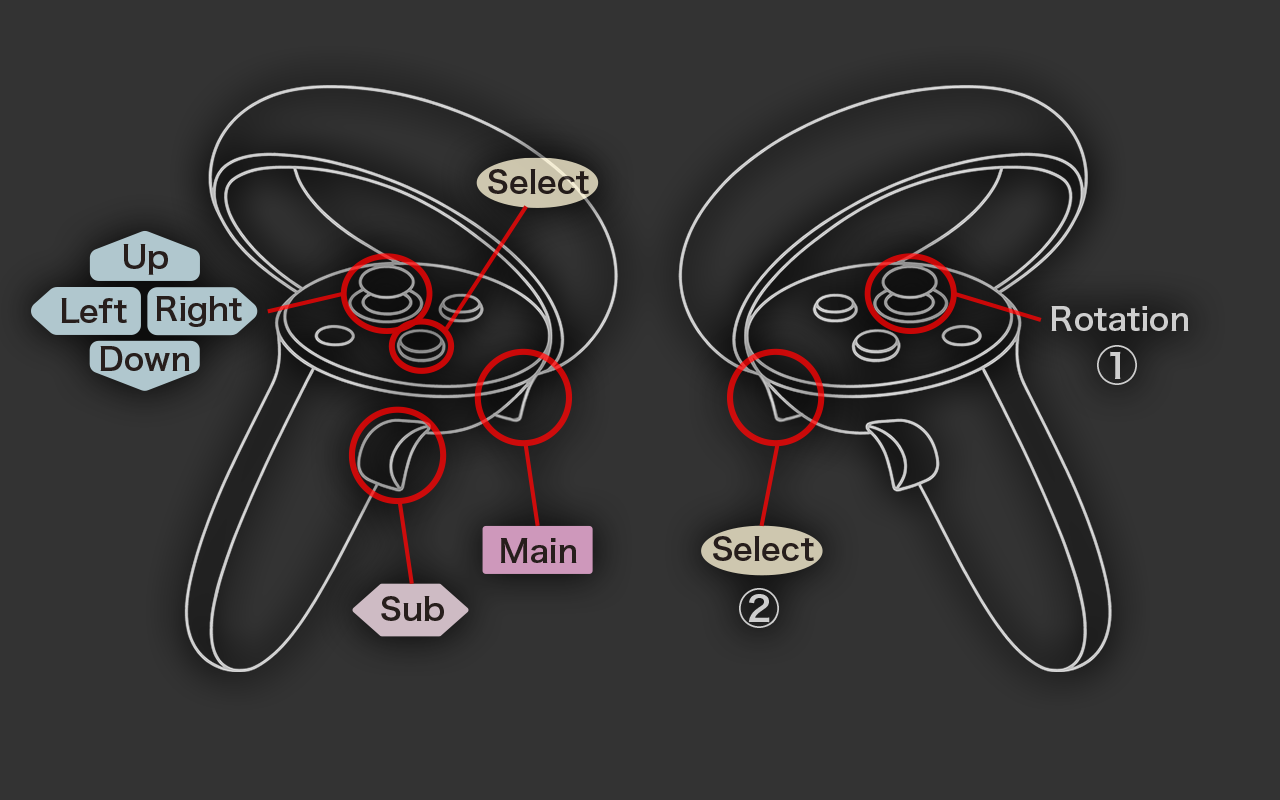
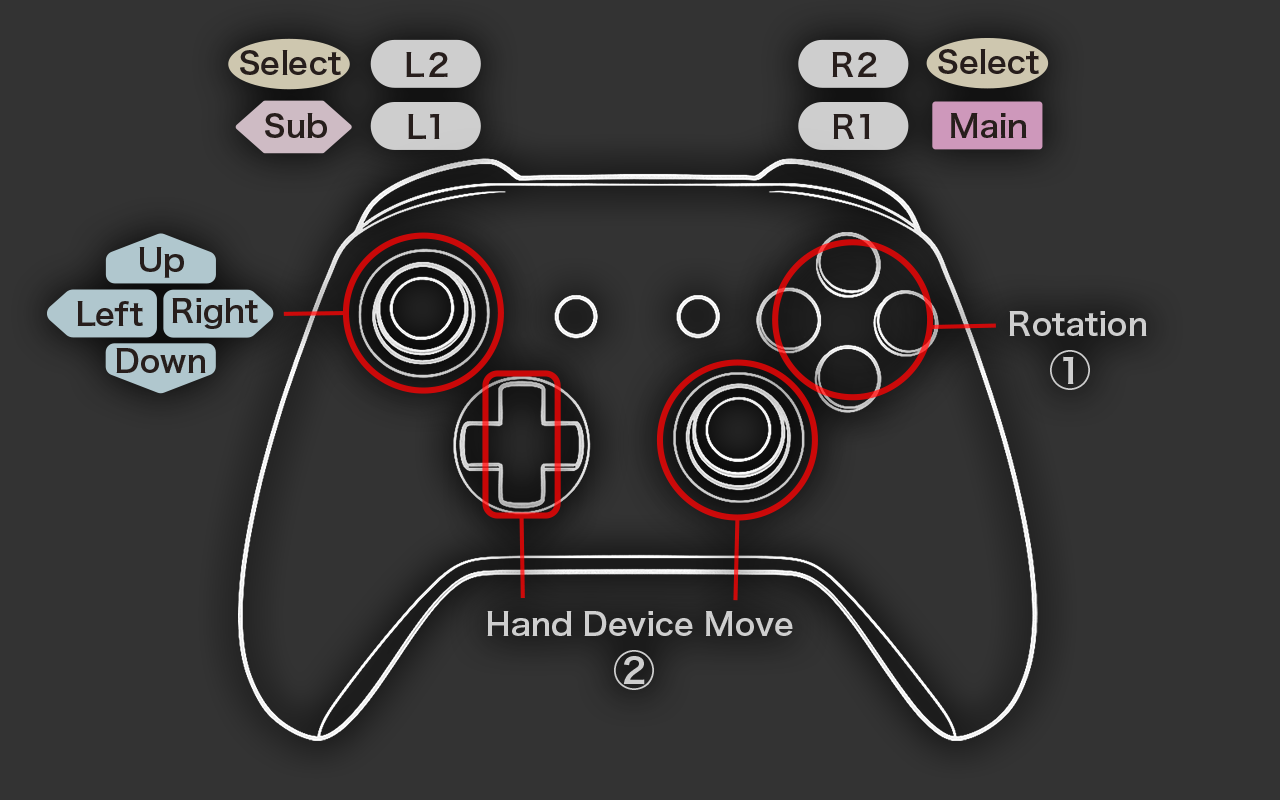
We’ve greatly enhanced controls for both gamepads and VR controllers: Actions that previously required multiple keys can now be executed with dedicated buttons. Body type changes that required multiple keys can now be p…
Patch notes8 changesGameplayUI/audio - Succubus Harem
New Version Release v1.22
We’ve fixed an issue where players could pass through solid walls and other fixed objects. Other Improvements Added new sound effects. This fix is also applied to the Demo version—enjoy!
Patch notes2 changesFixUI/audio - Succubus Harem
New Version Release v1.21
You can now use the non-designated VR controller to simplify certain actions. The VR controller was originally designed so you can play entirely with just one hand—but with two controllers, the experience becomes even s…
Patch notes1 changeGameplay - Succubus Harem
New Version Release v1.18
When a gamepad is connected during Standard Play, you can control the game with both the keyboard & mouse and the gamepad simultaneously. Since rotation can now be controlled with dedicated keys, you can perform more co…
Patch notes2 changesGameplay - Succubus Harem
New Version Release v1.12
We’ve simplified the process of connecting the Slime to the Succubus. Now, by transforming into a Connection Body and making contact, the connection happens automatically. Press the Sub Key (Right Click), then hold the…
Patch notes3 changesServerGameplay - Succubus Harem
Feedback & Bug Report Board Established
We’ve set up a board for feedback and bug reports. If you have any requests or ideas such as “I wish the game could do this,” please feel free to share them with us. Questions are also always welcome!
Announcement - Succubus Harem
Manual Supplement
Slime Body Movement Horizontal movement works the same as in most games: use the Arrow keys or W/A/S/D to move forward, backward, left, and right. For vertical movement, hold the sub key (Right Click) and use the Up/Dow…
Patch notes5 changesGameplay