
In this update3
Full notes
Full 颈椎病 Stiff Neck update
Read the full published notes in a cleaner layout. The original post stays linked below.
Repeated intro
Hello, everyone!
What changed
- Store
- Balance
- Compatibility
- Performance
- Gameplay
颈椎病 Stiff Neck changes
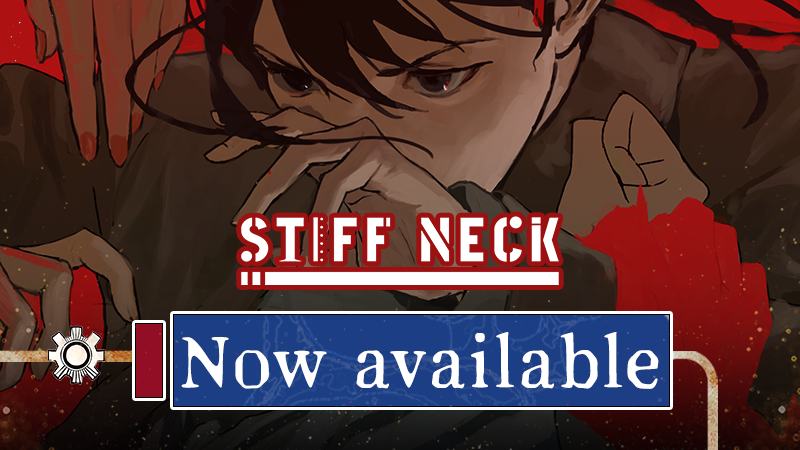
The psychological thriller narrative game Stiff Neck is out now!
Purchase now to enjoy the discounted price of $6.29, or buy through a bundle for an extra discount, dropping the price to as low as $5.66!
Come follow in the footsteps of our protagonist, Noele, and experience a unique psychological boxing journey!
Bundles Overview
Ignited in Cavern × Stiff Neck
Ignited in Cavern x Stiff Neck
Looking Up I See Only A Ceiling × Stiff Neck
Looking Up I See Only A Ceiling x Stiff Neck
Stiff Neck & Soundtrack
Instruction Manual — FAQ
Q: What is the price of the game?
A: The base price is $6.99, with a 10% launch week discount, making it only $6.29! If you purchase via a bundle, you can stack the discounts: The lowest possible price is 6.99 × 0.9 × 0.9 = 5.66!
Q: What platforms is the game available on?
A: Currently, it is only available on Steam.
Q: What operating systems are supported?
A: The game currently supports Windows, macOS, and Linux + SteamOS.
Q: What should I do if the game crashes or lags on startup?
A: Outdated graphics drivers are a common cause of crashes or lag. We highly recommend updating them first:
— NVIDIA users:
Update automatically via GeForce Experience, or download the latest drivers from the official NVIDIA website.
— AMD users:
Update via Adrenalin, or download the latest drivers from the official AMD website.
— Intel users:
Update automatically via Intel Driver & Support Assistant.
If the issue persists after updating your drivers, try freeing up memory.
If you are still unable to play, please fill out the BUG Report Form at the bottom of this FAQ, and we will contact you as soon as possible.
Q: How much content is in the full release, and what has changed compared to the Demo?
A: The full release contains over 100,000 words and has an estimated playtime of 2-5 hours. It features 3 explorable characters, 4 story routes, and 6 different endings. There are over 100 character-rich CGs and over 20 unique original avatars.
Q: Does my progress from the Demo carry over?
A: We apologize, but Demo save files cannot be transferred. However, you can adjust the fast-forward settings in the menu to quickly skip to the new story content after the Demo portion.
Q: Can I play with a controller? Is Steam Deck supported?
A: Yes! The game supports controller inputs and runs on the Steam Deck.
However, please note that if you are using a Linux system, some controllers may not be fully compatible.
Q: What if the D-pad and ABXY buttons are unresponsive on the Steam Deck?
A: Please try manually switching the Steam controller layout:
— In your Steam Deck's downloaded games list, select the Stiff Neck page.
— Select the "Controller" icon on the far right next to "Play."
— Enter the Controller Settings, click the layout box under "Current Button Layout," switch to the "Recommended" tab, and use the A button to select "Official Layout by 伤官制作组 Stiff Neck — Controller). Once on the layout preview page, press X to apply the layout.
— Return to the game and play.
Q: Does the Steam Deck support Windowed mode?
A: No. Running the game in Windowed mode causes severe bugs, so the game is locked to Fullscreen mode on the Steam Deck.
Q: Does the Steam Deck support Touchscreen controls?
Yes! Both Controller and Touchscreen modes are supported, but please strictly follow these methods to switch between the two:
— To switch from Controller to Touchscreen mode: You must click a button with your finger (e.g., tap a confirmation option or a function button); Sliding or dragging your finger across the screen will not switch the control mode.
— To switch from Touchscreen to Controller mode: You must press the D-pad or the ABXY buttons. Using the left/right joysticks or swiping the right trackpad will not switch the control mode.
Q: Are Steam Cloud saves supported?
A: Yes! Your saves and progress will automatically sync to the cloud, allowing you to resume your game anywhere and anytime!
Q: Where are the local save files located?
A:
Windows:%USERPROFILE%/AppData/Roaming/Godot/app_userdata/Stiff Neck
Mac:~/Library/Application Support/Godot/app_userdata/Stiff Neck/saves
Linux+SteamOS:~/.local/share/godot/app_userdata/Stiff Neck
Q: Where can I report a BUG?
A: (Click here to fill out the form)
Future Update Plans
We are currently producing an official Artbook for Stiff Neck, which we hope to share with you in the near future.
Thank you all for your continuous support and companionship. Now, let's head to the seaside town together and help Noele find a path to connect with others!
If you'd like to stay updated on our progress, feel free to follow our official accounts below! If you enjoy the game, we would be thrilled if you recommended it to more of your friends and family!
Source
Changelog.gg summarizes and formats this update. How we read updates.