
In this update1
Full notes
Full Rust update
Read the full published notes in a cleaner layout. The original post stays linked below.
What changed
- Gameplay
- Server
- Balance
- UI and audio
- Store
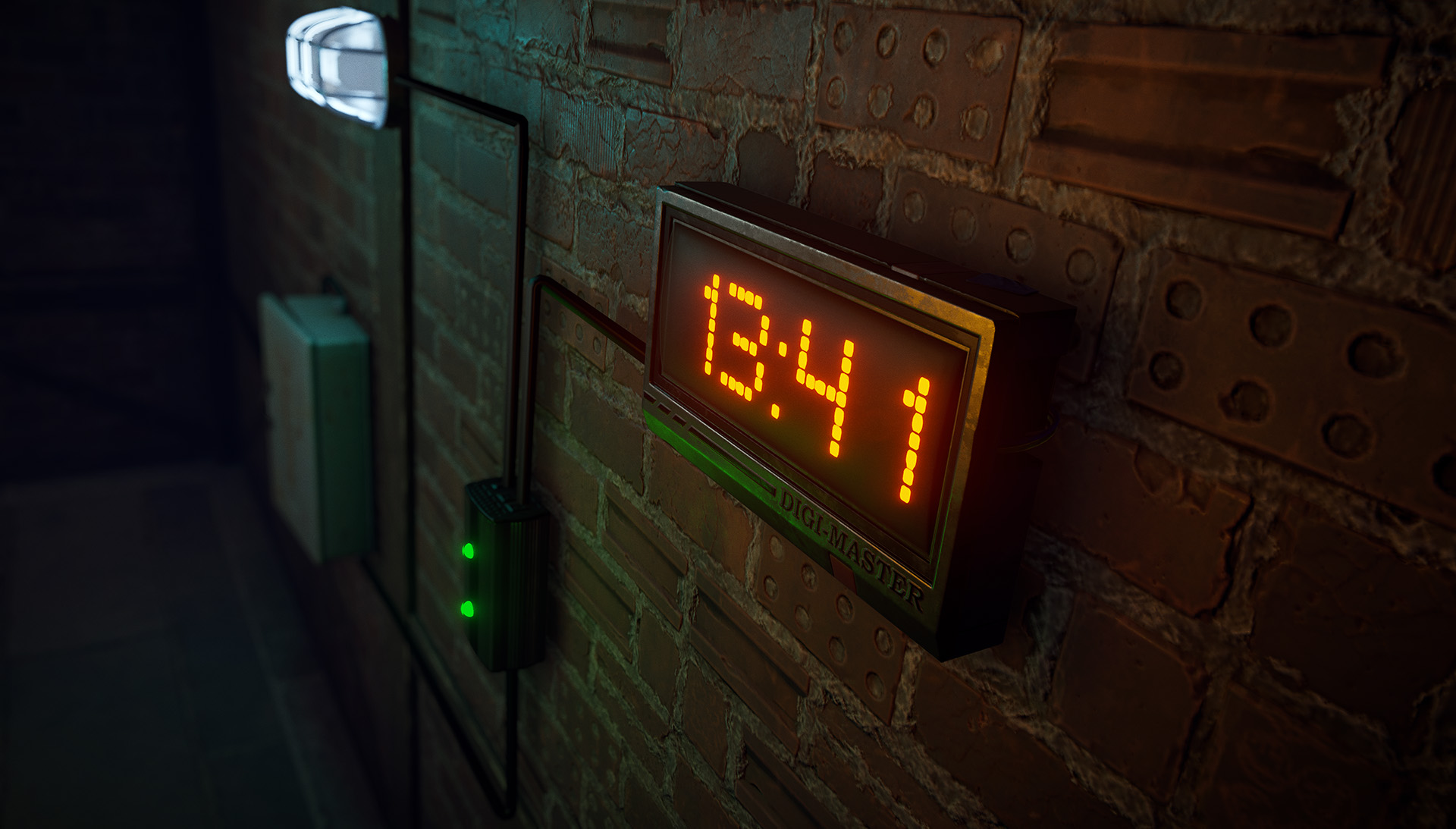
DIGITAL CLOCK
Meet the Digital Clock, a new craftable item, a simple but powerful addition to your base's electrical setup.
When powered, it displays the current server time [olist]
Consumes 1 power
Available at the Tier 2 Workbench
Craftable for 100 Metal Fragments [/olist]
The clock also allows you to set up alarms. When an alarm goes off, the power will pass through, allowing you to trigger any sort of circuit inside your base at specific times.
Whether you want to automate your farms, activate traps, or control lighting systems, you can set up to five alarms simultaneously.
GCO WEAPON ATTACHMENT
A powerful new cutting-edge experimental weapon attachment for those who crave more damage and speed in their shots. The Gas Compression Overdrive attachment boosts projectile damage and velocity, allowing you to hit harder.
However, this extra power comes with trade-offs, a slower fire rate and increased recoil. If you can handle the extra kick, this attachment is maybe for you.
The GCO attachment works on the following weapons: Thompson, SAR, SAP, M92, M39 and the Custom SMG.
WALLPAPERS
This month, we're adding wallpapers, a new way to decorate your base's interior.
Wallpapers can only be applied to the interior side of your walls. Purely visual, they don't provide any additional protection, are easy to remove and won't interfere with the deployment of any other items.
Default blueprint
Crafting cost: 10 cloth for 2 pieces of wallpaper
Includes 'Vintage' default skin in 4 colours - blue, red, green and yellow
Just like other deployable items, wallpapers can be skinned during crafting, in a repair bench or after being deployed using the spray can.
Wallpaper Starter Pack
In addition to the 4 wallpapers skins unlocked by default, you can purchase the Wallpaper Starter Pack which features 22 extra wallpaper skins for styling your base.
Skins included in the wallpaper starter pack, as pictured above:
Clouds
Yellow Stripe
Blue Diamond
Fleur (3 variants)
Retro (3 variants)
Subway (2 variants)
Geometric (2 variants)
Polka Dots (3 variants)
Wainscotting (3 variants)
Venetian Plaster (3 variants)
The Wallpaper Starter Pack is available for purchase in-game or through the Steam's item store.
COLOURBLIND ACCESSIBILITY
As part of my Hackweek last month, I explored some ways we can make playing Rust more accessible for players that experience different forms of colour blindness. Colour blindness is experienced by up to 8% of men and 0.5% of women, so it likely affects a good portion of our player base.
We’ve tried to identify problematic areas in the game world, as well as in our UI, and then make those colours configurable so every player can customise the look of their game to meet their needs. Since colour blindness comes in many forms, we’ve exposed each option individually as well as some presets that we think will help for more common forms of the condition.
We’ve exposed the following options:
Tree marker colours
Health Bar colour
Hunger Bar colour
Hydration Bar colour
Team Name tag colour
Enemy Name tag colour
Ally Name tag colour (eg. marked friendly in the contacts system)
Monument blocked colour (the new radius that appears when building close to a monument)
Mushroom colour
We also adjusted the contrast of the icons in the Hunger/Health/Hydration bar to make them stand out a bit more when in snowy/very
Source
Changelog.gg summarizes and formats this update. How we read updates.