
Full notes
Full Rust update
Read the full published notes in a cleaner layout. The original post stays linked below.
What changed
- Gameplay
- Security
- Server
- Store
- Performance
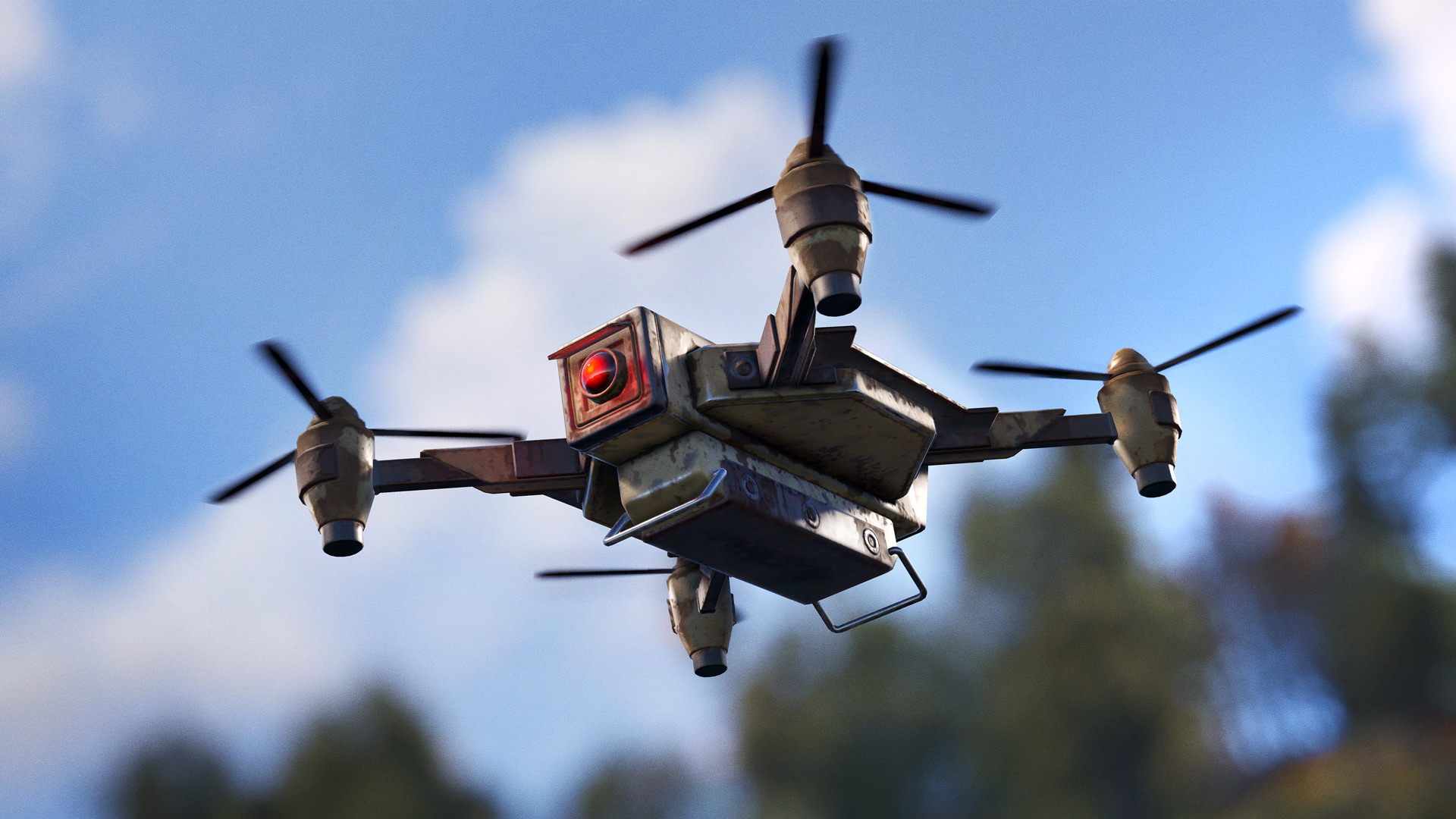
DRONE
The Drone is a new player-controlled craftable deployable, operated from the Computer Station. Easily damaged from impacts. Can be picked up and deployed just about anywhere - but it doesn't have the best signal, so you'll need to control it using nearby Computer Station.
The Drone can be unlocked from the tier 2 workbench tech tree.
RF DETONATED C4
C4 can now be remotely detonated via RF.
Select the item and click enable RF, then set a frequency. An RF Broadcaster or detonator can then be set to the same frequency and as soon as the C4 detects the signal, BOOM. Please note that C4 deployed outside of your building privilege zone will decay after 24 hours. Also, anyone can pick it up (with a 5 second delay) so keep a look out when using it during raids. Use it to set traps in your own base or for controlled demolition of someone else's. There has never been a better time to bankrupt a clan!
PTZ SECURITY CAMERA
A new player-craftable CCTV Camera system can be used for real-time surveillance and security when paired with the Computer Station. This camera has pan, tilt, and zoom capability and must be placed on a ceiling.
All cameras now require 3 power instead of 5.
The PTZ camera can be unlocked from the workbench level 2 tech tree.
PLAYER CONTROLLED AUTO TURRET
Autoturrets can now be configured to be pairable with a Computer Station. While the autoturret is turned off, there is a new menu to set the ID which you can then add in your Computer Station.
When connected to an autoturret from a Computer Station you will take control of it so you can look around and even shoot at things. However, the camera on the autoturrets don't have a great view of far away objects.
The autoturret cannot be controlled whilst in peacekeeper mode.
CCTV IN RUST+ [ALPHA]
Something that has constantly been requested in Rust+ is the ability to view cameras. I've tried a few different solutions to get that working but had nothing that worked good enough until recently. You'll now be able to add cameras from a paired server in Rust+ and view them from your phone!
This is an alpha release of the feature. I'll be working on improvements over time but, if there are any issues found, it may be disabled or limited to preserve server stability. Server owners can control this feature using the 'camerarenderer' set of convars.
The signal from your cameras has got to travel a long way to get to your phone so everything is low quality but you should be able to make out most things in the world.
All of the new, controllable cameras can also be used from Rust+!
You will need to make sure you have the very latest version of Rust+ from the App Store or Google Play. You will need Rust+ native version 0.0.29 as seen in the Rust+ settings. This version of the app is currently in the process of being released so you may need to wait a bit if no updates are available on your device yet.
INDUSTRIAL IMPROVEMENTS
It was great to see the response to the Industrial Update last month, particularly the bases filled to the brim with pipes! As well as some general bug fixes and performance improvements, we’ve made some QOL improvements this
Source
Changelog.gg summarizes and formats this update. How we read updates.