
Full notes
Full RolemIAster update
Read the full published notes in a cleaner layout. The original post stays linked below.
What changed
0 fixes0 additions1 change0 removals
- Performance
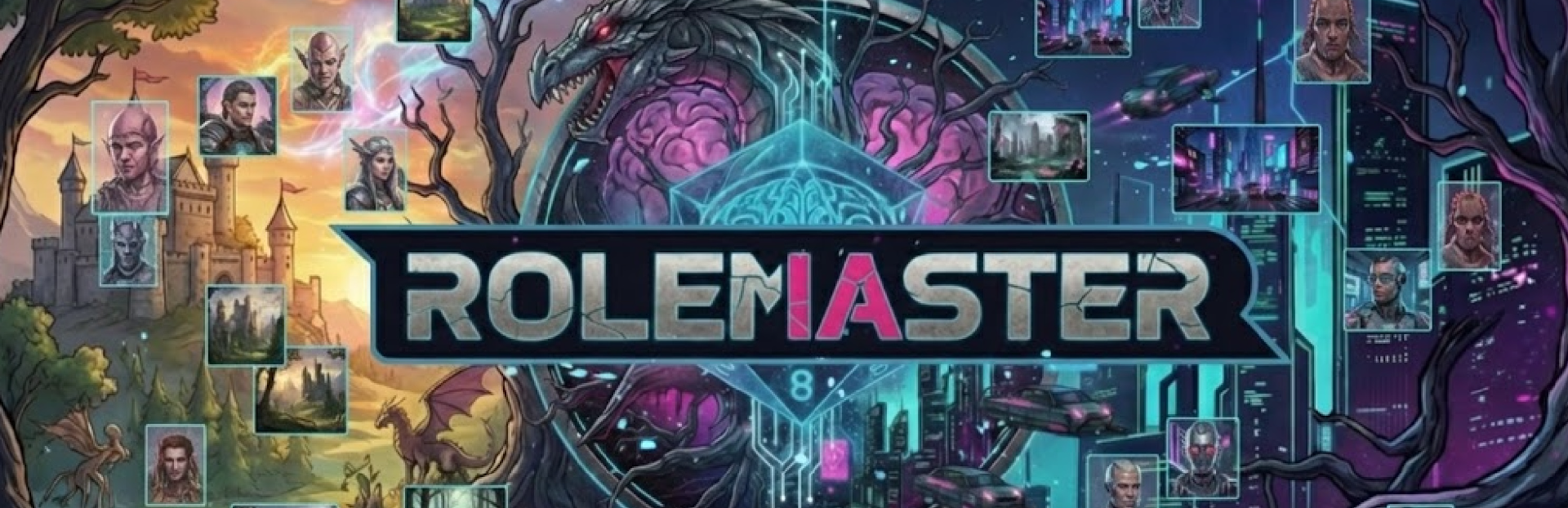
changedWhat's New (EN): ⚠️ EXPERIMENTAL BRANCH (STEAM BETA) This version is currently available only on the Steam Experimental Branch. To activate it: 1. Right-click on RolemIAster in your Steam Library. 2. Select Properties... 3. Go to the Betas tab. 4. Under "Beta Participation", select experimental from the dropdown. New: First Phase of AI Image Generation - 🎨 Your World in Images: I have integrated an initial Artificial Intelligence image generation system. As you play, the system attempts to generate portraits and landscapes that match your game's setting. - 🖼️ Dynamic Backgrounds: Images are generated in the background without stopping your game. You will see them appear progressively in the background, on character cards, and in the Codex. - ⚡ Speed to Measure: New section in Visual Settings. Choose between "Fast" (1 step), "Medium" (2 steps), or "High" (4 steps) to adjust the generation time to your hardware's power. - 🛠️ Technical Optimization: The AI image model loads into RAM (Memory) and processes via CPU, without using video memory (VRAM). This ensures it doesn't interfere with the main game AI's (LLM) performance. Requires about 5GB of additional RAM, keeping within official Steam minimum requirements. - 📤 Share Your Adventures: All generated images are saved automatically. You will find them in the folder: `%APPDATA%/RolemIAster/custom_assets/images` - 🔬 Model Selector (Advanced): If you launch the game with the `--advanced` parameter, you can now choose which AI model to use for images from the Appearance panel. This allows enthusiasts to test different versions of Stable Diffusion optimized for OpenVINO (.xml/.bin files). Narrative and AI Brain: - 🧠 End of Loops: A new "Memory Doctrine" has been implemented in the AI. It now distinguishes better between "memories" (what happened) and the "present" (what is happening). This helps reduce cases where the AI repeated itself or got stuck. - 📜 Historical Archives: The system presents your memories to the AI as a "Closed Historical Archive," making it easier to use that information as a reference to advance the story. - ⚡ Optimized Instructions: The way the game requests narration in your language has been improved, freeing up model capacity to focus on creativity. - 👁️ Narrative Focus: AI perception has been rewritten. It now better understands which elements are "static background" and should not repeat them unnecessarily in every paragraph. - 🔀 Clearer Decisions: The AI now offers more defined escape routes. Its suggestions (buttons) are divided between investigating the environment (Deepen) or changing course (Diverge). - 🫵 Direct Address: The base instruction has been adjusted to ensure the AI addresses you as "You," improving personal immersion. Character Creation: - 🖼️ Character Portraits: When generating a character with AI, the system attempts to create a portrait based on their age, profession, and description. Keep in mind this is an initial version and fidelity (especially regarding age) may vary depending on the model used. (I'm still testing, but the start is promising) - 🎲 Reliable Random Generation: Fixed a bug where the "Generate with AI" button could fail on the first attempt, leaving fields empty. Now the intelligent correction system ensures the response is always valid. Performance on Low-End Configurations (Important for GPUs with low VRAM): - 🧠 PSR - Hybrid Governance: New system that divides AI work into two phases: Planning (Chef) and Execution (Cooks). This allows local models with 8 GB of VRAM to function while avoiding crashes due to excess context (+12K tokens), at the cost of higher latency; the interaction with the AI changes from a single prompt to a series of prompts (the lower the VRAM, the more prompts will be generated and the longer the response time). - ⚡ Intelligent Execution: The system automatically decides whether to process everything at once (monolithic) or split it into parts (iterative) based on your available VRAM. GPUs with less VRAM activate the split mode only when necessary. - 📊 Dynamic Optimization: PSR reduces token load during generation, allowing users with 4GB graphics cards to complete character creation and story generation that previously blocked. - 🔄 Maintained Coherence: Despite dividing the work, the system injects a "master intent" so the AI doesn't lose the thread of what it was doing.
RolemIAster changes
changedWhat's New (EN): ⚠️ EXPERIMENTAL BRANCH (STEAM BETA) This version is currently available only on the Steam Experimental Branch. To activate it: 1. Right-click on RolemIAster in your Steam Library. 2. Select Properties... 3. Go to the Betas tab. 4. Under "Beta Participation", select experimental from the dropdown. New: First Phase of AI Image Generation - 🎨 Your World in Images: I have integrated an initial Artificial Intelligence image generation system. As you play, the system attempts to generate portraits and landscapes that match your game's setting. - 🖼️ Dynamic Backgrounds: Images are generated in the background without stopping your game. You will see them appear progressively in the background, on character cards, and in the Codex. - ⚡ Speed to Measure: New section in Visual Settings. Choose between "Fast" (1 step), "Medium" (2 steps), or "High" (4 steps) to adjust the generation time to your hardware's power. - 🛠️ Technical Optimization: The AI image model loads into RAM (Memory) and processes via CPU, without using video memory (VRAM). This ensures it doesn't interfere with the main game AI's (LLM) performance. Requires about 5GB of additional RAM, keeping within official Steam minimum requirements. - 📤 Share Your Adventures: All generated images are saved automatically. You will find them in the folder: `%APPDATA%/RolemIAster/custom_assets/images` - 🔬 Model Selector (Advanced): If you launch the game with the `--advanced` parameter, you can now choose which AI model to use for images from the Appearance panel. This allows enthusiasts to test different versions of Stable Diffusion optimized for OpenVINO (.xml/.bin files). Narrative and AI Brain: - 🧠 End of Loops: A new "Memory Doctrine" has been implemented in the AI. It now distinguishes better between "memories" (what happened) and the "present" (what is happening). This helps reduce cases where the AI repeated itself or got stuck. - 📜 Historical Archives: The system presents your memories to the AI as a "Closed Historical Archive," making it easier to use that information as a reference to advance the story. - ⚡ Optimized Instructions: The way the game requests narration in your language has been improved, freeing up model capacity to focus on creativity. - 👁️ Narrative Focus: AI perception has been rewritten. It now better understands which elements are "static background" and should not repeat them unnecessarily in every paragraph. - 🔀 Clearer Decisions: The AI now offers more defined escape routes. Its suggestions (buttons) are divided between investigating the environment (Deepen) or changing course (Diverge). - 🫵 Direct Address: The base instruction has been adjusted to ensure the AI addresses you as "You," improving personal immersion. Character Creation: - 🖼️ Character Portraits: When generating a character with AI, the system attempts to create a portrait based on their age, profession, and description. Keep in mind this is an initial version and fidelity (especially regarding age) may vary depending on the model used. (I'm still testing, but the start is promising) - 🎲 Reliable Random Generation: Fixed a bug where the "Generate with AI" button could fail on the first attempt, leaving fields empty. Now the intelligent correction system ensures the response is always valid. Performance on Low-End Configurations (Important for GPUs with low VRAM): - 🧠 PSR - Hybrid Governance: New system that divides AI work into two phases: Planning (Chef) and Execution (Cooks). This allows local models with 8 GB of VRAM to function while avoiding crashes due to excess context (+12K tokens), at the cost of higher latency; the interaction with the AI changes from a single prompt to a series of prompts (the lower the VRAM, the more prompts will be generated and the longer the response time). - ⚡ Intelligent Execution: The system automatically decides whether to process everything at once (monolithic) or split it into parts (iterative) based on your available VRAM. GPUs with less VRAM activate the split mode only when necessary. - 📊 Dynamic Optimization: PSR reduces token load during generation, allowing users with 4GB graphics cards to complete character creation and story generation that previously blocked. - 🔄 Maintained Coherence: Despite dividing the work, the system injects a "master intent" so the AI doesn't lose the thread of what it was doing.
- What's New (EN)⚠️ EXPERIMENTAL BRANCH (STEAM BETA) This version is currently available only on the Steam Experimental Branch. To activate it: 1. Right-click on RolemIAster in your Steam Library. 2. Select Properties... 3. Go to the Betas tab. 4. Under "Beta Participation", select experimental from the dropdown. New: First Phase of AI Image Generation - 🎨 Your World in Images: I have integrated an initial Artificial Intelligence image generation system. As you play, the system attempts to generate portraits and landscapes that match your game's setting. - 🖼️ Dynamic Backgrounds: Images are generated in the background without stopping your game. You will see them appear progressively in the background, on character cards, and in the Codex. - ⚡ Speed to Measure: New section in Visual Settings. Choose between "Fast" (1 step), "Medium" (2 steps), or "High" (4 steps) to adjust the generation time to your hardware's power. - 🛠️ Technical Optimization: The AI image model loads into RAM (Memory) and processes via CPU, without using video memory (VRAM). This ensures it doesn't interfere with the main game AI's (LLM) performance. Requires about 5GB of additional RAM, keeping within official Steam minimum requirements. - 📤 Share Your Adventures: All generated images are saved automatically. You will find them in the folder: `%APPDATA%/RolemIAster/custom_assets/images` - 🔬 Model Selector (Advanced): If you launch the game with the `--advanced` parameter, you can now choose which AI model to use for images from the Appearance panel. This allows enthusiasts to test different versions of Stable Diffusion optimized for OpenVINO (.xml/.bin files). Narrative and AI Brain: - 🧠 End of Loops: A new "Memory Doctrine" has been implemented in the AI. It now distinguishes better between "memories" (what happened) and the "present" (what is happening). This helps reduce cases where the AI repeated itself or got stuck. - 📜 Historical Archives: The system presents your memories to the AI as a "Closed Historical Archive," making it easier to use that information as a reference to advance the story. - ⚡ Optimized Instructions: The way the game requests narration in your language has been improved, freeing up model capacity to focus on creativity. - 👁️ Narrative Focus: AI perception has been rewritten. It now better understands which elements are "static background" and should not repeat them unnecessarily in every paragraph. - 🔀 Clearer Decisions: The AI now offers more defined escape routes. Its suggestions (buttons) are divided between investigating the environment (Deepen) or changing course (Diverge). - 🫵 Direct Address: The base instruction has been adjusted to ensure the AI addresses you as "You," improving personal immersion. Character Creation: - 🖼️ Character Portraits: When generating a character with AI, the system attempts to create a portrait based on their age, profession, and description. Keep in mind this is an initial version and fidelity (especially regarding age) may vary depending on the model used. (I'm still testing, but the start is promising) - 🎲 Reliable Random Generation: Fixed a bug where the "Generate with AI" button could fail on the first attempt, leaving fields empty. Now the intelligent correction system ensures the response is always valid. Performance on Low-End Configurations (Important for GPUs with low VRAM): - 🧠 PSR - Hybrid Governance: New system that divides AI work into two phases: Planning (Chef) and Execution (Cooks). This allows local models with 8 GB of VRAM to function while avoiding crashes due to excess context (+12K tokens), at the cost of higher latency; the interaction with the AI changes from a single prompt to a series of prompts (the lower the VRAM, the more prompts will be generated and the longer the response time). - ⚡ Intelligent Execution: The system automatically decides whether to process everything at once (monolithic) or split it into parts (iterative) based on your available VRAM. GPUs with less VRAM activate the split mode only when necessary. - 📊 Dynamic Optimization: PSR reduces token load during generation, allowing users with 4GB graphics cards to complete character creation and story generation that previously blocked. - 🔄 Maintained Coherence: Despite dividing the work, the system injects a "master intent" so the AI doesn't lose the thread of what it was doing.
Source
Changelog.gg summarizes and formats this update. How we read updates.