Aether Studios is heading out to Las Vegas for Evo 2026! We'll be running a booth, watching, and playing in the biggest Rivals II event of all time with over 1000 entrants!
In this update3
Full notes
Full Rivals of Aether II update
Read the full published notes in a cleaner layout. The original post stays linked below.
What changed
0 fixes0 additions3 changes0 removals
Events
UI and audio
changedAether Studios is heading out to Las Vegas for Evo 2026! We'll be running a booth, watching, and playing in the biggest Rivals II event of all time with over 1000 entrants! We also have a few special announcements planned for the weekend. Here's how to tune in from home:
changedTwitch DropsOn any Evo stream featuring Rivals this weekend, you can grab free Aether Coins, Icons, Bucks, and a palette just for watching! To receive the drops, just tune into the tournament stream for the allotted time, link your Twitch and Aether accounts, and then claim your drops. Check out the details here:
changedHow to UnlockOnce you've earned a Drop, you'll see a notification in your Twitch Inventory in the top right where you can claim your item. Visit your Twitch Drops Inventory to claim your item. Then follow the link to this page , where you can log into your Aether Account, then click the "Unlock your Twitch Drops items in ROA2" button. Make sure you link your correct account or you won't receive your drops in game. If you're not sure what your Aether Account email address is, just press start on the main menu of Rivals II to see your account email.
Rivals of Aether II changes
changedAether Studios is heading out to Las Vegas for Evo 2026! We'll be running a booth, watching, and playing in the biggest Rivals II event of all time with over 1000 entrants! We also have a few special announcements planned for the weekend. Here's how to tune in from home:
changedOn any Evo stream featuring Rivals this weekend, you can grab free Aether Coins, Icons, Bucks, and a palette just for watching! To receive the drops, just tune into the tournament stream for the allotted time, link your Twitch and Aether accounts, and then claim your drops. Check out the details here:
changedOnce you've earned a Drop, you'll see a notification in your Twitch Inventory in the top right where you can claim your item. Visit your Twitch Drops Inventory to claim your item. Then follow the link to this page , where you can log into your Aether Account, then click the "Unlock your Twitch Drops items in ROA2" button. Make sure you link your correct account or you won't receive your drops in game. If you're not sure what your Aether Account email address is, just press start on the main menu of Rivals II to see your account email.
Aether Studios is heading out to Las Vegas for Evo 2026! We'll be running a booth, watching, and playing in the biggest Rivals II event of all time with over 1000 entrants! We also have a few special announcements planned for the weekend. Here's how to tune in from home:
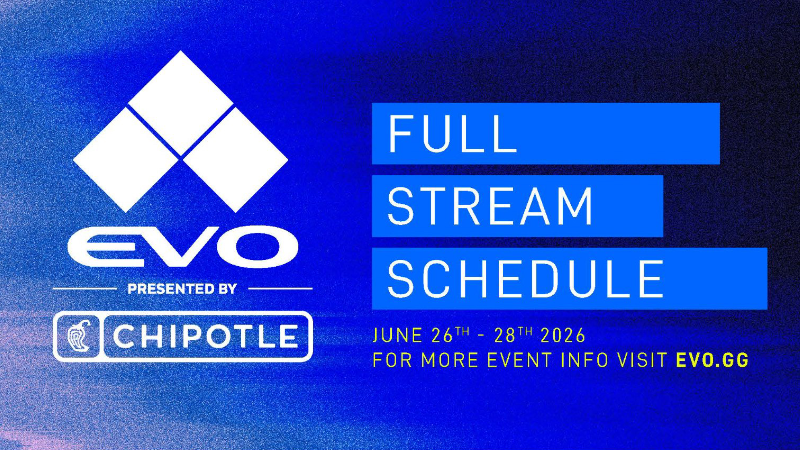
Steam post image View the full schedule along with higher resolution graphics for all of the Evo streams at evo.gg/schedule
If you only have time to watch a portion of the Evo streams this weekend, make sure to tune in to twitch.tv/evo for our Developer Showcase Stream on Friday at 12pm PT, and the same channel for our Top 8 on Saturday at 6pm PT.
Twitch Drops
On any Evo stream featuring Rivals this weekend, you can grab free Aether Coins, Icons, Bucks, and a palette just for watching! To receive the drops, just tune into the tournament stream for the allotted time, link your Twitch and Aether accounts, and then claim your drops. Check out the details here:
Evo 2026 Drop Rewards
Reward
Watch Time to Unlock
1000 Aether Coins
1 Hour
Evo La Reina Drop Icon (New!)
2 Hours
Evo Olympia Drop Icon (Rerun from Evo 2025)
2.5 Hours
100 Aether Bucks
3 Hours
La Reina Purple Palette (Rerun from Purple Drops)
4 Hours
How to Unlock
Once you've earned a Drop, you'll see a notification in your Twitch Inventory in the top right where you can claim your item. Visit your Twitch Drops Inventory to claim your item. Then follow the link to this page, where you can log into your Aether Account, then click the "Unlock your Twitch Drops items in ROA2" button. Make sure you link your correct account or you won't receive your drops in game. If you're not sure what your Aether Account email address is, just press start on the main menu of Rivals II to see your account email.