Thenks for playing “RIDLE”. The Ver.0.2.1 update has now been implemented. Additions ・ Adding a navigation Window Added an navigation window at the top of the screen for clearing the stage.
Full notes
Full RIDLE update
Read the full published notes in a cleaner layout. The original post stays linked below.
What changed
0 fixes1 addition2 changes0 removals
Maps
Gameplay
addedAdditions ・ Adding a navigation Window Added an navigation window at the top of the screen for clearing the stage. ・ Addition of shaking direction Added a shaking effect to the entire screen when taking damage or sticking to a wall
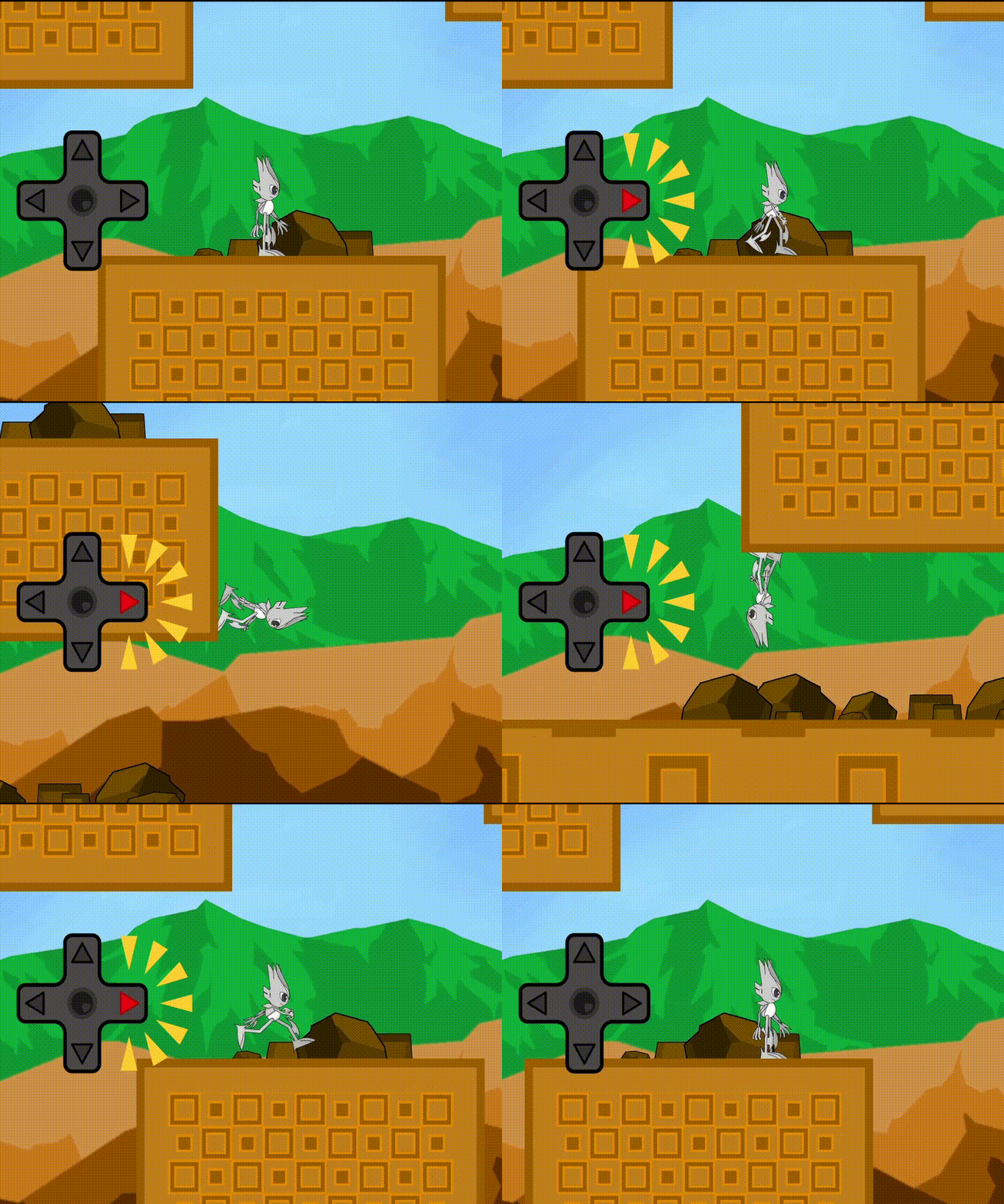
changedChanges ・ Changed the RIDLE move process. RIDLE can continue to move in the direction they are facing after sticking to a wall by inputting the move key.
changed・ Changed the direction when the Enemy is defeated. ・The content of the explanatory video displayed in WILDERNESS STAGE Area1 has been changed. ・Some changes have been made to the following stage configurations. BRICKS STAGE Area1 ・ Change of BGM Changed the BGM when clearing a stage. ・ The content of the video that plays on the title screen has been changed.
RIDLE changes
addedAdditions ・ Adding a navigation Window Added an navigation window at the top of the screen for clearing the stage. ・ Addition of shaking direction Added a shaking effect to the entire screen when taking damage or sticking to a wall
changedChanges ・ Changed the RIDLE move process. RIDLE can continue to move in the direction they are facing after sticking to a wall by inputting the move key.
changed・ Changed the direction when the Enemy is defeated. ・The content of the explanatory video displayed in WILDERNESS STAGE Area1 has been changed. ・Some changes have been made to the following stage configurations. BRICKS STAGE Area1 ・ Change of BGM Changed the BGM when clearing a stage. ・ The content of the video that plays on the title screen has been changed.
Thenks for playing “RIDLE”. The Ver.0.2.1 update has now been implemented.
Additions ・ Adding a navigation Window Added an navigation window at the top of the screen for clearing the stage. ・ Addition of shaking direction Added a shaking effect to the entire screen when taking damage or sticking to a wall
Changes ・ Changed the RIDLE move process. RIDLE can continue to move in the direction they are facing after sticking to a wall by inputting the move key.
・ Changed the direction when the Enemy is defeated. ・The content of the explanatory video displayed in WILDERNESS STAGE Area1 has been changed. ・Some changes have been made to the following stage configurations. BRICKS STAGE Area1 ・ Change of BGM Changed the BGM when clearing a stage. ・ The content of the video that plays on the title screen has been changed.
We look forward to your continued support of “RIDLE”.