
In this update13
Full notes
Full Prologue: Go Wayback! update
Read the full published notes in a cleaner layout. The original post stays linked below.
What changed
- Maps
- Gameplay
- Store
- Balance
- UI and audio
- Performance
Prologue: Go Wayback! changes
Dear community,
Today brings the final update to Prologue: Go Wayback! that our studio's game team has been working on. We announced recently that we unfortunately have had to make some hard decisions for the studio's future, and this included halting development on the game.
The studio will continue in a smaller size to keep developing its core technology, Melba. Our work on Melba has helped us with how we generate realistic terrain in Go Wayback! but it has always been a separate project from the game. You can continue to follow our progress on developing Melba in our tech demo Preface: Undiscovered World.
We are proud of the work our team did on Go Wayback!, and we are immensely grateful to the players who helped playtest the game through our betas and offered feedback during Early Access. We were not always able to be as visibly present everywhere as much as we would have liked, but we read all your feedback, comments, and requests across Steam, social media, and Discord.
What now?
Go Wayback! is now available for free for any player to claim and own.
We also just released the game out of Early Access, because it felt inappropriate to leave it in Early Access when we are not able to continue developing it. This wasn't the plan we had for a full release when we started with Early Access, but we felt this would be the best way to leave the game available on Steam without setting the wrong expectations from future store page visitors and players.
Developer Build
You can now also access our developer build via the Game Versions menu in the Steam Library.
(Right click on Prologue: Go Wayback! in your Library -> Properties -> Game Versions & Betas).
This developer build is similar to the live build of the game, but has a developer menu that you can pull up by pressing the "=" key. With these dev options you can spawn items, change the time of day and the weather, fly across the map or teleport to a location, and much more.
Can I mod the game?
Go Wayback! is made in Unreal Engine 5, and we have left it unencrypted which means you should be able to open its files and mod the game if you want to. We had plans for official mods and documentation but unfortunately did not have the time or resources to complete those plans.
What about refunds?
We have been working with Steam to find the best way to offer refunds to any player who has purchased the game since the launch of Early Access, while respecting player choice.
We will be offering self-refunds, without restrictions on playtime or how long ago you bought the game, for a period of 60 days until August 17, 2026.
This means you can choose to refund the game or not during this period of time.
If you refund the game, it will be removed from your Library. If you want to keep playing but also want to request a refund, you are able to add it to your Library again at no cost now that it is available for free.
How to request a refund:
While logged into Steam, go to Help -> Steam Support
Go to Purchases, and find the game on that page or in your full Purchase History list available via "View complete purchasing history" at the bottom
Select the game
Select I would like a refund
You can leave a reason that the game has discontinued development
Steam support is informed and should be granting a refund without any questions
If the self-refund system does not work or gives you an error, you can also contact Steam Support directly and inform them you would like to request a refund but the system is not letting you.
You can do this by selecting "I have a question about this purchase" in the Purchase History and then write a short message, for example:
"The developer has announced they have had to stop development of this game and are offering refunds via Steam, but the refund process gives me an error. See this announcement post: https://store.steampowered.com/news/app/2943740/view/672871581268051572"
What is new in this last update?
Following our last major update in March, we’ve been working on new world and environment changes alongside plenty of bug fixes and quality-of-life improvements.
New Features
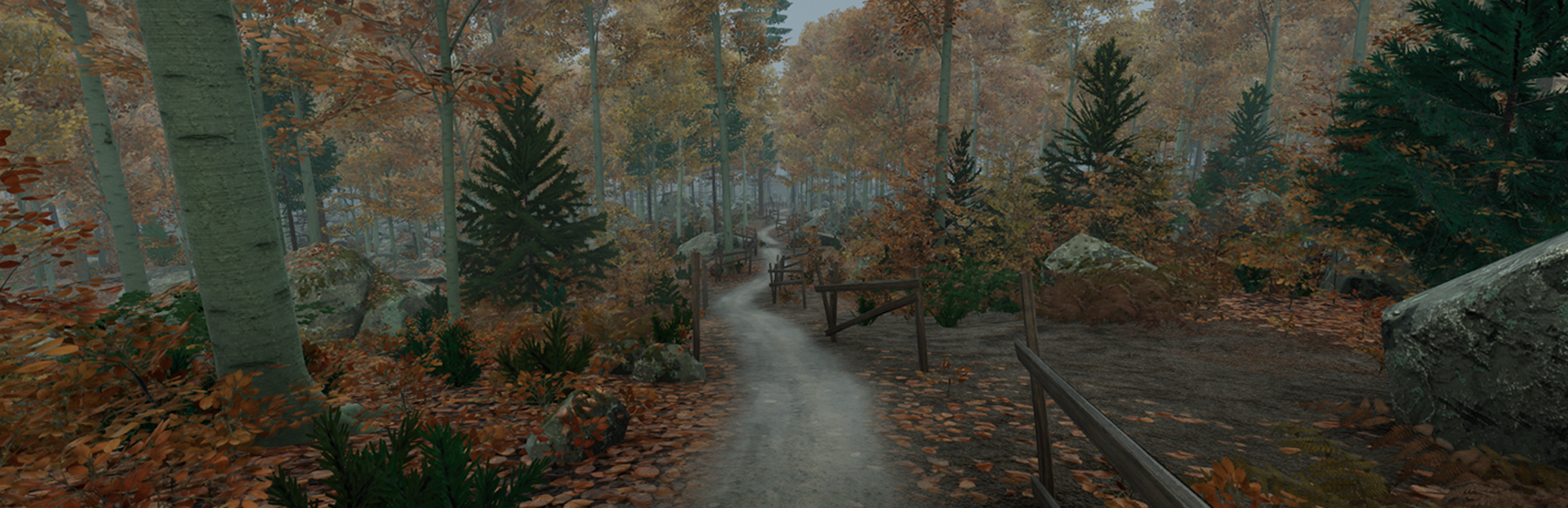
Adding trails was one of our priorities for this year, not only as a visual enhancement, but because of the significant impact they have on gameplay and navigation. Trails come in different shapes and forms depending on the trail configuration you choose.
By default, trails connect cabins and shelters that are very close, and those groups can be connected to other cabin groups. They can lead to meadows and cliffs, with only a small chance of encountering a dead end.
Additionally, we’ve added two alternative trail settings. These options feature medium and long-distance trail networks that connect cabins and shelters across the map. However, with greater connectivity comes a higher chance of running into dead ends.
A small disclaimer: since paths and trails didn’t exist in previous versions, you may find your surroundings slightly changed when loading a run from a save game from a previous version.
New Items
You can now find two new items in Go Wayback! that should be quite helpful during your journey.
A Handheld Weather Monitor has made its way into Go Wayback! to help you make more informed decisions while planning your next move. It displays current and upcoming weather conditions and comes in different tiers, with some versions also providing additional information such as humidity and temperature.
Another item we introduced is the Waterproof Spray. You’ll now be able to protect not only your clothing from getting soaked, but also items such as matches, paper, and more.
Full changelog v1.0
New Features
Paths and trails added to the forest
Gameplay & Items
New Handheld Weather Monitor
New Waterproof Spray
Improved cooking system, liquid handling, and cooked food visuals
Reduced alarm clock power consumption
Improved persistence for flashlights, batteries, lighters, and other utility items
Added more item descriptions and localization support
Upgrades & Improvements
Major improvements to lighting, clouds, fog, sun/moon visuals, and overall atmosphere
Improved indoor/outdoor audio consistency through windows and doors
Quality of Life
Added reset buttons for Video, Sound, and Gameplay Settings
Improved controller and keyboard input support
Improved loading flow with reduced loading screen delays
Improved inventory swapping and item interactions
Expanded tutorial signage and onboarding improvements
Terrain is now generated by the GPU by default for improved performance on most systems. A CPU generation option (the previous method) is still available in Settings
Note: As a result of the terrain generation refactor, when loading runs from previous patches, trees and rocks may appear in different locations, while the terrain itself should remain unchanged.
Fixes & Stability
Fixed numerous crashes, save/load issues, and serialization bugs
Fixed wetness, collision, lighting, and animation problems
Fixed recipe detection and cooking inconsistencies
Fixed missing localization and UI bugs
Improved terrain generation stability and performance
Fixed multiple controller, audio, and inventory edge cases
Thank you for exploring the wilderness with us.
Source
Changelog.gg summarizes and formats this update. How we read updates.