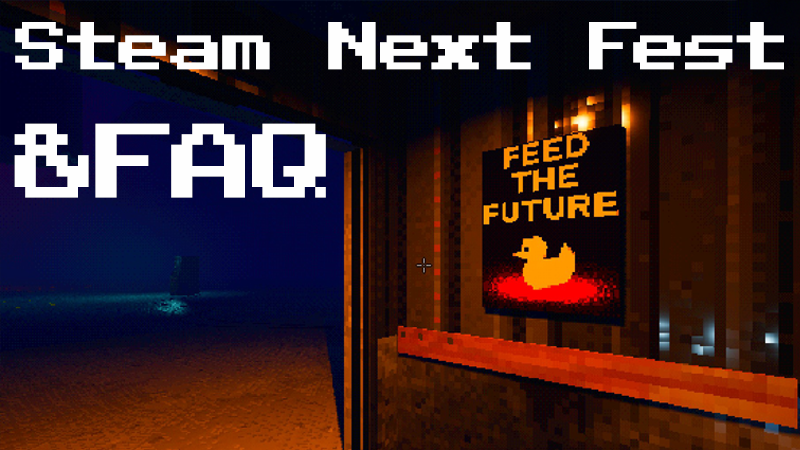
Hello, interns. Project P.I.T.T. is part of Steam Next Fest, which starts today! First of all, thank you for playing the demo, sharing your thoughts, and leaving your reviews. It means a lot.
Full notes
Full Project P.I.T.T. update
Read the full published notes in a cleaner layout. The original post stays linked below.
Repeated intro
Hello, interns. Project P.I.T.T. is part of Steam Next Fest, which starts today! First of all, thank you for playing the demo, sharing your thoughts, and leaving your reviews. It means a lot. I hope Next Fest brings many new interns into the facility.
What changed
0 fixes3 additions0 changes0 removals
Gameplay
UI and audio
addedHello, interns. Project P.I.T.T. is part of Steam Next Fest , which starts today! First of all, thank you for playing the demo, sharing your thoughts, and leaving your reviews. It means a lot. I hope Next Fest brings many new interns into the facility.
addedFAQFor the more curious employees, here are answers to some of the most common questions. Q: When will the full game launch? A: There is no specific date for now, but it will most likely launch this summer. Q: How do I jump, crouch, sprint, interact, and use objects? A: Here are the basic controls: Space — jump C — crouch Shift — sprint F — interact Left Mouse Button — pick up an object Right Mouse Button — throw an object, once the throw upgrade is unlocked Middle Mouse Button — rotate an object (move the mouse up/down to rotate on x/z axis, left/right to the y axis) R — snap mode Q: Is there a way to disable the 5-second height countdown? A: Yes. The game gives you hints on how to disable it. A small tip: look at the pillars around the map. Q: Is flying with an object a bug? A: Originally, yes, but I liked it so much that it became a feature. Q: My game is lagging. Is there anything I can do? A: Try turning off the retro effect, setting the graphics details to LOW, and reducing the resolution. Q: How do I make panels stay where I want them? A: You will need the "sticky tools" upgrade. When you unlock it just put the panel you want to stay in contact with the floor or another sticked object. Q: It is too dark outside the main area. Can I turn the lights on? A: Yes. You can do that by unlocking new machines. Q: What will the full game have? A: The full game will have three fresh new phases, with new tools, toys to mess around with, products to farm, and yes… THERE IS MORE GAMBLING. For now the full game includes:
addedFAQ13 new toys 8 new tools, some of them manipulating reality itself 3 new products to farm Q: That sounds like a lot. Is there a way to see some of it earlier, without waiting for the full release? A: Yes. Join the Discord to see regular sneak peeks, behind-the-scenes updates, and strange things that probably should not be approved by management. Q: Why does a company need me to give ducks to a hole? A: I do not make the rules. Just follow them. Unless you want to be a bad employee.
Project P.I.T.T. changes
addedHello, interns. Project P.I.T.T. is part of Steam Next Fest , which starts today! First of all, thank you for playing the demo, sharing your thoughts, and leaving your reviews. It means a lot. I hope Next Fest brings many new interns into the facility.
addedFor the more curious employees, here are answers to some of the most common questions. Q: When will the full game launch? A: There is no specific date for now, but it will most likely launch this summer. Q: How do I jump, crouch, sprint, interact, and use objects? A: Here are the basic controls: Space — jump C — crouch Shift — sprint F — interact Left Mouse Button — pick up an object Right Mouse Button — throw an object, once the throw upgrade is unlocked Middle Mouse Button — rotate an object (move the mouse up/down to rotate on x/z axis, left/right to the y axis) R — snap mode Q: Is there a way to disable the 5-second height countdown? A: Yes. The game gives you hints on how to disable it. A small tip: look at the pillars around the map. Q: Is flying with an object a bug? A: Originally, yes, but I liked it so much that it became a feature. Q: My game is lagging. Is there anything I can do? A: Try turning off the retro effect, setting the graphics details to LOW, and reducing the resolution. Q: How do I make panels stay where I want them? A: You will need the "sticky tools" upgrade. When you unlock it just put the panel you want to stay in contact with the floor or another sticked object. Q: It is too dark outside the main area. Can I turn the lights on? A: Yes. You can do that by unlocking new machines. Q: What will the full game have? A: The full game will have three fresh new phases, with new tools, toys to mess around with, products to farm, and yes… THERE IS MORE GAMBLING. For now the full game includes:
added13 new toys 8 new tools, some of them manipulating reality itself 3 new products to farm Q: That sounds like a lot. Is there a way to see some of it earlier, without waiting for the full release? A: Yes. Join the Discord to see regular sneak peeks, behind-the-scenes updates, and strange things that probably should not be approved by management. Q: Why does a company need me to give ducks to a hole? A: I do not make the rules. Just follow them. Unless you want to be a bad employee.
FAQ
For the more curious employees, here are answers to some of the most common questions. Q: When will the full game launch? A: There is no specific date for now, but it will most likely launch this summer. Q: How do I jump, crouch, sprint, interact, and use objects? A: Here are the basic controls: Space — jump C — crouch Shift — sprint F — interact Left Mouse Button — pick up an object Right Mouse Button — throw an object, once the throw upgrade is unlocked Middle Mouse Button — rotate an object (move the mouse up/down to rotate on x/z axis, left/right to the y axis)
R — snap mode Q
Is there a way to disable the 5-second height countdown? A: Yes. The game gives you hints on how to disable it.
A small tip
look at the pillars around the map. Q: Is flying with an object a bug? A: Originally, yes, but I liked it so much that it became a feature. Q: My game is lagging. Is there anything I can do? A: Try turning off the retro effect, setting the graphics details to LOW, and reducing the resolution. Q: How do I make panels stay where I want them? A: You will need the "sticky tools" upgrade. When you unlock it just put the panel you want to stay in contact with the floor or another sticked object. Q: It is too dark outside the main area. Can I turn the lights on? A: Yes. You can do that by unlocking new machines. Q: What will the full game have? A: The full game will have three fresh new phases, with new tools, toys to mess around with, products to farm, and yes… THERE IS MORE GAMBLING.
For now the full game includes
13 new toys 8 new tools, some of them manipulating reality itself 3 new products to farm Q: That sounds like a lot. Is there a way to see some of it earlier, without waiting for the full release? A: Yes. Join the Discord to see regular sneak peeks, behind-the-scenes updates, and strange things that probably should not be approved by management. Q: Why does a company need me to give ducks to a hole? A: I do not make the rules. Just follow them. Unless you want to be a bad employee.
Thank you again for playing Project P.I.T.T. Please enjoy Steam Next Fest, report any issues you find, leave a Steam review, and invite more interns to the facility.