
HomeGamesUpdatesPricingMethodology
Steam News1 January 20266mo ago

Rhythm Mode, Android, Visual Improved, Add Smaller-Keyboard Support, Guides

Big updates to start the new year (as usual heavily-based on user ideas mostly from PianoGlow's Discord server): Rhythm Training Mode: Train using rhythm, thanks @Nyx for the idea Improved Visuals: Ocean notebeam style,

Full notes

Full Piano Glow update

Read the full published notes in a cleaner layout. The original post stays linked below.

What changed

0 fixes3 additions6 changes0 removals
  • Server
  • Gameplay
  • Performance
  • Store
addedBig updates to start the new year (as usual heavily-based on user ideas mostly from PianoGlow's Discord server):
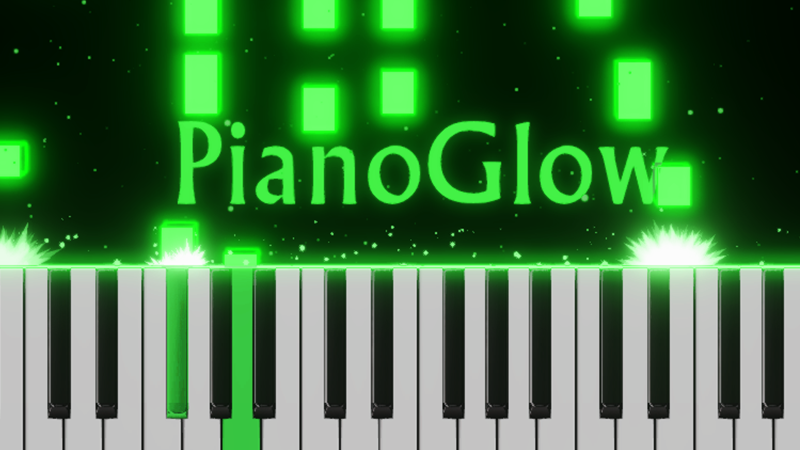
changedImproved Visuals: Ocean notebeam style, flare light on piano keys and ocean-style effect on piano key presses. Some of the theme settings as a result has been reset for some users. The ocean theme looks best with dark backgrounds for now (either low background opacity or no background).
changedMobile releases/updates: Android version has released! With fixes and lower file size. iOS will be updated in a few days with these updates.
changedWebsite improved with guides ( www.pianoglow.com ): You can also right-click on the game modes to open these guides. Thanks @Skillex and a few users suggesting guides.
changedBetter Falling Notes - Notebeam, Improved Text Placement: Line guides, forced no Babel, clearer text while practicing, etc. Thanks @Kor who emailed me these ideas.
addedSupport smaller keyboards: Under Piano > Settings > Num Keys To Show you can now show 25/32/37 keys . In QWERTY Type Mode you can click " Fit Notes To Keyboard " which automatically adjusts the QWERTY sheets to fit with these notes. In the play icon (F2) you can also upload a MIDI and convert the notes to fit a smaller keyboard. Thanks @Kor who emailed me feedback and ideas about this.

Piano Glow changes

addedBig updates to start the new year (as usual heavily-based on user ideas mostly from PianoGlow's Discord server):
changedImproved Visuals: Ocean notebeam style, flare light on piano keys and ocean-style effect on piano key presses. Some of the theme settings as a result has been reset for some users. The ocean theme looks best with dark backgrounds for now (either low background opacity or no background).
changedMobile releases/updates: Android version has released! With fixes and lower file size. iOS will be updated in a few days with these updates.
changedWebsite improved with guides ( www.pianoglow.com ): You can also right-click on the game modes to open these guides. Thanks @Skillex and a few users suggesting guides.
changedBetter Falling Notes - Notebeam, Improved Text Placement: Line guides, forced no Babel, clearer text while practicing, etc. Thanks @Kor who emailed me these ideas.

Big updates to start the new year (as usual heavily-based on user ideas mostly from PianoGlow's Discord server):

  • Rhythm Training Mode: Train using rhythm, thanks @Nyx for the idea

  • Improved Visuals: Ocean notebeam style, flare light on piano keys and ocean-style effect on piano key presses. Some of the theme settings as a result has been reset for some users. The ocean theme looks best with dark backgrounds for now (either low background opacity or no background).

  • Mobile releases/updates:

    • Android version has released! With fixes and lower file size.

    • iOS will be updated in a few days with these updates.

  • Website improved with guides (www.pianoglow.com): You can also right-click on the game modes to open these guides. Thanks @Skillex and a few users suggesting guides.

  • Better Falling Notes - Notebeam, Improved Text Placement: Line guides, forced no Babel, clearer text while practicing, etc. Thanks @Kor who emailed me these ideas.

  • Support smaller keyboards:

    • Under Piano > Settings > Num Keys To Show you can now show 25/32/37 keys.

    • In QWERTY Type Mode you can click "Fit Notes To Keyboard" which automatically adjusts the QWERTY sheets to fit with these notes.

    • In the play icon (F2) you can also upload a MIDI and convert the notes to fit a smaller keyboard.

    • Thanks @Kor who emailed me feedback and ideas about this.

  • [ or ]: Auto-mode in the QWERTY type test mode to preview the notes in the game mode. Also renamed the difficulty setting to something more intuitive as it was not obvious. Thanks @andrii_gora for the ideas.

  • Setting Presets:

    • At the bottom-right corner of the settings page, you can set and rename up to 10 setting presets. Thanks @imuradi for the idea!

Appreciate the positive Steam reviews as it helps - the best reviews have been highlighted in PianoGlow's Steam Store Page!

Happy new year! 新年快乐! С Новым Годом). May the new year 2026 bring happiness, good progress in life and be full of great piano experiences and practice!

Best, TheAlanski@

Source

Steam News / 1 January 2026

Open original post

Changelog.gg summarizes and formats this update. How we read updates.