
In this update7
Full notes
Full Phantom Brigade update
Read the full published notes in a cleaner layout. The original post stays linked below.
What changed
- Gameplay
- Performance
- Workshop
- Compatibility
- Balance
- UI and audio
Phantom Brigade changes
Attention Brigadiers!
2.2 is here and with it comes a new supply drop of content and features.
About the 2.2 Update
The goal of this update is to add new content and give players more ways to play! With that in mind here's the major highlights of what's new:
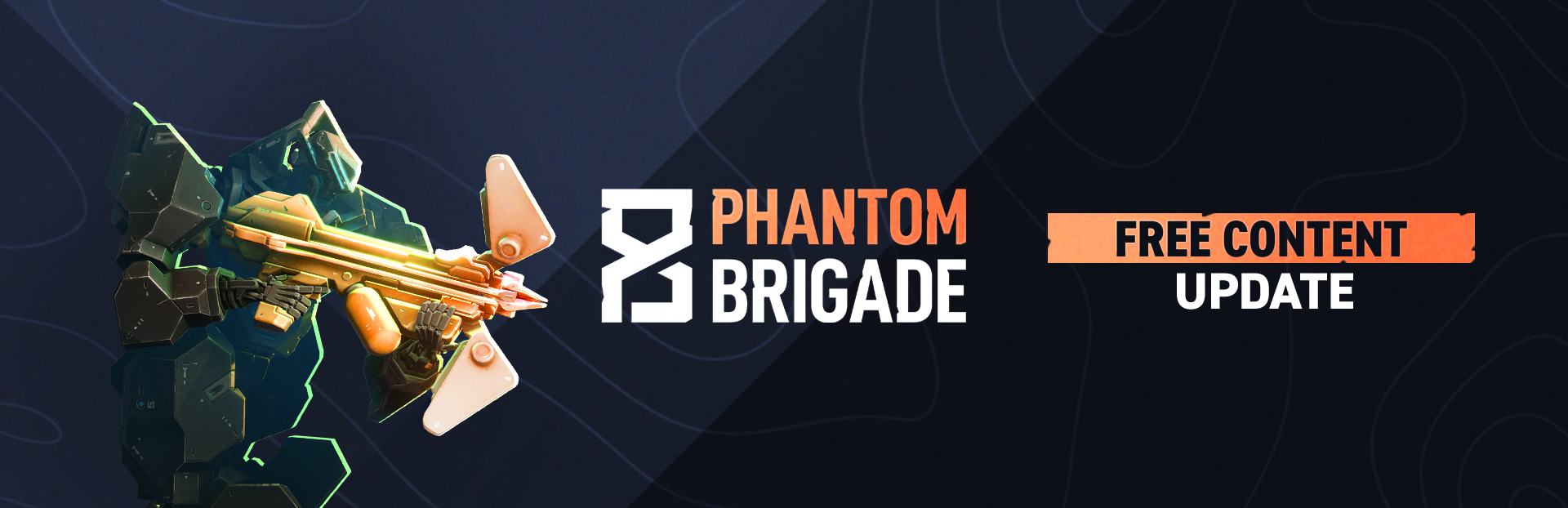
New Primary Weapon: The Stake Launcher – Impale enemies with rocket propelled spikes to push units, cause crashes and even pin them to walls.
New Mobility Subsystem: The Bulldoze Thruster – Rev it up to charge forward, breaking through structures and knocking enemies to the ground.
Players can acquire these by defeating Behemoths, or by loading an existing campaign and approaching a friendly frontline base for a 1 time supply drop. (You can also dismantle and craft new ones at the workshop)
New Optional Missions: Remote Assistance Contracts – Take command of allied squads in remote skirmishes for specific rewards. Contracts refresh after each mission / camp and don't progress the main campaign, so they're great for players looking to round out their squads with specific equipment, finish unlocking a faction blueprint or stock up on consumables.
Unlocked in the second province or immediately in quick start campaigns. Accessible via the new "Operations" tab at the top of the screen while roaming a province.
New Test Range – Test drive your mech loadouts / pilot combos in the shooting range! For players that want to eek out some extra DPS or experiment with wild new builds.
New Action Cameras – New camera presets available in replay and turn executions that "attach" to different parts of your mechs.
New Underground Maps – Two new maps for Bunker Breach Missions.
Full Controller Support – The entire game can now be played with a controller!
If you want a refresher of everything new in the massive 2.0 update, you can check it out HERE
Thanks for playing!
You've all made this possible with your support, feedback and kind words. We hope you enjoy the free update!
🆕 New Content and Features
Added the Spike Launcher: a primary weapon that fires rocket propelled spikes.
Projectiles ignite a second stage booster on hit, dragging units until the spike burns out or hits an obstacle.
Push the enemies away, cause crashes and pin units to walls with this versatile tool!
Added the Bulldoze Thruster: a mobility subsystem allowing your mech to break through buildings.
In contrast with standard thrusters, requires a moment to rev up and can not lift the mech off the ground.
Breaking through structures gradually destabilizes the mech depending on its armor class. Heavy mechs can break through bigger buildings!
Both new items can be acquired by defeating behemoths. You can also acquire a few of these items by loading an existing campaign and approaching a friendly frontline base.
Added new underground maps for Bunker Breach missions.
Added full controller support:
The entire game can now be played with a controller!
You can seamlessly switch from keyboard and mouse to Xbox/PlayStation controllers. Check the control scheme in the pause menu when you switch to a controller to get started.
Most of the game can be accessed by just using the d-pad and confirm/cancel buttons. Check the input hints displayed throughout different screens to learn the controls for screen-specific actions.
Controller input can be disabled at any time in Options > Controller > Detect controllers.
Added input hints and focus framing throughout the UI to make navigation by keyboard/controller easier:
If they're overwhelming, input hints can be disabled in Options > Keyboard and Controller > Show input hints.
New highlights will indicate which part of the UI is currently focused.
The appearance and fade of these highlights can be adjusted using the "Focus Frame" and "Focus Time" settings in Options > Accessibility.
Added extended keyboard support
Depending on your preference, the game can be controlled with a mouse and keyboard (as before) or exclusively through the keyboard.
Exclusive keyboard controls are similar to using a controller! Use the arrow keys to navigate and check the pause menu for specific controls for each screen.
Added remote assistance contracts:
Connect to your allies fighting elsewhere in Fyrland and lend your tactical expertise to help them prevail!
Your mechs and pilots remain at the base: you will need to work with varied allied squads. Some of these squads might be unconventional, giving you an opportunity to try unusual mech builds or even tanks.
Instead of salvage from fallen enemies, you will receive a known reward from the resistance for every contract you undertake.
The contracts can be a great way to round out your squad with specific equipment, finish unlocking a faction blueprint or stock up on consumables!
Access the Operations screen at the mobile base to get started (unlocked in the second province in new campaigns, or immediately in Quick Start and existing campaigns).
Up to 3 contracts are available in occupied territories at any time. The options refresh every time you fight, camp or travel between provinces.
Added a test range:
A virtual shooting range is also available through the Operations screen, allowing you to test out your builds before real combat.
You can customize the squad before deploying or press the new "Test Drive" button in the mech customization screen to get started.
Added action cameras:
Clicking the "Action camera" button above the time controls will switch from a standard bird's eye view to a camera attached to the selected unit.
The new camera is available in replay and during turn execution.
You can switch through simple presets (like over the shoulder camera, attaching to a weapon etc.) or fully customize the camera with advanced settings (with variable field of view, damping, offsets, orbiting mode and more).
We look forward to seeing your action packed footage from this new point of view!
🔁 Changes
Changed destruction logic in combat:
Enemies pushed into structures or pinned to walls will damage structures more consistently.
Structures falling onto units will now damage and push them. Have fun bringing down bridges and buildings onto your enemies!
Changed ricochet behavior: Ballistic weapons (such as sniper rifles and machine guns) no longer ricochet most of the suboptimal hits and deal more consistent damage.
Changed the stability mechanics to improve predictability:
Each unit type has a hidden stability score based on its weight class that affects whether it remains standing or crashes when colliding with other units.
Additional factors can affect the stability of a unit (remaining stationary reduces stability, raising a shield increases stability, and so on).
All unit types in the game now follow a simple stability progression, going up from light tanks to medium, heavy, hybrid tanks, then light, medium, heavy mechs, then ultraheavy units like turrets, generators and bosses.
Heavier tanks can now crash lighter tanks, and heaviest tanks can now crash stationary light mechs.
Dashing and melee attacks no longer provide a flat stability bonus. Conventional dashes slightly increase stability, melee gives a moderate increase and the bulldoze gives the greatest increase.
Changed some aspects of the Unstable status effect:
The Unstable status effect now correctly reduces unit stability and makes the unit crash in a collision with any other unit.
The Unstable status effect is now built up on units that win collisions, with greater buildup for lighter units. Even the heaviest mech will eventually stumble and crash after going through enough collisions.
Assorted UI improvements:
Polished the briefing view to display more information, added detailed previews of mission rewards. You can now see specific weapons, armors, systems and resources under the reward section.
Added a "Continue" button to the main menu, loading the latest available save.
Added a "Load briefing" button to the pause menu in combat, loading the autosave before combat.
Added the "Action tooltip hints" toggle (under Options > Game) allowing players to disable the tutorial tooltips about concepts like heat on the combat action buttons.
Added a "Inverted zoom" toggle (under Options > Controller) allowing players to invert the zoom inputs.
Polished the unit list, save screen, combat log and a number of other screens to improve ease of use and consistency.
Increased font sizes across multiple screens to improve readability
Increased the time combat dialog remains on the screen, added a button to skip dialog with mouse input.
Added an option to fully hide the combat log.
The codex is now available in combat.
The targeting mode / details mode in combat no longer requires holding Ctrl on the keyboard and can be toggled by pressing Ctrl instead.
Location targeting in combat now supports nudging the target position vertically.
The Reset button in game settings now resets just the displayed category instead of resetting every setting in the game, and requires a confirmation prompt.
Changed default bindings for "previous/next page" action from PageUp and PageDown to to ensure these actions are possible on laptop keyboards and other sub-100% keyboard layouts
Removed long presses for installing base upgrades. Base upgrades can now be installed with a simple click followed by a confirmation dialog detailing the upgrade, similar to pilot promotions.
It's now possible to switch between every screen on the overworld tab bar with "previous/next page" inputs instead of manually selecting each screen.
Adjusted the design of the docked combat action buttons to shift tooltips and equipment icons up, avoiding overlap with the unit icons and the timeline as well as clipping to the edge of the screen with long localizations.
Living allied units now prevent defeats.
In battle site and city liberation missions, you can now achieve victory if all enemies are dead and at least one ally is alive, even if your initial squad is down.
If a bug report fails to upload, the game will now display a notification and will preserve your message in AppData/Local/PhantomBrigade/Reports.
⚒️ Fixes
Fixed the bug reporter letting navigation inputs through (you can no longer trigger actions in the background while typing a report).
Fixed missing background reflections on glass and water.
Fixed reflections occasionally not updating to match combat biome and time of day.
Fixed the record of encountered scenarios being incorrectly overridden by the record of encountered levels, leading to unreliable scenario randomization when spawning new enemy sites.
Fixed incorrect ambient audio in the city levels.
Fixed the Deploy button disappearing from the briefing screen in rare circumstances.
Fixed the forced stop between the two capital fights not highlighting the camp button, which could make it unclear how to progress the story.
Fixed postprocessing effects breaking in some circumstances when skipping splash screens.
Fixed units freezing or bouncing off of an invisible ceiling right above the highest buildings on some maps.
Fixed falling units not building up speed correctly.
Fixed scrollable views (like inventory lists and game settings) not snapping scroll position when a selected entry is out of bounds.
Fixed the Esc button not reliably backing out of the squad customization all the way to the pause menu in briefings.
Fixed the unit customization screen not resetting from the livery customization page to the equipment customization page after being closed.
Fixed the input mappings not resetting to defaults if all or some of the actions were missing.
Fixed the pilot log displaying on pilots without recent events.
Fixed input fields not consistently entering focus on click, not exiting focus when pressing Esc or submitting content when pressing Enter.
Fixed buttons with double click support occasionally getting stuck in a pressed state and registering a press later.
Fixed empty turn execution in combat occasionally skipping the confirmation prompt.
Fixed the brightness slider in the first time boot flow not working.
Fixed the docked action hotbar not appearing during the early stages of the prequel tutorial for some players.
Fixed dialog skipping during the prequel tutorial leading to delayed progress.
Fixed enemy units teleporting onto the screen in the second phase of the prequel tutorial.
Fixed the review screen after camping or resupplying not correctly fast forwarding the summary when pressing Space, Enter or Esc.
Fixed the part grade VFX staying around in the salvage screen when a part has been hidden or incorrectly displaying parts of base mech body.
Fixed sword and shield previews being placed too low in the salvage and inventory screens, clipping through the ground in the salvage screen.
Fixed the overworld input hints being placed away from the bottom left corner during the tutorial phases where the roster UI in the bottom left corner hasn't been unlocked yet.
Fixed the overworld tabs and province information UI not refreshing in some cases.
Fixed the build watermark clipping into input hints in the top left combat UI.
Fixed the combat log expansion toggle icon not rotating correctly depending on log state.
Fixed the unit tabs disappearing from above the timeline when the currently selected unit was destroyed and had no tab button.
Fixed unit tabs occasionally appearing in the middle of the screen when loading into a state with no selected units.
Fixed some cases where the mechs assuming specific poses could spam the log with warnings, degrading performance.
Fixed combat saves not recording pilot deployment status, leading to issues with lost or incorrectly updated pilots when loading experimental combat saves.
Fixed units being selectable or removable during the visit to the unit list view in the base intro tutorial.
Fixed sockets and hardpoints being openable during the customization tutorial.
Fixed units being switchable during the customization tutorial.
Fixed the autosave after mountain base fight not triggering before the customization tutorial. Fixed loading the event autosave after that fight immediately triggering the next quest phase without validating tutorial completion.
Fixed the tutorial about allied units not triggering correctly in the third tutorial encounter.
Fixed unit removal being available throughout the first province, opening potential for progression locks.
Fixed the new enemy POI list not allowing skipping via Space.
Fixed the options panel in the bottom left overworld UI auto-hiding when observed for the first time. This could lead to options being unavailable during an intro tutorial.
Adjusted phrasing of the unit customization tutorial intro to avoid suggestion that unit list is meant to be navigated during this tutorial.
Fixed the bottom left overworld UI retaining focus through timeskips.
Fixed the bottom left overworld UI being possible to on focus during timeskip review.
Fixed the tooltips remaining at the initial position of a linked button at the moment the tooltip was requested. This led to tooltips detaching from buttons in animated UI panels and in scrollable contexts like the upgrade grid.
Fixed the confirmation dialog having lower focus priority than tutorials, potentially causing locks (some tutorials require interacting with the confirmation dialog while the tutorial remains active in the background).
Fixed an exception in a rare case where input system might report that last controller doesn't exist.
Fixed incorrect headers like "Active pilots" appearing in the overworld or at incorrect base screens when quickly navigating between screens.
Fixed the header at the mobile base not having correct depth after a fix to delayed appearance.
Fixed unit status UI not refreshing when units gain a status effect buildup in some cases.
Fixed dash thruster VFX not shutting down if a mech crashes during a dash.
Fixed dash VFX detaching from the mech in motion.
Fixed the replay not resetting time to a correct point when pressing Space after the first turn.
Fixed the status effect tutorial popping up in new quick start campaigns.
Fixed status effect buildups not appearing above units in some cases.
Fixed selecting empty unit slots in the briefing not redrawing the unit preview panel.
Fixed squad issues and stats not refreshing when returning from mech customization.
Slightly reduced memory allocations when generating multiline text like roster tooltips.
Fixed explosive drones not detonating when being pushed into the environment or when losing all health.
Fixed explosive drones not applying environment damage when exploding
Fixed units being pushed into destroyed floors causing an exception in some cases
Fixed tanks failing to slide and instantly colliding with the floor in some cases
Fixed mech pods not being reset to correct position after previewing any armor with nonstandard pod placement in the salvage screen, mech customization screen or briefing screen.
Fixed step header/description text not displaying in several scenarios like Bunker Breach, Liberation, Diversion, Capital.
Fixed predicted attack holograms not reflecting weapon scatter and not connecting to different target heights in some cases.
Fixed the overworld quest sidebar not using correct progress bar size for bars over 6 steps.
Fixed the overworld quest sidebar tooltip using unlocalized text.
Fixed the overworld sidebar potentially displaying hidden entities or entities outside of current province when there is no active quest.
Fixed the world map screen not focusing on selected provinces.
Reduced the possibility of mechs in convoy ambush missions getting stuck due to synchronized shield actions.
Fixed the livery customization screen not properly displaying selected liveries on the grid.
Fixed a number of inaccuracies in the localized text.
Fixed the active defense action not showing the range preview when hovering over the action button.
Fixed the active defense action not showing the status effect duration when planning the action.
Fixed area of effect projectiles (from weapons like DC1 Impact) exploding with full force after being intercepted by defense systems.
Fixed defense systems not checking direction of projectiles and wasting attacks on projectiles that have already missed the unit and are flying away.
⚠️ Known issues
Forcing Steam Input on can occasionally prevent the game from recognizing any controllers.
Ensure that "Properties/Controller/Override for Phantom Brigade" setting in Steam is set to "Use default settings" or "Disable Steam Input" if you do not see any input from the controller or see that controller sticks are moving the cursor.
Some actions or input hints might not be available when using a controller other than an Xbox/PS4/PS5 controller.
Some input hints might be displayed incorrectly if the game is started up without interacting with a mouse and keyboard.
If you encounter this issue, try making inputs with a keyboard or a mouse, then with a controller, forcing the input scheme to refresh.
Entering input fields (new save, mech name, pilot name) does not display input hints explaining how to close them. Press Esc/B to cancel or press Return/A to submit, returning to navigation with arrows/d-pad.
Quickly skipping the intro in the prequel tutorial mission can lead to the tutorial being stuck on screen until you advance to turn 2.
Some machines might experience input hints updating with a large delay when switching between the keyboard and controllers.
Some tooltips can not be reached with directional navigation. These include unit stats at the base and weapon stats in combat.
Pressing the indicated controller hotkey to jump to the combat victory popup doesn't work consistently (to work around this, navigate down to focus the timeline, then navigate right).
"Test drive" button is not blocked for mechs without weapons or reactors.
The allied squads in demolition contracts might receive weapons with low structure damage, making these missions more challenging.
The allied squads in underground contracts might receive missile launchers with an arcing trajectory.
Source
Changelog.gg summarizes and formats this update. How we read updates.