
In this update1
Full notes
Full PewPew Live update
Read the full published notes in a cleaner layout. The original post stays linked below.
What changed
- Gameplay
- UI and audio
PewPew Live changes
PewPew Live v0.8.180 is out!
What's new?
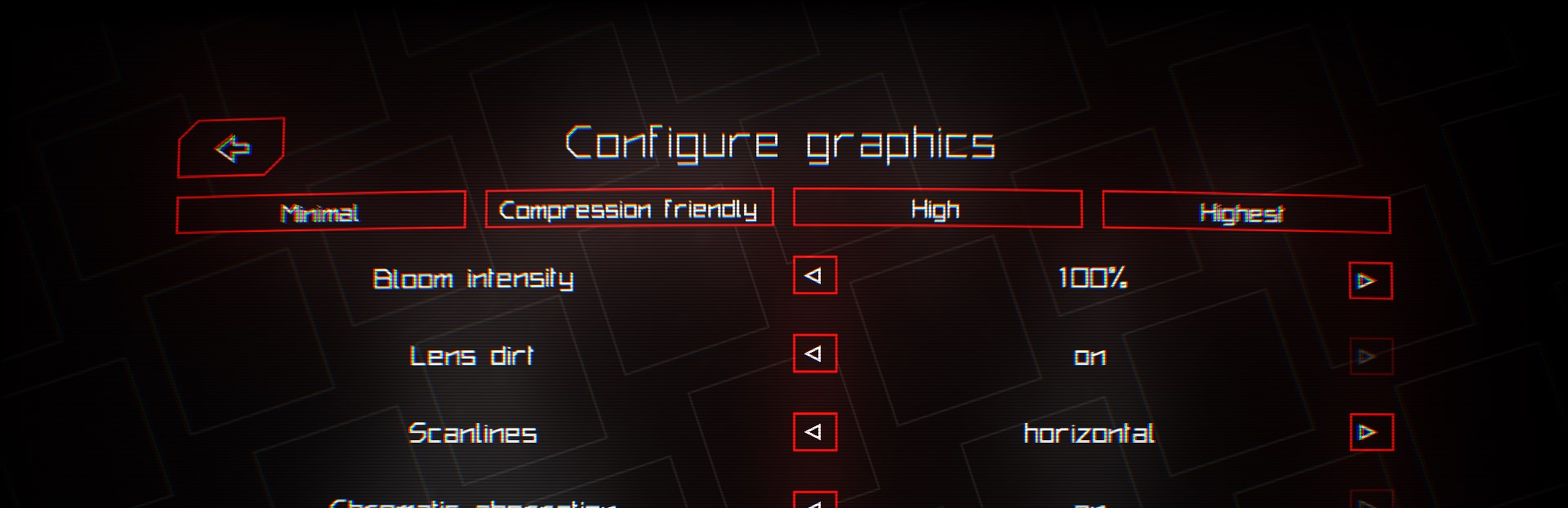
Configurable renderer!
This update includes the release of the configurable renderer previously shown as a preview during the PewPew Anniversary. The configurable renderer allows you to pick whatever effects you'd like to have, and which ones you don't. This way you can tailor your experience just the way you like!
More comments?
Now, you can post comments on experimental levels and player profiles! We hope this feature will allow for more interaction between the player base. If profile comments are not something you want, don't worry! You can always disable the comments in your profile settings, visit https://pewpew.live/account to do so!
In-game keyboard improvement
It probably makes sense to be able to see your password to check if you wrote it correctly, well now you can!
Other game improvements
This update includes a few other general game improvements, making the game experience smoother and more fun. The improvements are:
Fixed various game bugs.
New official level order.
Added new Uzbek and Kazakh languages, and updated other languages.
Support Windows' scaling factor.
Support pause/menu button on game controllers.
Added support for harmonics in the sound synthesizer.
Added or improved several game sound effects.
Attempt to improve keyboard navigation between the views.
List scrolling with the mouse, switching pages with A and D keys (shift for tab switching).
Ignore other mouse buttons for menu navigation (only left click works).
We hope you can enjoy playing this new version of the game, and give us more feedback!
Source
Changelog.gg summarizes and formats this update. How we read updates.