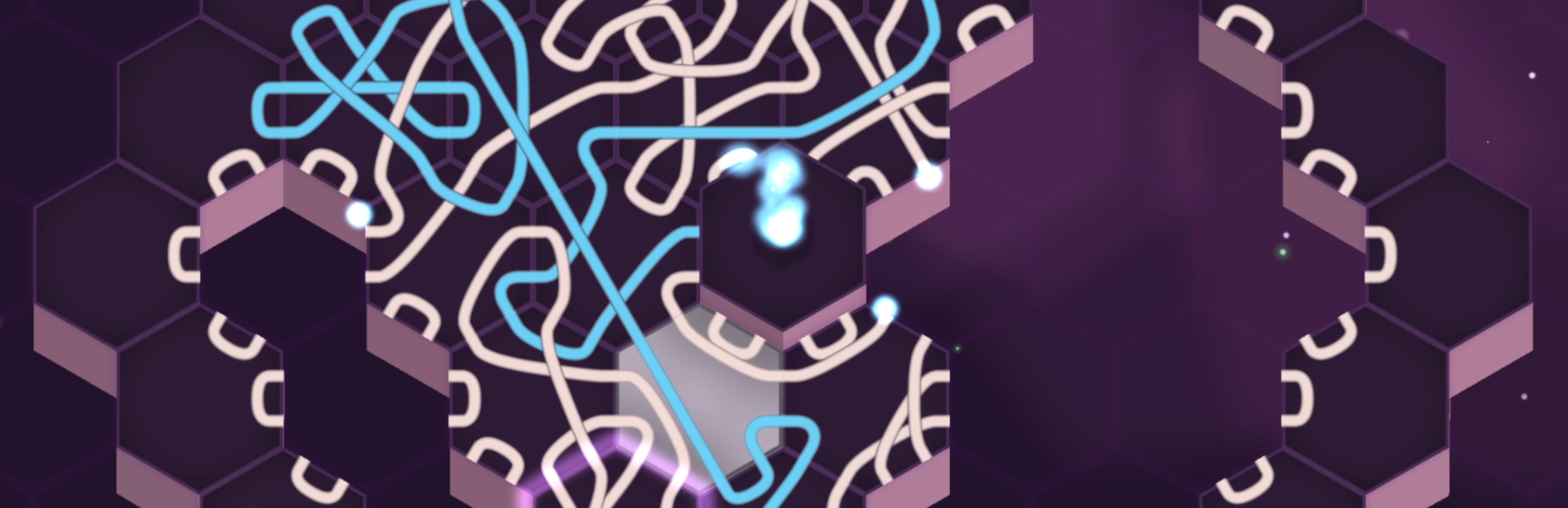
New Feature: Beacons Hello Oxytone players! Here's what's new in the latest Beacon Update for Oxytone: Players can now place markers (beacons) on the map to highlight important connections or signal dangerous paths.
In this update3
Full notes
Full Oxytone update
Read the full published notes in a cleaner layout. The original post stays linked below.
What changed
5 fixes2 additions1 change0 removals
Maps
UI and audio
Gameplay
Fixes
Performance
addedNew Feature: BeaconsHello Oxytone players! Here's what's new in the latest Beacon Update for Oxytone: Players can now place markers (beacons) on the map to highlight important connections or signal dangerous paths.
changedNew Feature: BeaconsHow to use: Hold the middle mouse button or press Q on the keyboard. This is a test feature, currently available only on Steam. If well-received, we’ll roll it out to other platforms.
addedQuality of Life ImprovementsAdded a new camera control option for laptop users. Hold C and move the mouse or trackpad to adjust the camera position.
fixedBug FixesFixed objectives not updating on the Pause screen after restarting a level (PC).
fixedBug FixesResolved an issue where the discard sound effect played even with volume set to 0% (iOS).
fixedBug FixesFixed a crash that occurred when selecting the fourth crystal level and swiping left (iOS).
Oxytone changes
addedHello Oxytone players! Here's what's new in the latest Beacon Update for Oxytone: Players can now place markers (beacons) on the map to highlight important connections or signal dangerous paths.
changedHow to use: Hold the middle mouse button or press Q on the keyboard. This is a test feature, currently available only on Steam. If well-received, we’ll roll it out to other platforms.
addedAdded a new camera control option for laptop users. Hold C and move the mouse or trackpad to adjust the camera position.
fixedFixed objectives not updating on the Pause screen after restarting a level (PC).
fixedResolved an issue where the discard sound effect played even with volume set to 0% (iOS).
New Feature: Beacons
Hello Oxytone players! Here's what's new in the latest Beacon Update for Oxytone: Players can now place markers (beacons) on the map to highlight important connections or signal dangerous paths.
How to use: Hold the middle mouse button or press Q on the keyboard. This is a test feature, currently available only on Steam. If well-received, we’ll roll it out to other platforms.
Quality of Life Improvements
Added a new camera control option for laptop users. Hold C and move the mouse or trackpad to adjust the camera position.
Bug Fixes
Fixed objectives not updating on the Pause screen after restarting a level (PC).
Resolved an issue where the discard sound effect played even with volume set to 0% (iOS).
Fixed a crash that occurred when selecting the fourth crystal level and swiping left (iOS).
Corrected trophy display issues on resolutions below 1080p.