
In this update8
Full notes
Full Oogy: Can You Help update
Read the full published notes in a cleaner layout. The original post stays linked below.
What changed
- Maps
- Events
- Workshop
- Gameplay
Oogy: Can You Help changes
It's here! Unlimited power. Build and customize your experience from the ground-up with the built-in Studio.
The Studio's intuitive tools are inspired by the vibrant culture of modding, and foreshadow our plans for community sharing and collaboration.
But let's get right to it. Here's what you can enjoy right now in the latest free content update for Oogy: Can You Help.
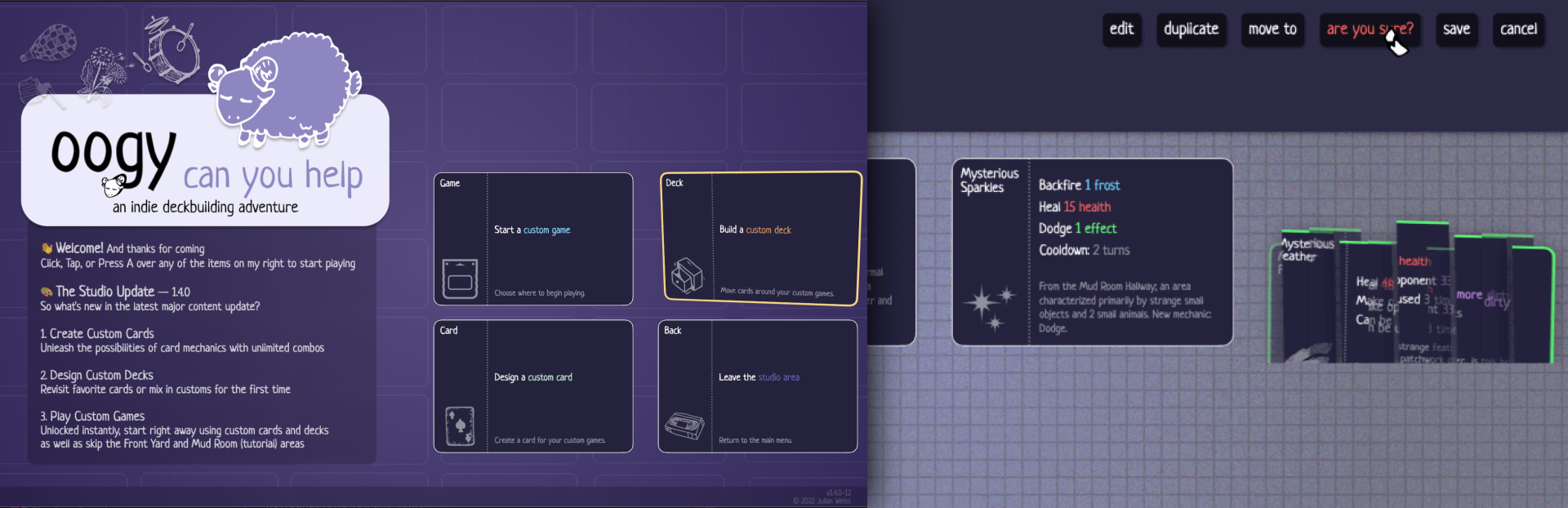
Welcome to The Studio
Now, you can create entirely unique cards and throw them into any Custom Game. Custom Games have no restrictions, and allow you to turn your save into a playground for whatever type of fun is your favorite. Copy any normal game into a Custom Game to see how things would pan out if you chose differently.
Design Custom Cards
Mix and match however much you like! Every mechanic is yours. Even change the name, flavor text, and artwork on any card in a Custom Game's deck, or, design your own from scratch.
Build Custom Decks
Handle and personalize your deck with endless combinations. Duplicate cards to have as many as you like. Delete cards forever once you've had enough. Move cards to different Custom Games to experiment anywhere, anyhow. And of course, Edit cards to throw them into the Card Studio and tinker away at all the mechanics in the game.
Play Custom Games
Select a map, get a completely random deck and 1 automatic Room Clear. Skip the tutorial and intro cinematic to boot. Enough said!
Main Menu Redesign
It looks better, and loads faster. Now let's get to playing!
What's Next?
Indeed, there's still more to come in the debut season of Oogy: Can You Help.
Coming in April:
Free Demo with the first few rooms completely playable for anyone on Steam - Steam Deck support - Steam Workshop support for the Studio - Mouse click and hold support (includes touch controls) - More achievements and total completion percentage - ...and more! Follow on Twitter for development updates @OogyCanYouHelp
🍻 Cheers! --julian
Helpful Section of Bug Fixes Coming in the Next Small Update
Remix and Eat abilities do not always scroll to the top of your Deck on launch - Card Studio Artwork selection does not always highlight the currently active image - Card Studio allows for some clearly-too-complex combos that should be further tested, although it's quite a good deal of fun either way so maybe we'll just leave that in - Card Studio does not take into account whatever is on the back of a Flipside - Load area can sometimes display too many buttons if you find a way to leave and enter at an unexpected time - Save slots are currently shared across different accounts on the same machine, this should be opt-in rather than the default
Source
Changelog.gg summarizes and formats this update. How we read updates.