
In this update4
Full notes
Full Oceaneers update
Read the full published notes in a cleaner layout. The original post stays linked below.
Repeated intro
Hello fellow Oceaneers!
What changed
- Fixes
- Gameplay
- Maps
- Workshop
- Store
- UI and audio
Oceaneers changes
It's patch time! (Full patch notes below).
We were finalizing some automation changes for the next automation pass and had to put up a critical fix for save files. So we decided to include the other improvements we have been working on to let you start playing around with them.
HUGE thanks again to Skay24 on the forums for making us aware of the save file issue!
Important: For existing characters, you will need to check their automation settings. New characters will start with no food restrictions, and will have the new "work anywhere" mode enabled.
Developer Message:
As mentioned in our previous update news, one of our big focuses is improving automation to reduce micromanagement, and smooth various aspects of the story. Once we finalize the new automation features we will go through and update all of the in-game tutorials.
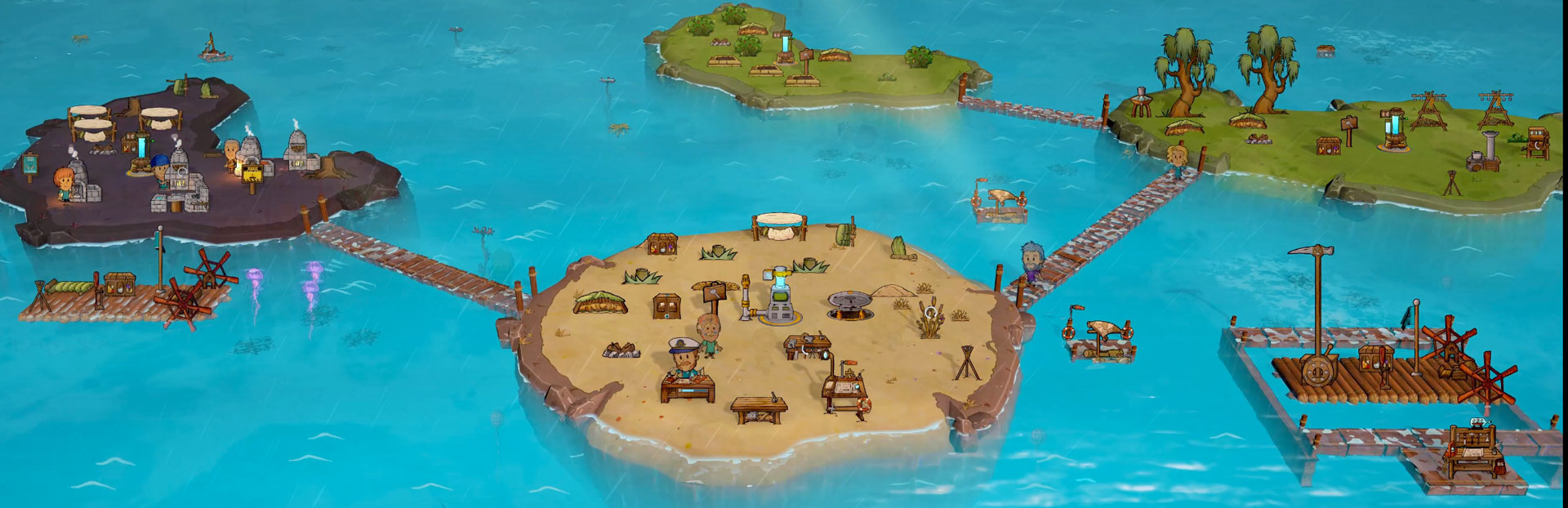
This patch has the next iteration of the automation system, and gives more expected results without relying on workposts. For example, you mark a node for harvest in the ocean, someone will go get it. It's up to you to mark responsibly, as they will cross the ocean if you mark something way out there.
We want to keep workposts though, this is where you can add restrictions and more control at your home colony. These largely behave as before and work on top of the new "Work Anywhere" system. If you want someone to only work in workpost areas, you can change their mode in the automation section in the character sheet. We have more changes coming to expand the functionality of workposts as well.
What About Rafts?
Rafts effectively run on their own system and should behave as they did previously. These are intended to be semi-automatic and make use of the Work in Area feature.
What About Food?
New food automation settings allow you to control which types of food colonists can eat.
Previously they wouldn't eat raw ingredients unless you told them to (like Beach Reeds) so if you weren't cooking food it could feel like they weren't managing their own needs.
Now you can allow different types of food (warning: they are all enabled by default). You may find ingredients getting eaten more often because of this, but you can simply untick "Raw Food" from the automation settings for each character. More settings are planned that will give additional control.
Story Progression Improvements
There were some encounters and steps that felt a little cumbersome so they have been removed. Repair kits felt cumbersome, so they have been replaced with a new thematic thingy.
It wasn't obvious that you need to progress the story to open up new areas, so there's a new guide on the map. All of these things come together to make a significantly smoother experience.
Shout out to everyone that's already done these steps, your feedback has been a huge help! More tweaks are planned, but the major points of frustration have now been removed.
What's Next?
There's a few more automation tweaks coming (keep the feedback coming), but our next focus is the Steam Workshop support for translation mods which is underway.
Patch Notes (0.1.0V)
New automated work anywhere feature which is enabled by default for new characters. This allows you to mark any node on the map, and a colonist in “Work Anywhere” automation mode will go do it. This also works for crafting stations, allowing everyone to work on any island. You can still change this to “Workpost Only” mode if you need more control over some colonists.
Food automation has changed. You now have control over the categories of food characters can eat from the Automation tab on the character sheet. This can further be restricted by individual food. Previously characters wouldn’t eat raw food ingredients, now you can allow this. Note that these are all enabled by default so you will need to adjust them for existing characters.
Bunker ventilation system that are damaged (causing gas) no longer require repair kits. We have added a new repair dialog instead (its not a mini-game, just an interactive repair screen that’s super quick). Taking repair kits on expeditions was too tedious for our liking. Repair kit recipes have been removed.
Six new skin tones have been added to the game. We have overhauled our sprite shader so it gives us more flexibility with colors which will be useful moving forward. New recruitables you find may use some of these new colors.
Six new clothes colors have been added!
Food resources categories now show on resource tooltips.
When attempting a task that required a tool (such as clearing debris, working at a resource node), the exact tool type and tier required will show in the overhead text.
If a tree or bush stump is marked Do Not Harvest, when it regrows it will keep the now keep the marked state.
Changed the Rare Samples upgrade for the Research Table, instead of strongwood it now requires a wooden machine part.
Added a new keybind for the “Do not harvest” marking tool that was added in the previous patch. By default this is bound to “4”.
Added a new button to the bottom left selected character area, to go straight to automation settings.
Added a new note to the provisions dialog about taking food in cargo for expedition usage.
Added a note to the first region map so you know what resources are available in the first region before you need to progress the story to get higher tier resources.
Added a new final checklist screen to expeditions for commonly forgotten items
Added a new debris crate that can contain raw mackerel
Removed skill requirement on Slumberclaw. It caused unnecessary frustration.
- SlumberclawThe cost of the “attack” option was reduced from 5 to 4 spears, but you still get them back.
- SlumberclawThe cost of the “crafty” option was reduced from 6 planks to 4 planks. The wood machine parts can also now be found in the zone, but only if you haven’t visited the zone yet.
- SlumberclawThe cost of the “peaceful” option was reduced from 5 to 4 charred mackerel. Floating crates of raw mackerel have been added to the zone, but only if you haven’t visited the zone yet.
- SlumberclawAdded extra stone pickups to the area, enough for a campfire (only effects new games).
Slumberclaw: This island is now a rock island (which was originally intended).
Updated the artwork for debris crates that have grilled fish, to distinguish them between crates that have raw fish.
Updated butcher block description to mention crabs.
Updated jerky rack description to mention leather.
Updated tinker crab description to hint at kicking them to drop their items.
Updated the workbench description.
Updated the colors of the Do Not Harvest icons.
Updated the fastest speed warning message.
Updated the wording “science mishap” to “lab accident”
Updated the intel for the blue keycard expedition, to hint at the tinker crabs.
Removed first debris blocker in main bunker (it felt unnecessary after just opening the door). This will only effect new games.
The tip about building water storage now only shows if you haven’t built any.
Adjust the click collider for the palm tree.
Adjusted the simulation speed for each speed setting, first/second/third speed are 10-15% faster. Clicking a speed button while the game is paused will now also automatically unpause.
Shelf life of Driftweed Tea increased from 3 to 10 days.
The raft “Work in Area” command no longer marks resources in the area (as this would conflict with the new work anywhere automation). Characters simply work in the area of the raft. You can also use the Do Not Harvest tool which the raft will obey.
Updated the job toggles in the selected character area to have 3 states for the new automation system.
Fixed a bug where unavailable Float-Tech was not showing as coming soon in the research tree. Note that we have left the Paddle Float unlocked even though you can’t build it yet, we’re working on this one.
Fixed not being able to use the Nautilus launch level by dragging the mouse (you could only click to do it).
Fixed the character designer panel when using Groom-O-Tron mirror which wasn’t showing the correct text label.
Fixed food smasher missing the manage building settings button.
Fixed a bug where bunker terminal text was using the wrong font in some cases.
Fixed some music tracks that were playing for a shorter time than intended.
Fixed bunker music continuing to play after exiting bunker.
Fixed a bug where title music was not playing when returning to the title screen.
Fixed the mark combat and mark repair cursors which were clicking off centre.
Fixed a critical issue that could case save files to be deleted when deleting auto saves.
Watch Out Seagulls. It's Survival Time.
Source
Changelog.gg summarizes and formats this update. How we read updates.