
In this update4
Full notes
Full My Village Life update
Read the full published notes in a cleaner layout. The original post stays linked below.
What changed
- Fixes
- Compatibility
- UI and audio
- Balance
- Gameplay
- Server
My Village Life changes
Added
Co-op Mode: Read about below!
Achievements for Co-op
- New Physics Lock systemNow all ragdoll can lock own physics too, and all old physics lock problem was fixed with this new system.
Added semi-controller support: Now you can use joystick more useable. You can grab items and do player motions... and in vehicle you can control fully the systems.
Joystick binding UI: You can find the controller binding in the Pause Menu/Help/Controls section, you can see real time input check on a graphical joystick.
Invert mouse option: Yes it's here :D
Headbob option
Fov kick option
Item pickup signal
Skip for the start PG intro with space key
Changed/Improved
Increased the player lung capacity
Improved snowfall and winter lights
Number keys allowed: Now you can use alpha keys or joystick next to num keys to use hydraulics.
Fixed
The vehicles disappear bug is fixed now
Log pickup bugs
Sled cam hud dissapear
Night ambient sound load problem
Co-op Mode
About
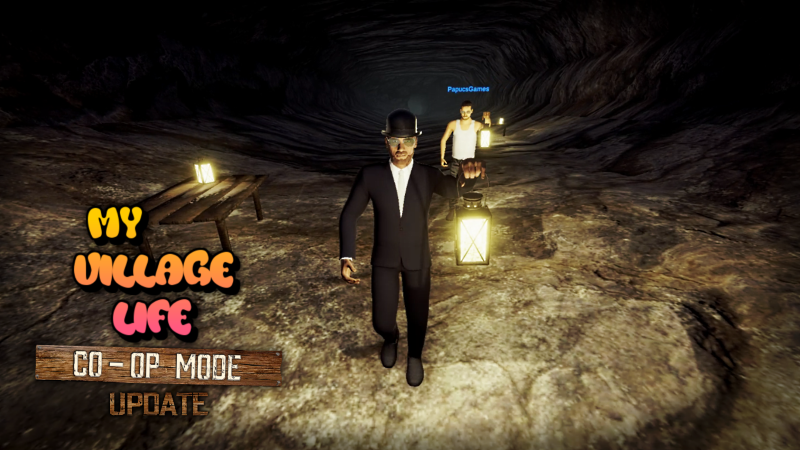
Yes we are here! The new Co-op mode is done! We made a fully synchronized cooperative mode for My Village Life what evolve the gameplay to high experience. Now our lonely villager can make his job with his (alkoholic) friends. This new mode open much opportunity to have fun in the game and it will increasing by all added missions in the future. You can make 2, 4 or 6 max players rooms for your friends and you can pick of public or private rooms.
Tips
Here some tips what can help you to navigate in the new mode:
Limitations: Here some limit, but it's correct when we talk about multiplayer games. Now can synronize 3000 game element per server room, so you can spawn 1800 item of all 3000 for syncronization. If you pickup, eat, drink or destroy one of the synced item this sync id get free. So if you give attention to boughted items and others you can't have any problem.
- SavesYou can load or overwrite your all singleplayer save in co-op mode, but we recommend to start a new game because if you lost much item in the past the co-op not like to syncron all this lost items. If you start a game in co-op or singleplayer you can switch of load it in single or in co-op.
Dev Menu: Always the host the only who can use the Developer menu if host wants. Please be careful with the dev menu, it's developed to the dev if you use it with no control it can made sync and performance problems!
Chat Codes: We made some chat code to fun and help. Only the host can use these codes similar to the dev menu. You can appear all codes with /cms or /commands.
Timeout error: On the first play of the day your load can need too much time, what's too long to the co-op mode. When it's happen you get a timeout error and the game get back you in to the main menu. Don't worry try again and it's will load faster without any error. How to skip this problem? If you load in singleplayer before join or host a co-op server, you can't have any error after it.
Unsynchronized features
Here is some unsynchronized features for the greater optimizations and performance, because these systems need much message on syncronization:
Not much used doors
Loot system
Birds
AI Bus
Water taps
Yes all features in addition to these all syncronized!
Thanks for your support and your wait! Let's enjoy this new experience!
We'll be back soon!
Source
Changelog.gg summarizes and formats this update. How we read updates.