
HomeGamesUpdatesPricingMethodology
Steam News29 June 20233y ago

New Murtop Update 1.2.0

Added Better visual feedback when: Murti gets hit, specially by rocks and boulders (gameplay stops momentarly). Getting an extra life ("extra life" text shows).

In this update3

Full notes

Full Murtop update

Read the full published notes in a cleaner layout. The original post stays linked below.

What changed

0 fixes2 additions9 changes0 removals
  • Gameplay
  • UI and audio
  • Fixes
  • Maps
changedAddedBetter visual feedback when: Murti gets hit, specially by rocks and boulders (gameplay stops momentarly). Getting an extra life ("extra life" text shows).
changedAddedMAME default keyboard arcade game controls: 5 (Coin slot 1). 1 (Player 1 start). Up Arrow (Player 1 Up). Down Arrow (Player 1 Down). Left Arrow (Player 1 Left). Right Arrow (Player 1 Right). Left Ctrl (Player 1 Button 1). Left Alt (Player 1 Button 2). Spacebar (Player 1 Button 3).
addedAddedNew languages: Catalan, Spanish, and Japanese.
addedAddedNew Service menu (press and hold "1p_start" + "1p_button2" on the logos screen to access it). It contains: Options menu (same as in the "Title screen"). Stats menu. Reset leadearboard. Reset stats.
changedFixedCredits are not reset anymore when not continuing.
changedFixedFont remapping when Japanese locale is set.

Murtop changes

changedBetter visual feedback when: Murti gets hit, specially by rocks and boulders (gameplay stops momentarly). Getting an extra life ("extra life" text shows).
changedMAME default keyboard arcade game controls: 5 (Coin slot 1). 1 (Player 1 start). Up Arrow (Player 1 Up). Down Arrow (Player 1 Down). Left Arrow (Player 1 Left). Right Arrow (Player 1 Right). Left Ctrl (Player 1 Button 1). Left Alt (Player 1 Button 2). Spacebar (Player 1 Button 3).
addedNew languages: Catalan, Spanish, and Japanese.
addedNew Service menu (press and hold "1p_start" + "1p_button2" on the logos screen to access it). It contains: Options menu (same as in the "Title screen"). Stats menu. Reset leadearboard. Reset stats.
changedCredits are not reset anymore when not continuing.

Added

  • Better visual feedback when:

    • Murti gets hit, specially by rocks and boulders (gameplay stops momentarly).

    • Getting an extra life ("extra life" text shows).

  • MAME default keyboard arcade game controls:

    • 5 (Coin slot 1).

    • 1 (Player 1 start).

    • Up Arrow (Player 1 Up).

    • Down Arrow (Player 1 Down).

    • Left Arrow (Player 1 Left).

    • Right Arrow (Player 1 Right).

    • Left Ctrl (Player 1 Button 1).

    • Left Alt (Player 1 Button 2).

    • Spacebar (Player 1 Button 3).

  • New languages: Catalan, Spanish, and Japanese.

  • New Service menu (press and hold "1p_start" + "1p_button2" on the logos screen to access it). It contains:

    • Options menu (same as in the "Title screen").

    • Stats menu.

    • Reset leadearboard.

    • Reset stats.

  • TATE mode for "low end devices".

  • The radish disappears afters 5 seconds.

Fixed

  • Credits are not reset anymore when not continuing.

  • Font remapping when Japanese locale is set.

  • Input issue in the pause menu on the Bonus stage.

  • Input issue on the Bonus stage when getting the radish.

  • Points multiplier when enemies are in "Scatter" mode.

Changed

  • Default leaderboard scores and stages are more clear, organized, and more challenging to get to the 1st position.

  • Extra life is now set at 75000 points.

  • Murti goes a little faster on the Bonus stage.

  • Press and hold "1p_start" + "1p_button1" on the logos screen to access the Test menu.

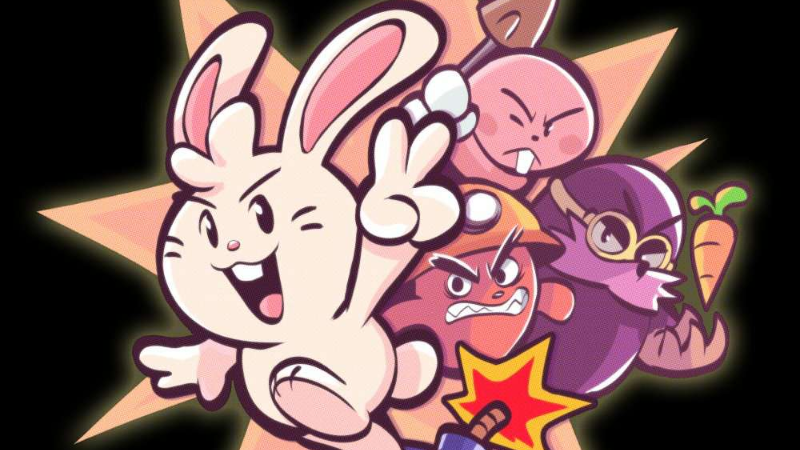
Artwork by https://twitter.com/KevinFagaragan

Source

Steam News / 29 June 2023

Open original post

Changelog.gg summarizes and formats this update. How we read updates.