
HomeGamesUpdatesPricingMethodology
Steam News29 July 202614d ago

V0.4 Update Notes – Label Scanner & Stock Tracking

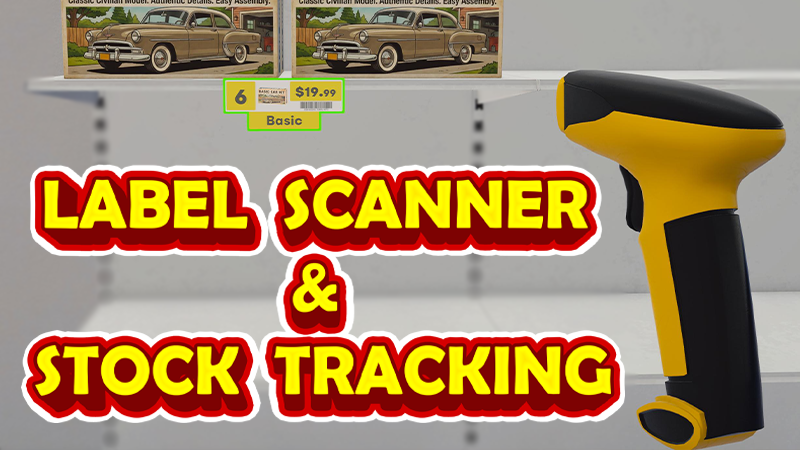
New Tool: Label Scanner Added the new Label Scanner tool. Select it from the Tool Wheel and scan shelf labels to add products directly to your wholesaler cart.

In this update4

Full notes

Full Model Kit Shop Simulator update

Read the full published notes in a cleaner layout. The original post stays linked below.

What changed

2 fixes4 additions2 changes0 removals
  • Gameplay
  • Store
  • UI and audio
  • Fixes
addedNew Tool: Label ScannerAdded the new Label Scanner tool.
addedNew Tool: Label ScannerSelect it from the Tool Wheel and scan shelf labels to add products directly to your wholesaler cart.
addedNew Stock Tracking SystemAdded a new stock tracking feature to the Storage tab of the management screen.
addedNew Stock Tracking SystemYou can now view how many units of each product are available on shelves and inside boxes throughout your shop.
changedNew Stock Tracking SystemStorage Area 1 must be purchased to unlock this feature.
changedImproved Product LabelsProducts are now easier to identify when their preview images are too small to distinguish clearly.

Model Kit Shop Simulator changes

addedAdded the new Label Scanner tool.
addedSelect it from the Tool Wheel and scan shelf labels to add products directly to your wholesaler cart.
addedAdded a new stock tracking feature to the Storage tab of the management screen.
addedYou can now view how many units of each product are available on shelves and inside boxes throughout your shop.
changedStorage Area 1 must be purchased to unlock this feature.

New Tool: Label Scanner

  • Added the new Label Scanner tool.

  • Select it from the Tool Wheel and scan shelf labels to add products directly to your wholesaler cart.

  • Quickly prepare restocking orders without manually searching for each product.

New Stock Tracking System

  • Added a new stock tracking feature to the Storage tab of the management screen.

  • You can now view how many units of each product are available on shelves and inside boxes throughout your shop.

  • Storage Area 1 must be purchased to unlock this feature.

Improved Product Labels

  • Shelf and storage rack labels now display the product name and theme.

  • Products are now easier to identify when their preview images are too small to distinguish clearly.

Bug Fixes

  • Fixed an issue where some products could remain floating in the air after moving a shelf.

Thank you for your feedback and continued support!

Source

Steam News / 29 July 2026

Open original post

Changelog.gg summarizes and formats this update. How we read updates.