
In this update13
Full notes
Full MARINE.EXE - Desktop RPG update
Read the full published notes in a cleaner layout. The original post stays linked below.
What changed
- Maps
- Events
- Balance
- Gameplay
- Store
MARINE.EXE - Desktop RPG changes
MARINE.EXE - Desktop RPG: Beginner Guide
Essential Tips & Tricks to Get You Started
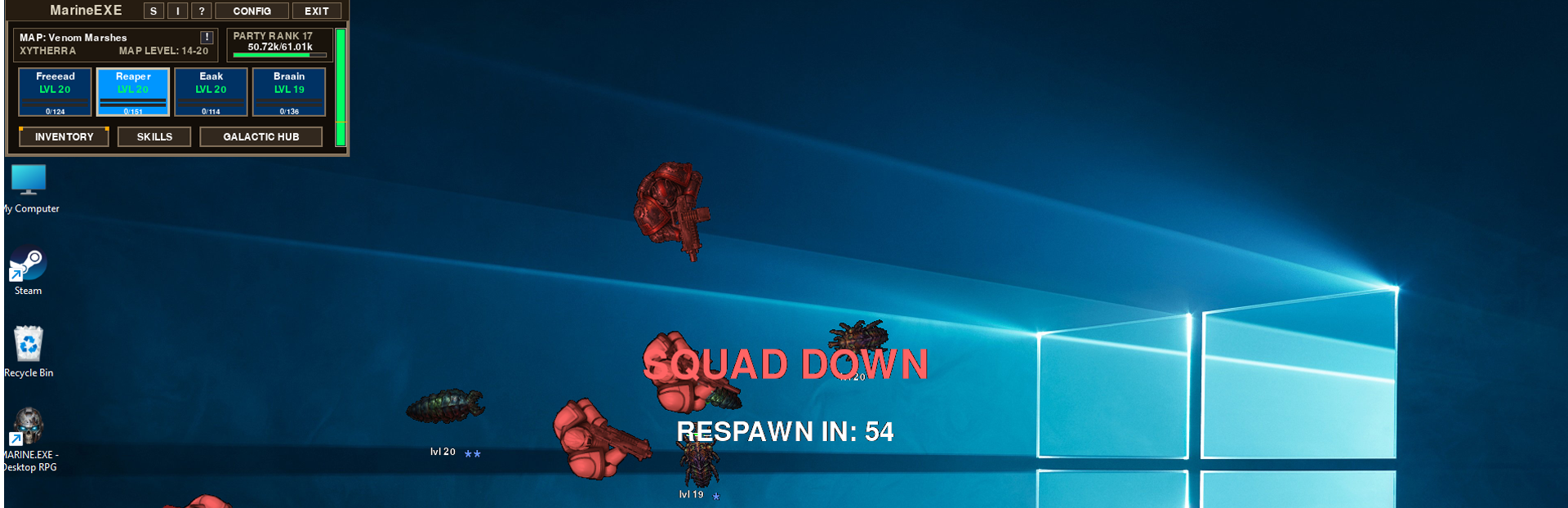
Welcome, Commander! MARINE.EXE drops a full sci-fi RPG right onto your desktop, with your elite marine squad battling alien hordes while you work, browse, or game. Even though the game runs in the background, there's a real RPG underneath — and the choices you make in the first hour will save you a lot of time and frustration down the line.
This guide walks you through the most important early-game priorities: unlocking your full squad, completing the Starter Quest chain efficiently, comparing gear without going insane, and using the Live Information menu to keep tabs on everything at a glance.
Priority #1: Unlock All Four Characters
Your single most important goal at the start of the game is to unlock all four character slots. MARINE.EXE is built around a party of up to four marines, and every system in the game — loot, synergy, progression — assumes you have a full squad. A solo marine will feel painfully slow compared to a four-character party clearing maps together.
The good news: you can unlock your second character completely free just by following the Starter Quest chain. Don't skip it.
The Starter Quest Chain
The Starter Quests guide you through the basic mechanics while handing out rewards that snowball nicely into your second character unlock. Here's the optimal way to play through it:
Quest 1 — Kill 10 monsters on the Abandoned Hive map
Send your squad to the Abandoned Hive map and let them grind out 10 monster kills. When you complete the quest, you'll receive a random Level 1 weapon that's noticeably stronger than your starter weapon. Equip it immediately.
Quest 2 — Reach Level 4
Keep your squad fighting until you hit Level 4. Completing this objective rewards you with 10 Tier 1 Crafting Materials — the resources you'll need for the next step.
Quest 3 — Craft an item using your materials
Now use those 10 Tier 1 Crafting Materials to craft something. Completing the craft rewards you with a Tier 2 Enchant and 100 CR (the in-game currency).
💡 Strategy tip: When deciding what to craft with these 10 materials, craft a weapon. This weapon will eventually go to your second character, giving them a much stronger starting kit than the default loadout.
Quest 4 — Enchant the weapon you just crafted
Apply an enchant to the weapon you crafted in the previous step. Completing this final quest does something amazing: the second character slot becomes free (0 CR cost).
💡 Strategy tip: Use the Tier 2 Enchant you received from Quest 3 on the weapon you just crafted. You'll be equipping a free, enchanted, crafted weapon onto your brand-new free second marine. That's a massive head start.
📺 Visual walkthrough:
Unlocking Character Slots #3 and #4
Once your second marine is in the party, you've still got two empty character slots waiting. Don't wait around — fill them as fast as possible. The faster you have four marines running, the faster everything else in the game progresses.
The fast way to earn unlock currency: sell every Consumable item that drops to the in-game shop. Consumables pile up quickly and aren't worth holding onto in the early game, so converting them straight into CR is the most efficient route to unlocking your remaining two slots.
The Gear Comparison Trick (Save Your Sanity) + equip
Once you have a full four-marine squad, gear drops constantly. If you check every new item against every character one by one, you'll lose your mind — that's four equipment screens, multiple slots each, per drop.
There's a much better way: hold CTRL on the item.
Holding CTRL while hovering over a piece of gear compares it against the equipped item in that slot on all 4 characters at once. If the new item has better stats than what one of your marines is currently wearing, the game will display"RECOMMENDED"next to that character.
While still holding CTRL, right-click the item — the game will automatically equip it on the character it recommended. No switching between character screens, no manual swapping.
Comparing Neuro Bands and Implants
Some equipment slots have multiple sockets per character:
Neuro Band — 2 slots per character
Implant — 4 slots per character
For these, holding CTRL only compares one slot at a time. To cycle through the different slots while comparing, hold CTRL and scroll the mouse wheel. This switches which equipped Neuro Band or Implant you're comparing against, so you can find the weakest one to replace.
The F3 Live Information Menu
Press F3 at any time to open the Live Information menu — your squad's mission control. It gives you a clean, at-a-glance summary of what your party is doing without needing to open a bunch of separate screens.
The Live Information menu shows:
Recently killed monsters — keep tabs on what your squad is grinding
Recently dropped equipment — never miss a good drop while you're busy with other windows
Filtering the Recent Item Drops list
Click the"Recent Item Drops"label to bring up filtering options. From there you can:
Toggle visibility of Materials — hide them if you only care about gear
Toggle visibility of Consumables — same idea, clean up the clutter
Set a MIN CR value — items below this CR value won't appear in the list, so cheap junk drops stop spamming the feed and only valuable loot shows up
This is especially useful once you're deeper into the game and drops are constant.
Quick Recap
If you only remember five things from this guide, make them these:
Unlock all 4 characters as fast as possible — every system in the game assumes a full squad.
Complete the Starter Quest chain — it gives you your second character for free.
Craft a weapon (not a different item type) with your 10 Tier 1 Materials, then enchant it for your second marine.
Sell Consumables to fund slot 3 and slot 4 unlocks.
Use CTRL + right-click to compare and equip gear across the whole party instantly. CTRL + mouse wheel for Neuro Bands and Implants.
Now get out there, Commander. Your marines have alien hives to clear. 🚀
Source
Changelog.gg summarizes and formats this update. How we read updates.