
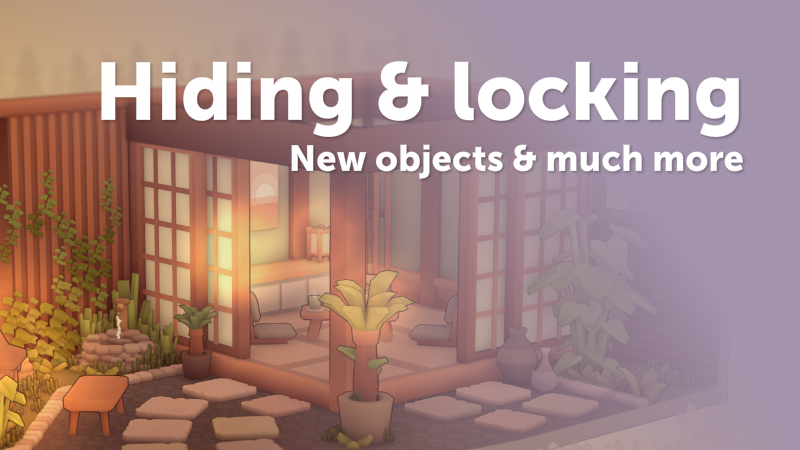
In this update3
Full notes
Full MakeRoom update
Read the full published notes in a cleaner layout. The original post stays linked below.
What changed
- UI and audio
- Gameplay
- Fixes
MakeRoom changes
Hiding & locking
You can now hide or lock objects. Click the "hide" icon to make objects temporarily invisible, then restore them using the hotkey (CTRL + H) or the button in the top right. Similarly, you can lock objects to prevent selecting them until they're unlocked. Both features work in the diorama creator and the object creator.
Sample objects
You’ll now see a set of sample objects in the object creator. They’re useful for building things like tables, sofas, or chairs. These samples were created by community member Silthulhu, with more on the way!
New items
This update also introduces new items of which most in a Japanese style. It includes shoji doors/windows, tatami mats, chabudai, kotatsu and more!
Your feedback and comments are invaluable to improving the game, thank you for sending them! Here's the full changelog:
New features
Press TAB (or START on gamepad/Steam Deck) to toggle the interface
Added ability to hide objects (press H to hide, press CTRL + H to unhide all)
Added ability to lock objects (press L to lock, press CTRL + L to unlock all)
Sample objects added to the object editor
Changes & improvements
Changed available save slot pages from 10 to 25
Added "New" button to object editor
Rearranged menu items in object editor
Added progress display on requests screen
Added option to set the gamepad sensitivity
Rearranged the options menu
Changed "Back to menu" button after completing request to a notification
Small improvements to icons
Added sample chashitsu made by Silthulhu
Fixes
Fixed incorrect color swatches for custom objects
Fixed button on CRT monitor model
Fixed small issue when selecting reference guide in editor
New items
2× Bookcases with arches (Cabinets)
2× Bookcase lights (Lamps & Fans)
4× Shoji doors/windows (Doors)
2× Tatami mats (Carpets)
6× Lanterns (Lamps & Fans)
1× Chabudai (Tables)
1× Kotatsu (Tables)
1× Zaisu (Chairs)
1× Sushi (Food)
Source
Changelog.gg summarizes and formats this update. How we read updates.