
HomeGamesUpdatesPricingMethodology
Steam News26 April 20233y ago

Mahokenshi – Free DLC & Mission Editor now LIVE!

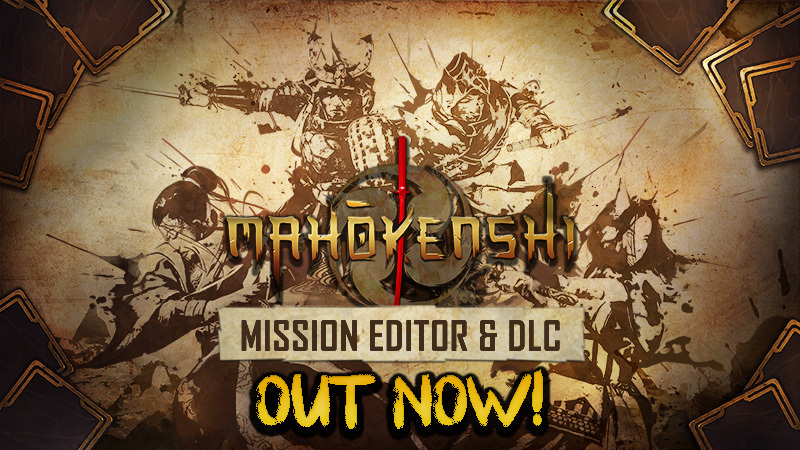
Free DLC & Mission Editor Hello Samurai! We’re thrilled to inform you that our biggest update by far is now live, and available for download.

In this update4

Full notes

Full Mahokenshi - The Samurai Deckbuilder update

Read the full published notes in a cleaner layout. The original post stays linked below.

What changed

0 fixes3 additions7 changes0 removals
  • Workshop
  • Maps
  • UI and audio
  • Gameplay
  • Store
changedHello Samurai!We look forward to seeing your creations uploaded in the workshop. We might even give the creators of the top 3 rated maps a special shoutout in our next post!
changedMission EditorTo give you, the community, replayability we decided to turn the map creation development tool into a feature. As mentioned in the previous news post, this feature will conveniently allow the ability to browse downloaded maps or create your own, allowing you to shape your own maps, one hex at a time! This can mean placing hordes of enemies, setting objectives, creating quests with rewards, and more. It’s an expansive tool directly derived from what the developers used to create the campaign.
changedMission EditorTo create community maps, simply boot up the game, go to ‘Custom Missions’, and select the Mission Editor. Done creating? Test it via the Play button, and if you’re satisfied, click the Publish to Steam button!
addedMission EditorTo play self-created or community created maps, go to the mission browser! Here you can either edit existing maps or download new ones using the integrated ‘Browse Missions from the Community’ button.
addedMahokenshi - The Designer’s GuideThe Designer’s Guide brings 5 brand new carefully crafted maps to your attention, which help you to get some experience with the mission-editor, while serving as fun and challenging maps to beat.
changedMahokenshi - The Designer’s GuideMap 1: Defeat The Armored Oni Map 2: Run! Map 3: The Oni Archipelago Map 4: Protect The Villages Map 5: Defend The Island

Mahokenshi - The Samurai Deckbuilder changes

changedWe look forward to seeing your creations uploaded in the workshop. We might even give the creators of the top 3 rated maps a special shoutout in our next post!
changedTo give you, the community, replayability we decided to turn the map creation development tool into a feature. As mentioned in the previous news post, this feature will conveniently allow the ability to browse downloaded maps or create your own, allowing you to shape your own maps, one hex at a time! This can mean placing hordes of enemies, setting objectives, creating quests with rewards, and more. It’s an expansive tool directly derived from what the developers used to create the campaign.
changedTo create community maps, simply boot up the game, go to ‘Custom Missions’, and select the Mission Editor. Done creating? Test it via the Play button, and if you’re satisfied, click the Publish to Steam button!
addedTo play self-created or community created maps, go to the mission browser! Here you can either edit existing maps or download new ones using the integrated ‘Browse Missions from the Community’ button.
addedThe Designer’s Guide brings 5 brand new carefully crafted maps to your attention, which help you to get some experience with the mission-editor, while serving as fun and challenging maps to beat.

Free DLC & Mission Editor

Hello Samurai!

We’re thrilled to inform you that our biggest update by far is now live, and available for download.

As mentioned in our post last week – this update includes a free DLC ,“Mahokenshi - The Designer’s Guide”, a mission editor, and much requested save states!

We look forward to seeing your creations uploaded in the workshop. We might even give the creators of the top 3 rated maps a special shoutout in our next post!

Mid-Missions saving now available!

One of the most requested features since launch has been the ability to save at any point during a mission, to allow for as much flexibility as possible while gaming. We saw and we have delivered!

Mission Editor

To give you, the community, replayability we decided to turn the map creation development tool into a feature. As mentioned in the previous news post, this feature will conveniently allow the ability to browse downloaded maps or create your own, allowing you to shape your own maps, one hex at a time! This can mean placing hordes of enemies, setting objectives, creating quests with rewards, and more. It’s an expansive tool directly derived from what the developers used to create the campaign.

To create community maps, simply boot up the game, go to ‘Custom Missions’, and select the Mission Editor. Done creating? Test it via the Play button, and if you’re satisfied, click the Publish to Steam button!

To play self-created or community created maps, go to the mission browser! Here you can either edit existing maps or download new ones using the integrated ‘Browse Missions from the Community’ button.

Mahokenshi - The Designer’s Guide

The Designer’s Guide brings 5 brand new carefully crafted maps to your attention, which help you to get some experience with the mission-editor, while serving as fun and challenging maps to beat.

Map 1

Defeat The Armored Oni Map 2: Run!

Map 3

The Oni Archipelago Map 4: Protect The Villages Map 5: Defend The Island

For further information on each map, check out the free DLC store page linked below!

https://store.steampowered.com/app/2399250/Mahokenshi__The_Designers_Guide/

Once again, thank you for all that you have done to create the Mahokenshi community and we hope you enjoy all of this sensational new content.

Stay tuned for all the exciting news on Mahokenshi, and of course, join our community on Discord! Steam post image

Source

Steam News / 26 April 2023

Open original post

Changelog.gg summarizes and formats this update. How we read updates.