
In this update3
Full notes
Full Lynium update
Read the full published notes in a cleaner layout. The original post stays linked below.
What changed
- Gameplay
- UI and audio
- Maps
- Performance
- Store
Lynium changes
Lynium 2.0.0 is here, and it is the biggest release the game has had. Almost every screen you touch has been rebuilt: the beatmap editor is new from the ground up, song selection and the world rankings were redesigned, and finding, downloading and sharing beatmaps finally works the way it should.
A brand new Beatmap Editor
The editor was rebuilt from scratch. The playfield now reads exactly like the one you play on — same lanes, same notes, same feel — so what you build is what you get.
The music, drawn behind your notes. A live spectrum sits under the playfield, mirrored from the centre and lined up with your offset, so placing notes stops being guesswork. Toggle it from the SPECTRUM chip.
Beats numbered down the side of the playfield, counted straight through the song instead of restarting every bar. Toggle it from the BEATS chip.
2D and 3D views with redesigned view controls, and readouts that tell you which camera mode is on and what the zoom is.
A note density strip you can drag aside — and bring straight back — so it never fights the playfield in 3D.
Beat offset stepping right at the top of the panel, and beat lines thinner and easier to read through.
A line picker that only offers the lines your layout actually has, with rest zones sized to the lanes.
No more freezing on beatmaps with a lot of notes.
Timing, metadata and uploading
Every editor dialog was rebuilt in the screen's own language.
Timing Points was rebuilt, and kiai times are now editable — add one at the playhead and set exactly where the song flashes.
Metadata and Design dialogs redesigned, and beatmap metadata now actually saves.
The upload window is finished: a proper overwrite sheet when you replace an existing map, real progress while it transfers, and a clear ending when it lands.
The metronome's beat lights sit centred on their own rail.
Test play, without losing your work
Test play now tells you exactly what it is about to do. Save and test writes to disk; test without saving plays the beatmap exactly as it sits in the editor and leaves your changes untouched when you come back.
Song selection, rebuilt
It opens on the song that is already playing — no jump, and no white flash on the way in.
The screen is put together before it is revealed, so you stop seeing it assemble itself.
Much faster with big libraries. Ranking rows are pooled and the screen waits for your selection to settle before it fetches anything.
Search, ordering, grouping and variant filters right at the top, with the world ranking and your personal record for the selected map down the left.
Favorites
Like a beatmap and actually find it again. Hit the heart on any map, then use the Favorites tab to pull the list back up. Add to favorites also lives in the right-click menu, alongside Edit and Delete.
World Rankings, redesigned
A completely new leaderboard — 4K, 7K and Standard, with country flags, ranked play counts and performance, paged all the way down.
Your position is pinned to the bottom, however deep in the table you are.
Filter the rankings by name.
You no longer need to be signed in to look. Rankings are now visible to players without a session.
Finding and downloading beatmaps
The whole browser was redesigned — Top Rated, All Beatmaps and Newest Maps, with ranked-only, sort and mode filters.
Plays and likes on every row, and the real key counts of each difficulty in the set.
Latest downloads at a glance, with anything still transferring pinned on top.
A Featured Today panel on the left, and an empty downloads list that finally gives you a way out.
Home, account and store
A Featured Beatmaps panel on the home screen, cycling what was just uploaded and what is most played, with plays and likes.
The music player's song list was redesigned.
The account panels were rebuilt, and registration works properly.
Account recovery works end to end — request a code, use it, set a new password, sign in.
The store and the icon picker were redesigned, and both actually work.
Global messages are cleaner and easier to read.
Gameplay fixes
Escape pauses again, including over the pause menu, and the pause screen says what it should.
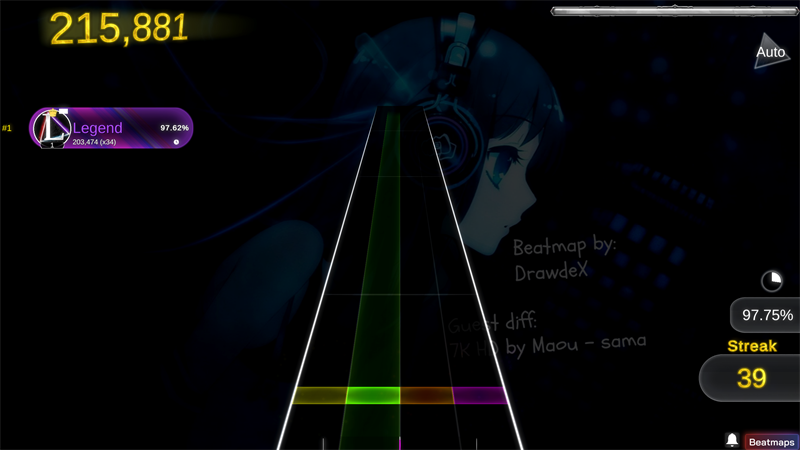
The washed-out playfield is fixed. The lane glow was blowing out the lanes during a song — lanes now read clean at every difficulty.
Break markers and the in-game leaderboard were fixed.
Blank song covers no longer show up.
Every build is stamped, so bug reports can be matched to an exact version.
Thank you
2.0.0 took a lot of hands. If you hit something broken or want to tell us what to build next, come find us:
Join the Lynium Discord lyniumgame.com
See you on the playfield.
Source
Changelog.gg summarizes and formats this update. How we read updates.