
HomeGamesUpdatesPricingMethodology
Steam News29 May 20233y ago

Playtest - The Overworld Environment

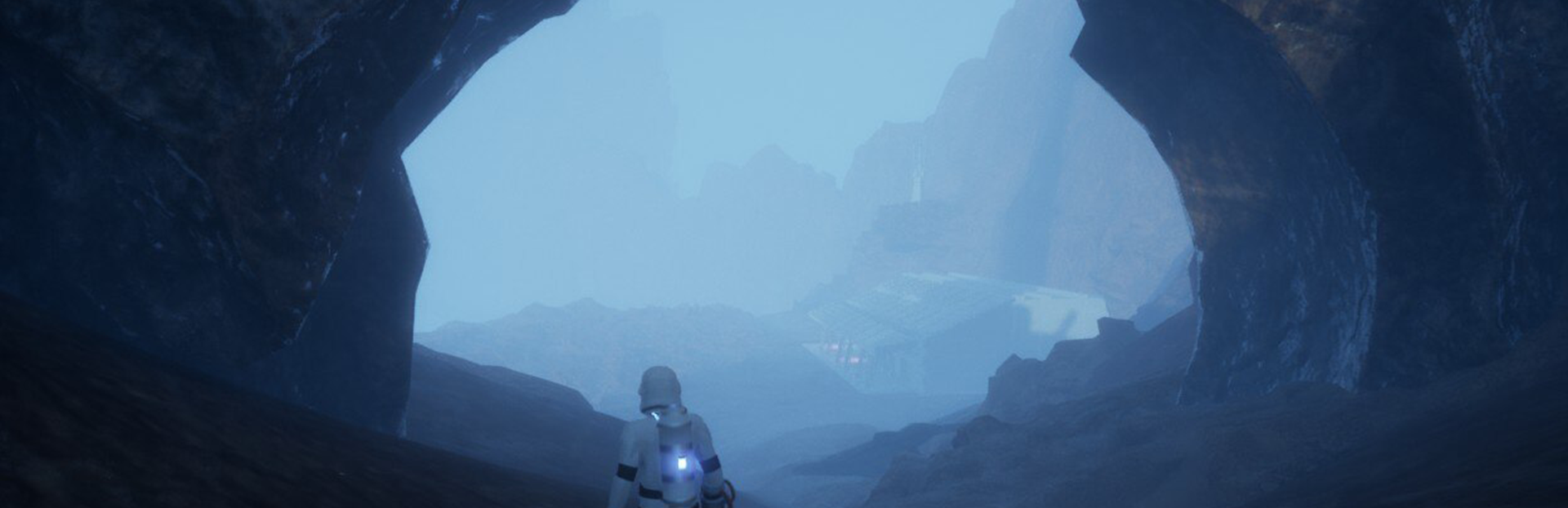
It's time to venture into the Lunar Soil! We have invited over 1200 players to participate in testing the game. Screenshot take from a Steam Deck.

In this update2

Full notes

Full Lunar Soil update

Read the full published notes in a cleaner layout. The original post stays linked below.

What changed

0 fixes4 additions4 changes1 removal
  • Compatibility
  • Maps
  • Gameplay
  • Balance
  • UI and audio
  • Performance
changedSteam Deck CompatibilityTo launch the game on Steam Deck, please ensure that you run it with a compatible Proton version. The recommended version for our game is Proton 5.13-6 (let us know if you have successfully used another version).
changedSteam Deck CompatibilityTo access the Lunar Soil Playtest, go to your library and open settings > properties > compatibility, then select Proton 5.13-6 . Install the Unreal 5 prerequisites and wait a bit for the game to install for the first time.
removedLunar Soil overworld mapYou can explore the entire map, but bunkers, caves, puzzles, and other external levels are disabled for this testing phase. Our focus is to verify world streaming, clipping, meshes, colliders, and performance. Please note that this Playtest does not encompass the full gameplay experience; it solely focuses on evaluating the baseline outside environment.
addedFeedback CenterWe have introduced a new bug tracking system that you can access in-game by opening the pause menu or pressing F7.
addedMessage SystemYou can vote on the messages you open, as pods with higher total votes have a greater chance of spawning. However, we also reserve slots for new messages to keep things fresh.
addedMessage SystemTo create a new message, press the R key on your keyboard or the X button on your controller. We are actively working on refining this system for gamepad usage, as we acknowledge that switching to the keyboard can be awkward.

Lunar Soil changes

changedTo launch the game on Steam Deck, please ensure that you run it with a compatible Proton version. The recommended version for our game is Proton 5.13-6 (let us know if you have successfully used another version).
changedTo access the Lunar Soil Playtest, go to your library and open settings > properties > compatibility, then select Proton 5.13-6 . Install the Unreal 5 prerequisites and wait a bit for the game to install for the first time.
removedYou can explore the entire map, but bunkers, caves, puzzles, and other external levels are disabled for this testing phase. Our focus is to verify world streaming, clipping, meshes, colliders, and performance. Please note that this Playtest does not encompass the full gameplay experience; it solely focuses on evaluating the baseline outside environment.
addedWe have introduced a new bug tracking system that you can access in-game by opening the pause menu or pressing F7.
addedYou can vote on the messages you open, as pods with higher total votes have a greater chance of spawning. However, we also reserve slots for new messages to keep things fresh.

It's time to venture into the Lunar Soil! We have invited over 1200 players to participate in testing the game.

Screenshot take from a Steam Deck.

Steam Deck Compatibility

To launch the game on Steam Deck, please ensure that you run it with a compatible Proton version. The recommended version for our game is Proton 5.13-6 (let us know if you have successfully used another version).

To access the Lunar Soil Playtest, go to your library and open settings > properties > compatibility, then select Proton 5.13-6. Install the Unreal 5 prerequisites and wait a bit for the game to install for the first time.

Steam post imageSteam post image

Lunar Soil overworld map

You can explore the entire map, but bunkers, caves, puzzles, and other external levels are disabled for this testing phase. Our focus is to verify world streaming, clipping, meshes, colliders, and performance. Please note that this Playtest does not encompass the full gameplay experience; it solely focuses on evaluating the baseline outside environment.

Feedback Center

We have introduced a new bug tracking system that you can access in-game by opening the pause menu or pressing F7.

Message System

Additionally, this Playtest introduces a messaging system where you can drop small pods containing messages for other players to see. As you explore the world of Lunar Soil, you may come across a few player-generated pods.

You can vote on the messages you open, as pods with higher total votes have a greater chance of spawning. However, we also reserve slots for new messages to keep things fresh.

To create a new message, press the R key on your keyboard or the X button on your controller. We are actively working on refining this system for gamepad usage, as we acknowledge that switching to the keyboard can be awkward.

We value your input on how we can further improve this system.

What to Look For:

  • Broken 3D objects and meshes

  • Performance issues

  • Collider problems

  • Clipping and rendering issues

  • Streaming or hiccups or glitches

  • Inspiration and ideas: What specific features would you like to see and where?

How to Submit Bugs or Ideas:

To help us make the game as polished as possible, we encourage you to provide feedback frequently and early on. Please utilize the new in-game reporting system as soon as you encounter any issues that need addressing. You can also report problems to our GitHub issue tracker (in-game reports will automatically generate a ticket there as well). For further discussion, you are welcome to join our Discord community.

Thank you <3

Source

Steam News / 29 May 2023

Open original post

Changelog.gg summarizes and formats this update. How we read updates.