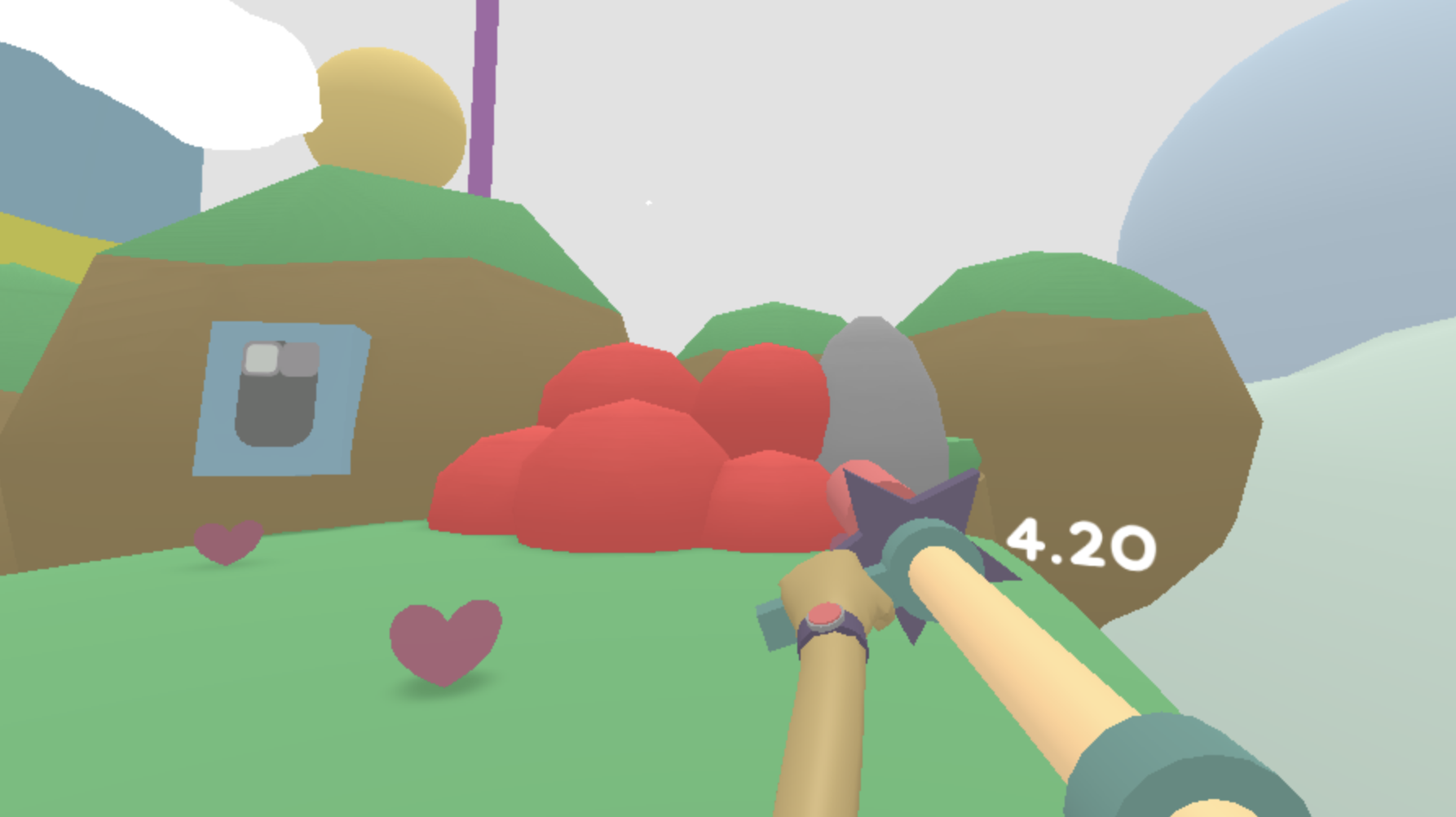
Fixing framerate issues and adding the in-game HUD timer. If you make your way to the bottom of the settings menu, you'll see a "..." option that spawns an extra settings menu.
Full notes
Full Lovely Planet 2: April Skies update
Read the full published notes in a cleaner layout. The original post stays linked below.
What changed
1 fix0 additions1 change0 removals
UI and audio
Compatibility
fixedFixing framerate issues and adding the in-game HUD timer. If you make your way to the bottom of the settings menu, you'll see a "..." option that spawns an extra settings menu. Steam post image Steam post image This menu contains a toggle for the in-game HUD timer and frame limiter settings. You can choose to set the framerate cap to 30, 60, 120 and 144, or turn it off entirely.
changedI've put this together in a bit of a rush so it's pending a round of internal testing and QA. Until then, this update will be waiting in the beta branch. To switch to the beta branch, right-click on the game in your library, select "Properties". You'll find a "Beta" tab that allows you to select between the default and beta branch. NOTE: I'm pretty confident of beta builds, but since this update alters game settings I don't want to jump the gun until it's tested on more machines with different configurations. Try it at your own risk. You can always revert back to the default branch, but if the beta build alters your settings you might have to reset them manually. If you switch successfully, the updated game should show a "v3[BETA]" watermark on the top right hand corner of the screen in the main menu.
Lovely Planet 2: April Skies changes
fixedFixing framerate issues and adding the in-game HUD timer. If you make your way to the bottom of the settings menu, you'll see a "..." option that spawns an extra settings menu. Steam post image Steam post image This menu contains a toggle for the in-game HUD timer and frame limiter settings. You can choose to set the framerate cap to 30, 60, 120 and 144, or turn it off entirely.
changedI've put this together in a bit of a rush so it's pending a round of internal testing and QA. Until then, this update will be waiting in the beta branch. To switch to the beta branch, right-click on the game in your library, select "Properties". You'll find a "Beta" tab that allows you to select between the default and beta branch. NOTE: I'm pretty confident of beta builds, but since this update alters game settings I don't want to jump the gun until it's tested on more machines with different configurations. Try it at your own risk. You can always revert back to the default branch, but if the beta build alters your settings you might have to reset them manually. If you switch successfully, the updated game should show a "v3[BETA]" watermark on the top right hand corner of the screen in the main menu.
Fixing framerate issues and adding the in-game HUD timer. If you make your way to the bottom of the settings menu, you'll see a "..." option that spawns an extra settings menu. Steam post imageSteam post image This menu contains a toggle for the in-game HUD timer and frame limiter settings. You can choose to set the framerate cap to 30, 60, 120 and 144, or turn it off entirely.
I've put this together in a bit of a rush so it's pending a round of internal testing and QA. Until then, this update will be waiting in the beta branch. To switch to the beta branch, right-click on the game in your library, select "Properties". You'll find a "Beta" tab that allows you to select between the default and beta branch. NOTE: I'm pretty confident of beta builds, but since this update alters game settings I don't want to jump the gun until it's tested on more machines with different configurations. Try it at your own risk. You can always revert back to the default branch, but if the beta build alters your settings you might have to reset them manually. If you switch successfully, the updated game should show a "v3[BETA]" watermark on the top right hand corner of the screen in the main menu.
If you take this for a spin, let me know if it solves the v-sync and framerate issue for you. I'll try to get this update finished as soon as possible! Thanks a lot for your patience! Cheers