
HomeGamesUpdatesPricingMethodology
Steam News6 August 20187y ago

Update 0.6.63!

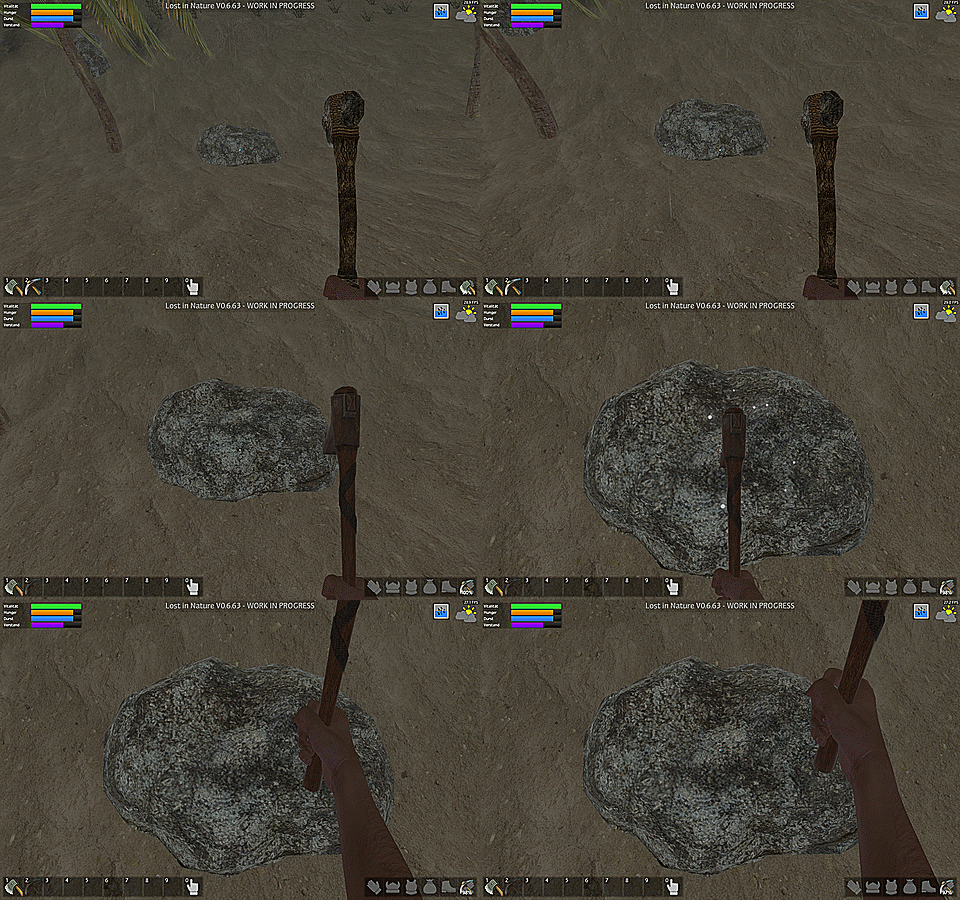
What!? Another update? Sure, of course! Now there is an action bar that allows you to quickly use items with the keys [1] - [9] and with the key [0] you get your hands free quickly. It makes playing a lot easier!

Full notes

Full Lost in Nature update

Read the full published notes in a cleaner layout. The original post stays linked below.

What changed

0 fixes3 additions4 changes1 removal
  • UI and audio
  • Gameplay
  • Fixes
addedWhat!? Another update? Sure, of course! Now there is an action bar that allows you to quickly use items with the keys [1] - [9] and with the key [0] you get your hands free quickly. It makes playing a lot easier! But that is not all! The "New" and "Load" buttons have completely disappeared from the main menu. Instead of these, there is only one "Play" button. This brings you to the four save slots, which now show information about the save game and even a screenshot!
addedNewThe loading window has been replaced by a completely new "Play"-window.
changedNewA screenshot will now be displayed for each save slot.
addedNewThe buttons in the menus now have a click sound.
changedFixedSave slot 3 works again.
changedFixedThe settings window works in the main menu again.

Lost in Nature changes

addedWhat!? Another update? Sure, of course! Now there is an action bar that allows you to quickly use items with the keys [1] - [9] and with the key [0] you get your hands free quickly. It makes playing a lot easier! But that is not all! The "New" and "Load" buttons have completely disappeared from the main menu. Instead of these, there is only one "Play" button. This brings you to the four save slots, which now show information about the save game and even a screenshot!
addedThe loading window has been replaced by a completely new "Play"-window.
changedA screenshot will now be displayed for each save slot.
addedThe buttons in the menus now have a click sound.
changedSave slot 3 works again.

What!? Another update? Sure, of course! Now there is an action bar that allows you to quickly use items with the keys [1] - [9] and with the key [0] you get your hands free quickly. It makes playing a lot easier! But that is not all! The "New" and "Load" buttons have completely disappeared from the main menu. Instead of these, there is only one "Play" button. This brings you to the four save slots, which now show information about the save game and even a screenshot!

New

  • There is now an action bar with 9 free slots that you can fill with any item.

  • The loading window has been replaced by a completely new "Play"-window.

  • Each save slot now displays various information (playing time, day, ...) and a message appears when loading outdated save slots.

  • A screenshot will now be displayed for each save slot.

  • There are now four save slots.

  • The buttons in the menus now have a click sound.

Changed

  • Log entries are displayed longer.

  • Durability of tools are displayed larger.

  • Now get branches from felled conifers.

  • The aspect ratio of the Moongate video is correct now.

Fixed

  • Save slot 3 works again.

  • The settings window works in the main menu again.

Hint

  • Use the [0] key to quickly clear your hands and remove weapons or tools.

  • Delete slots on the action bar with the middle mouse button.

Source

Steam News / 6 August 2018

Open original post

Changelog.gg summarizes and formats this update. How we read updates.