
HomeGamesUpdatesPricingMethodology
Steam News29 December 20214y ago

Ver 1.2.0

In Ver1.2.0, the items of Settings that were a inconvenient until now will be greatly expanded. Specifically, Settings are divided into multiple items, each of which can be customized.

Full notes

Full LinearShooter Remixed update

Read the full published notes in a cleaner layout. The original post stays linked below.

What changed

0 fixes1 addition2 changes0 removals
  • UI and audio
  • Gameplay
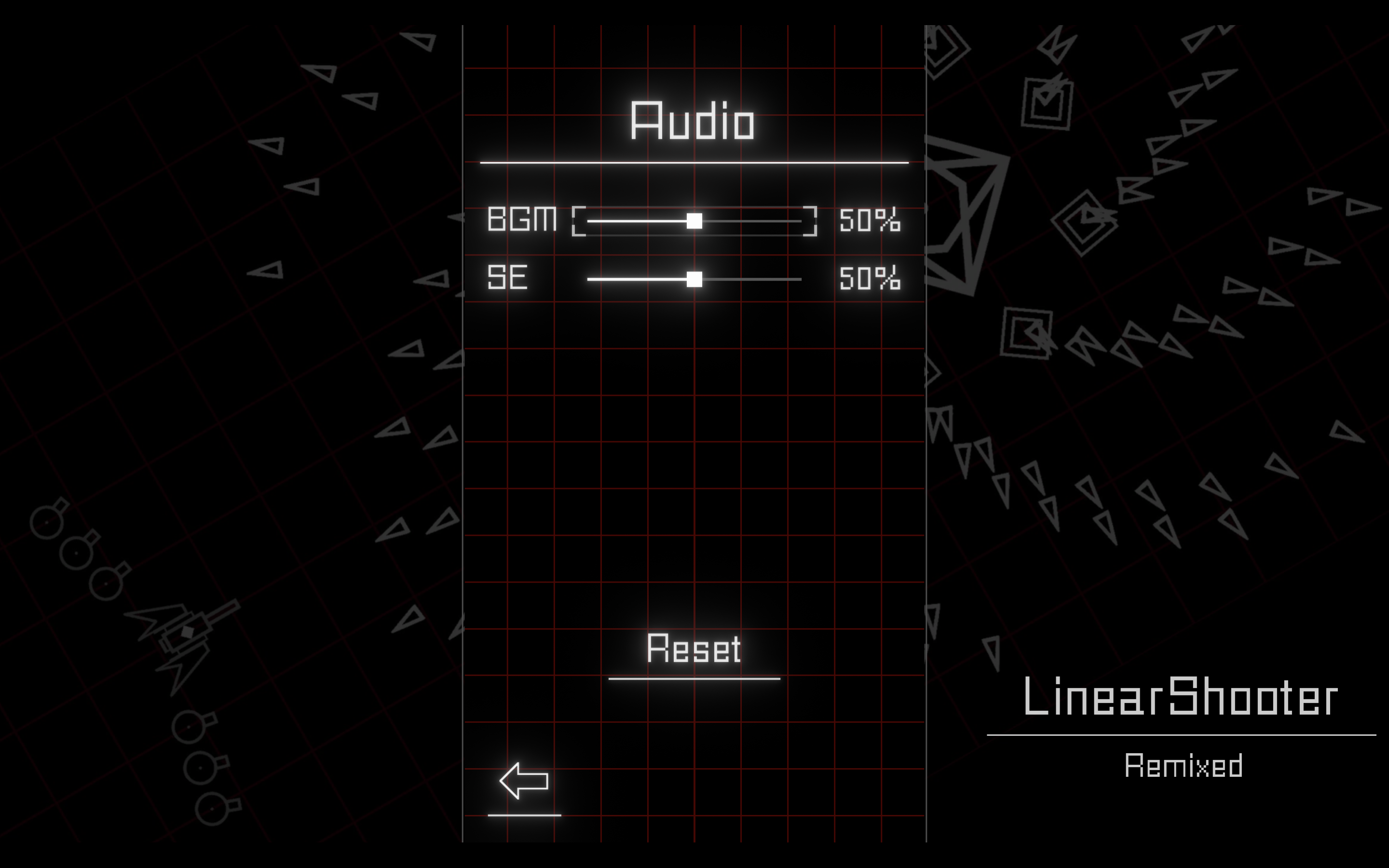
changedAudio In the Audio item, you can change the volume of BGM and sound effects.
changedVideo In the Video item, you can change the transparency of the object, turn the Bloom effect on and off, and change the in-game language. The transparency of the object can be changed in three items: "item, effect, shot". The default is 100%, which is completely invisible when lowered to 0%. The Bloom effect allows you to turn on and off the effect that makes the object look shiny. The Bloom effect is a bit heavy, so turning it off may improve performance if your game is heavy. You can also switch the window mode by pressing the Window mode button.
addedIn addition, the option-related power-up icons have been changed. The new icon shows the type of shot, making it easier to tell.

LinearShooter Remixed changes

changedAudio In the Audio item, you can change the volume of BGM and sound effects.
changedVideo In the Video item, you can change the transparency of the object, turn the Bloom effect on and off, and change the in-game language. The transparency of the object can be changed in three items: "item, effect, shot". The default is 100%, which is completely invisible when lowered to 0%. The Bloom effect allows you to turn on and off the effect that makes the object look shiny. The Bloom effect is a bit heavy, so turning it off may improve performance if your game is heavy. You can also switch the window mode by pressing the Window mode button.
addedIn addition, the option-related power-up icons have been changed. The new icon shows the type of shot, making it easier to tell.

In Ver1.2.0, the items of Settings that were a inconvenient until now will be greatly expanded. Specifically, Settings are divided into multiple items, each of which can be customized.

  • Audio In the Audio item, you can change the volume of BGM and sound effects.

  • Control In the Control item, you can change the speed of your ship and the key assignment. You can assign two keys to each of shot, SP, and slow speed. You can also assign more than one operation to the same key (such as low speed & shot).

  • Video In the Video item, you can change the transparency of the object, turn the Bloom effect on and off, and change the in-game language. The transparency of the object can be changed in three items: "item, effect, shot". The default is 100%, which is completely invisible when lowered to 0%. The Bloom effect allows you to turn on and off the effect that makes the object look shiny. The Bloom effect is a bit heavy, so turning it off may improve performance if your game is heavy. You can also switch the window mode by pressing the Window mode button.

Also, the effect is now displayed when the SP is charged. This makes it possible to see that the gauge has been charged without looking at it.

In addition, the option-related power-up icons have been changed. The new icon shows the type of shot, making it easier to tell.

Source

Steam News / 29 December 2021

Open original post

Changelog.gg summarizes and formats this update. How we read updates.