
In this update3
Full notes
Full Limerick: Cadence Mansion update
Read the full published notes in a cleaner layout. The original post stays linked below.
What changed
- UI and audio
- Gameplay
Limerick: Cadence Mansion changes
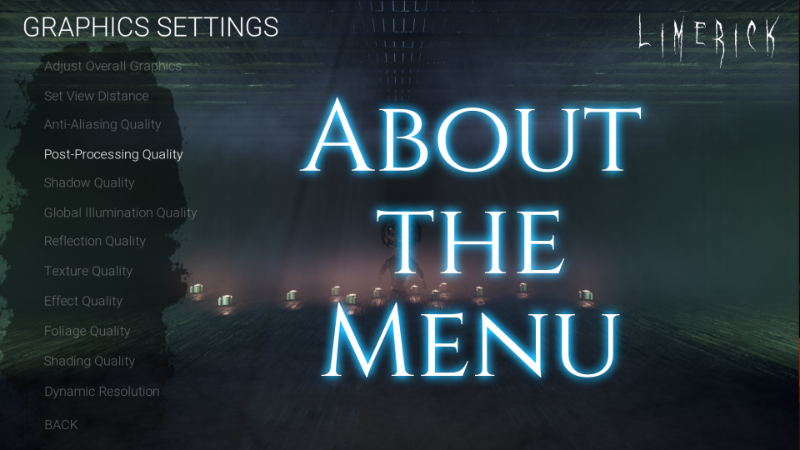
Thankfully, most players seem to be able to navigate the options menu for Limerick: Cadence Mansion without too much of a problem.
However, I know some of you have found it bulky and frustrating. I wanted to "pull back the curtain" and give you an honest post about why it works the way it does and what I might be able to do in the future.
ORIGINAL DEVELOPMENT
I developed the menu a while back. At that time, I had great difficulty getting UE's built-in menu tools to work with both mouse/keys & gamepad. I want you to be able to play the WHOLE game with either input. To me, there is nothing more frustrating than being told I can use a gamepad just to have to set it down 3 seconds later to navigate a menu.
Eventually, I built my own solution for the menu. But I did not build extra options like sliders, radio buttons, etc. This is why the menu can be so bulky at times. On the positive side, you can navigate all settings with either input!
CURRENT PRIORITY
As a solo developer, my current priority is 100% on finishing the game. I think everyone can understand this. The flashiest menu on earth will never make up for a game that is not finished or absolutely riddled with bugs.
I'm glad to be on-track with development. Cadence Mansion is coming together nicely, and it shouldn't be too long before some very, very, VERY big announcements will roll along.
LOOKING AHEAD
Until I've finished primary development (i.e. getting the game done), the menu is not a priority issue for me. While a bit bulky, it serves its purpose faithfully and can be used with any input method the player has chosen.
Once the game is done - and probably already launched - I may be able to come back around to the menu and see what I can do to spruce it up.
Thank you all so much for playing and for the continued feedback!
Source
Changelog.gg summarizes and formats this update. How we read updates.