Hello everyone! Over the weekend, we received some reports of certain playback screens and text line issues, so our programmer has released a patch to fix the issues!
Full notes
Full Kokorogawari update
Read the full published notes in a cleaner layout. The original post stays linked below.
Repeated intro
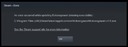
Hello everyone! Over the weekend, we received some reports of certain playback screens and text line issues, so our programmer has released a patch to fix the issues! Here is what's included in the patch 1) Fixed Chapter 3 renpy rollback page. 2) Small text edits. 3) Kokorogawari PC Wallpaper Yes, you saw #3 right! We have decided to give out our PC wallpaper to all buyers of our game on Steam, and downloading this patch will give you access to it in your game folder :) How to install? When you first try to launch Kokorogawari after downloading the patch, you may see this screen:
What changed
1 fix0 additions1 change0 removals
UI and audio
fixedHello everyone! Over the weekend, we received some reports of certain playback screens and text line issues, so our programmer has released a patch to fix the issues! Here is what's included in the patch 1) Fixed Chapter 3 renpy rollback page. 2) Small text edits. 3) Kokorogawari PC Wallpaper Yes, you saw #3 right! We have decided to give out our PC wallpaper to all buyers of our game on Steam, and downloading this patch will give you access to it in your game folder :) How to install? When you first try to launch Kokorogawari after downloading the patch, you may see this screen:
changedTo be able to launch the game, click the blue [Play] button on this page, then the bottom "Play Kokorogawari" on the popup that shows!
Kokorogawari changes
fixedHello everyone! Over the weekend, we received some reports of certain playback screens and text line issues, so our programmer has released a patch to fix the issues! Here is what's included in the patch 1) Fixed Chapter 3 renpy rollback page. 2) Small text edits. 3) Kokorogawari PC Wallpaper Yes, you saw #3 right! We have decided to give out our PC wallpaper to all buyers of our game on Steam, and downloading this patch will give you access to it in your game folder :) How to install? When you first try to launch Kokorogawari after downloading the patch, you may see this screen:
changedTo be able to launch the game, click the blue [Play] button on this page, then the bottom "Play Kokorogawari" on the popup that shows!
To be able to launch the game, click the blue [Play] button on this page, then the bottom "Play Kokorogawari" on the popup that shows!
We at Precatio hope that you are enjoying playing Kokorogawari! Do leave us a review if you liked the game, or even tweet about it with the tag #kokorogawari! Enjoy the trip! (And the feels ;w;)